Setting Up Your First Project
Create a new project in Sovran and configure it for your brand.
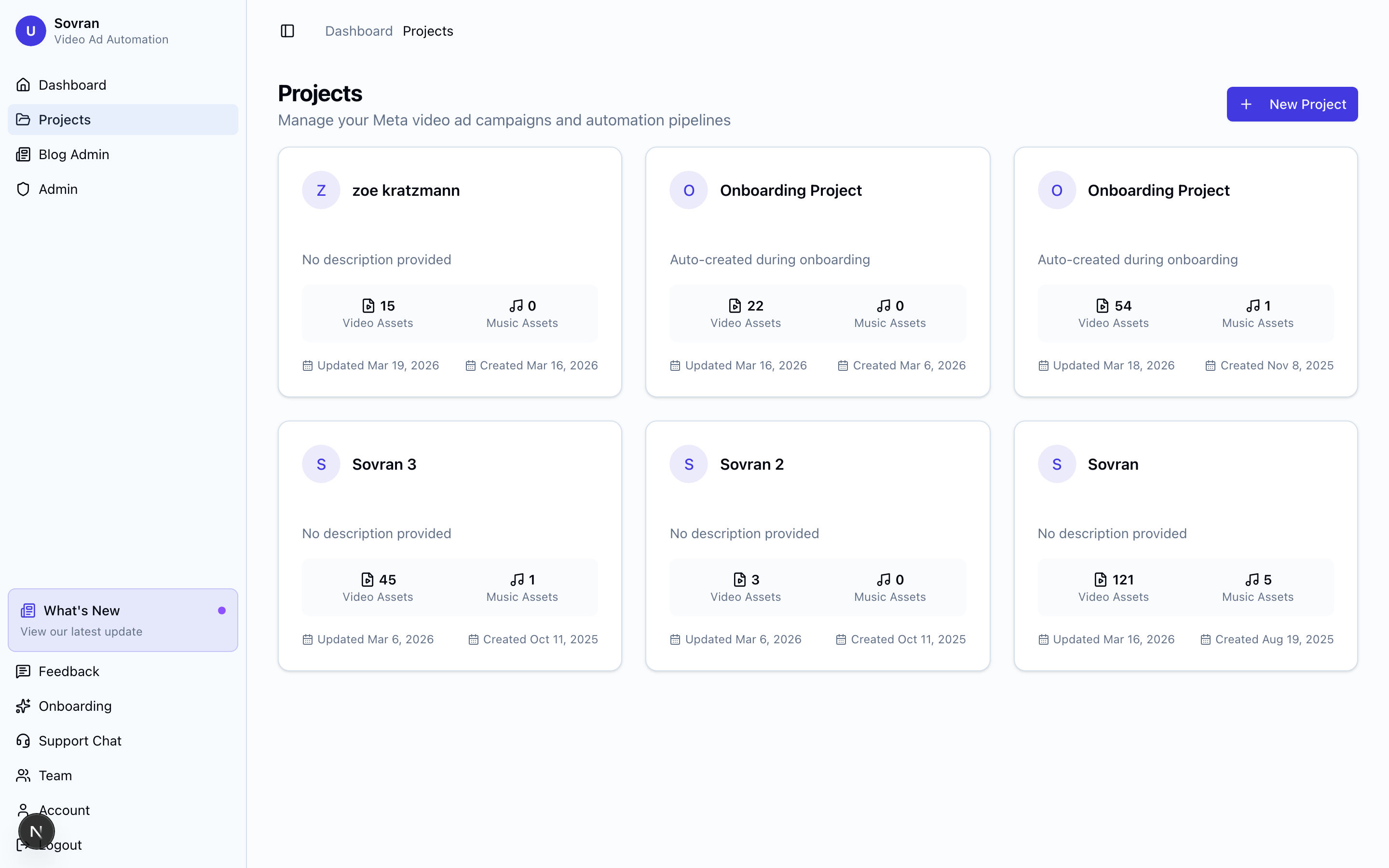
What Is a Project?
A project is how you organize work in Sovran. Each project contains its own brief, research, assets, variations, finished videos, and publishing history. Most teams use one project for each brand or product.
Creating a Project
- From the Dashboard, click the "New Project" button.
- Enter a project name (e.g., your brand name or product line).
- Click "Create" to finish.
Your new project opens with an empty Assets workspace. You can upload video clips or use the Create menu to start a workflow.
Project Structure
The sidebar groups project tools by task:
- Plan and research for Brief, Messaging, and Competitors.
- Prepare media for All Assets, Cut Clips, AI footage, and Voiceover.
- Build ads for Modular Builder, Creative Copilot, and Remixes. Modular Builder has a switch to arrange clips yourself or auto-arrange them. Remixes has a switch for ads with or without a voiceover.
- Review for Finished Videos and Ad Insights.
Groups start open. Select a group name to hide or show its tools. Some tools require an available integration or workspace access. Use Create above the groups to edit one video, write hooks, draft scripts, or start another workflow.
Inside a project, these tools use that project. Outside a project, select a tool or Create action, then choose a project. If there are no projects, select Create a project. The selected task opens after creation.
Next Steps
Start by uploading video assets or set up Brief to support AI-generated scripts and voiceovers.