AI Features
AI Clip Search & Auto-Tagging
Search your video library by meaning and auto-tag clips by script module type.
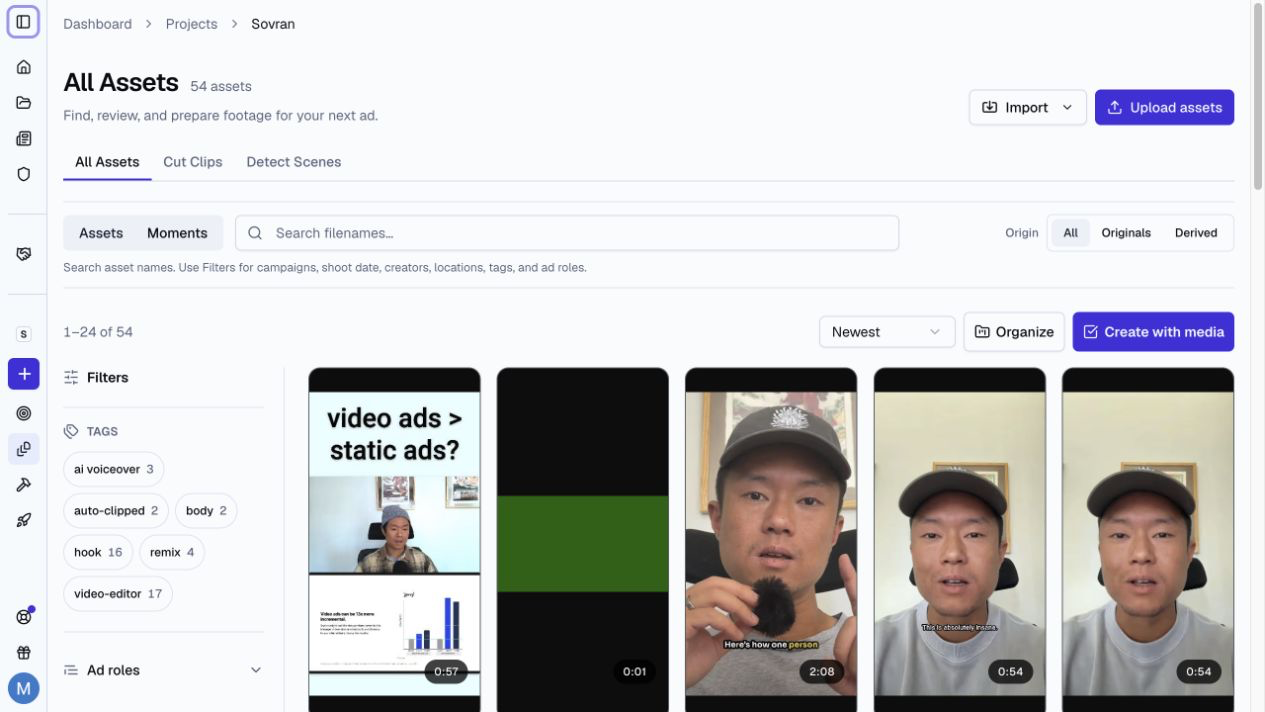
Natural Language Video Search
Sovran's AI search lets you find specific moments in your video library by describing what you're looking for in plain English:
- "Person unboxing a product"
- "Close-up of someone smiling"
- "Text on screen showing a price"
- "Someone running outdoors"
The AI searches visual content, audio, text on screen, and transcribed speech to find matching moments.
How to Search
- Open Assets.
- Select Moments next to the search field.
- Type a plain-language query.
- Review the ranked results and their time markers.
Auto-Tagging Script Modules
Sovran's AI can automatically detect and tag script module types in your clips:
- The AI analyzes transcripts and detects 15 module types: Hook, Problem, Solution, Benefit, Results, Social Proof, CTA, and more.
- Each tagged segment includes a confidence score and evidence quote so you can verify the tagging.
- Suggested ad roles appear with the analyzed moments and clips.
Filtering by Module Type
Use the Ad roles filter in Assets to show hooks, bodies, CTAs, and other roles. You can combine this filter with tags, creators, locations, campaigns, and shoot dates.
Related Articles
Was this article helpful?