How to Turn Link Into Video: Ads That Convert in 2026
Learn how to turn link into video for Meta & TikTok ads. Leverage AI to scale creation, boost ROI, and succeed in 2026.
Jump to a section
Turning a link into a video is way faster and easier than it used to be, all thanks to AI-powered platforms. These tools can grab everything from a URL—images, headlines, product details—and automatically spin them into video ads for Meta and TikTok. The whole process takes just minutes.
The New Era of AI-Powered Video Ad Creation
For performance marketers, this is a game-changer. The idea of turning any link into a video ad isn't some far-off concept anymore; it's a core strategy for anyone serious about growth. We're seeing a massive move away from clunky, manual video editing toward a slick, automated workflow that treats any webpage as a creative goldmine.
This approach lets you churn out hundreds of ad variations from just one link. It’s hands-down the best way to fight creative fatigue, speed up your testing, and find winning ad concepts up to 10x faster. Tools like Sovran are making this a reality for teams of all sizes, so you don't need a huge production crew to scale your creative output.
It's a pretty straightforward process. You give the AI a link, and it gives you back a video.
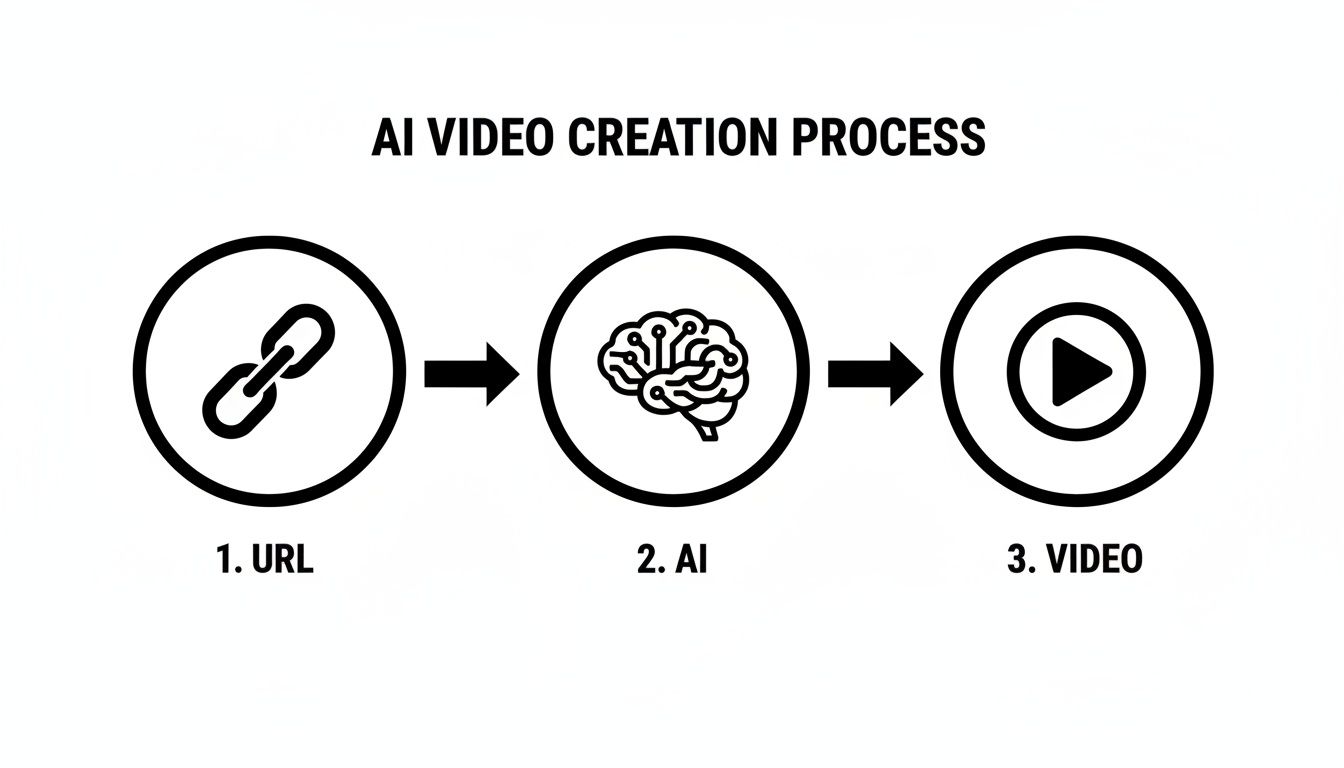
As you can see, modern platforms take a simple link, use AI to understand what's on the page, and spit out a finished video. What used to be a complicated, multi-step job is now almost instant.
The Shift to Automation is Real
This isn't just a trend; it's a market-wide shift backed by serious numbers. The global AI video generator market was valued at around $788.5 million in 2025 and is expected to hit $946.4 million by the end of 2026.
That growth is all about efficiency. AI can slash the time it takes to create a 60-second marketing video from 13 days down to just 27 minutes. That’s a 97% time savings.
By automating the tedious parts of video creation, marketers can finally stop messing around with editing software and start focusing on high-level strategy and performance analysis. That’s where the real wins are.
A New Creative Workflow
For performance-focused teams, the benefits of this AI-powered process are immediate and obvious. This isn't just about making one video faster; it's about building a scalable system for constant creative testing and optimization.
Think about the direct impact this has on your daily grind.
Manual vs AI-Powered Link-to-Video Creation
To really see the difference, let’s compare the old way of doing things with the new AI-powered approach. The efficiency gains are pretty stark.
Metric | Manual Process (e.g., CapCut) | AI-Powered Process (e.g., Sovran) |
|---|---|---|
Initial Setup Time | 30-60 minutes (sourcing assets, setup) | < 1 minute (paste URL) |
Time per Video | 1-3 hours | 2-5 minutes |
Variation Testing | Hours per variation; difficult to scale | Minutes for 100+ variations |
Cost | High (editor's time, software) | Low (subscription-based) |
Skill Required | Intermediate to advanced video editing | Beginner |
Output Volume | Low (1-3 concepts per day) | High (hundreds of ads per day) |
The table makes it clear: manual workflows just can't keep up. The ability to generate and test creatives at this new speed is a massive competitive advantage.
Here are the key advantages you can expect:
Massive Time Savings: Go from a single idea to hundreds of ad variants in minutes, not weeks.
Lower Production Costs: Forget about expensive shoots or complicated editing software for every new ad test.
Faster Learning Cycles: Test way more creative angles in less time to figure out what your audience actually responds to.
To really get a handle on this shift, it's worth digging into the wider landscape of AI social media content creation. It’s a completely different way for creative teams to operate.
Choosing and Preparing Your Source Link
Ever tried to turn a webpage into a video ad and gotten… well, garbage? It happens. The secret to creating a killer video ad from a link isn't just about the AI tool you use; it starts with the raw material you feed it.
Think of it as the ultimate "garbage in, garbage out" scenario. If you give an AI a weak, cluttered webpage, you’re going to get a weak, cluttered video. The first step, long before you even touch a tool like Sovran, is to think like a creative strategist and pick the right source URL. You're looking for a page that's packed with "scrapable" assets—the good stuff an AI can easily grab.
What Makes a Link High-Potential?
Not all webpages are created equal for this process. The best ones are already structured to persuade a human visitor. An AI is just looking for those same persuasive elements: high-quality images, benefit-driven headlines, customer quotes, and key data points.
Here are the types of pages that consistently work best:
Product Detail Pages (PDPs): These are often the gold standard. They're typically loaded with high-res product photos, clear benefit statements, pricing, and sometimes customer reviews. It's a ready-made ad script waiting to be assembled.
Blog Posts and Articles: We've seen incredible results from listicles ("5 Reasons Why...") and articles packed with compelling stats. They provide a structured, factual narrative that builds authority and trust in a video ad.
Customer Review or Testimonial Pages: Nothing sells like social proof. A page dedicated to glowing customer quotes and star ratings is the perfect source for creating authentic, user-generated content (UGC) style video ads.
The most effective source links have a clear, singular focus. A page dedicated to one product or a single compelling angle will almost always produce a better video ad than a cluttered homepage trying to communicate ten different messages at once.
Vetting Your URL for Scannable Assets
Before you commit to a link, do a quick manual scan. Put yourself in the AI's shoes and see what it will find. You’re not just looking for content; you’re looking for high-quality, easily isolated content. That low-res, pixelated hero image on your homepage? It’s going to look just as bad in your video. Visual quality is non-negotiable.
Run through this quick checklist to vet any potential URL:
High-Quality Visuals: Are there at least 3-5 crisp, clear images or graphics that tell a story?
Benefit-Oriented Headlines: Does the page use strong H1s and H2s that scream value, not just describe a feature?
Concise Body Copy: Is the text broken into short, scannable sentences or bullet points? This is what an AI loves to grab for text overlays.
Social Proof Snippets: Can you spot any short, powerful customer quotes or testimonials? Even a single great quote can be a game-changer.
Clear Call-to-Action (CTA): Is there an obvious "Shop Now" or "Learn More" message that can serve as the video's closing punch?
If you can confidently check off at least three of these, you’ve got a solid candidate. Taking a minute to do this pre-vetting dramatically increases your odds of generating a high-performing video on the very first try.
From Link to Asset Library: Grabbing Your Creative and Building Hooks
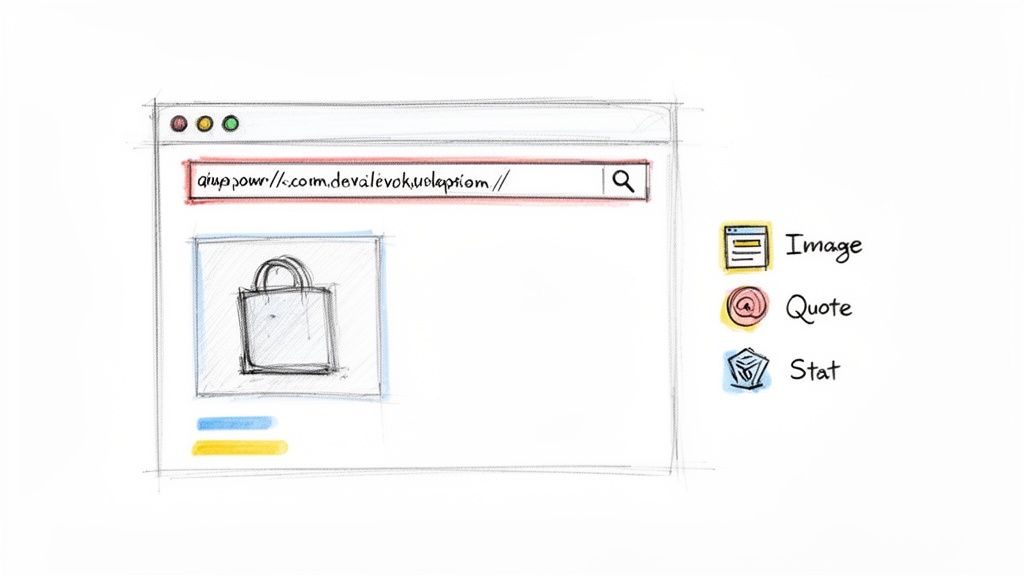
Okay, you’ve picked a solid link. This is where the fun begins—turning that webpage’s raw material into a video ad that actually makes people stop and watch. AI platforms are a game-changer here, crawling your URL to automatically pull out all the usable content.
Think of it as instantly creating a pre-approved creative library for your ad. The AI will scan the page and grab everything: headlines, product descriptions, customer quotes, and all your high-res imagery. This isn't just about saving time; it's about having a full palette of brand-safe elements ready to go.
But having the assets is just step one. The real skill is arranging them into an irresistible narrative that stops the scroll in those first three seconds.
Turning Dry Features Into Killer Hooks
Here’s a hard truth: customers don't buy "features." They buy solutions to their problems. The best hooks take a boring product feature and reframe it as an emotional benefit. This is usually a creative grind, but AI can spitball dozens of angles for you in seconds.
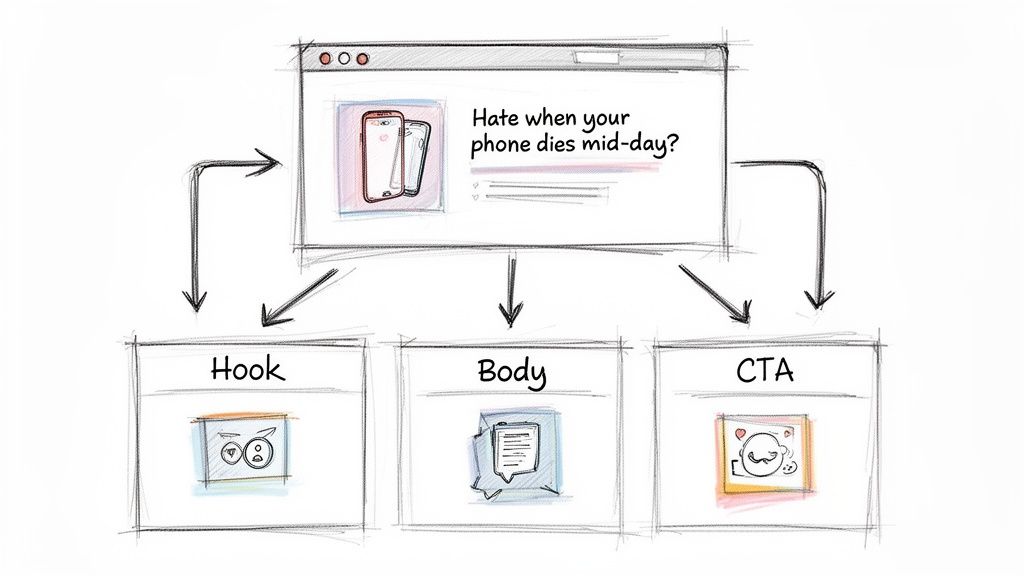
Let's say your product page lists "24-hour battery life" as a feature. That's a fact, not a hook. An AI can instantly flip that into scroll-stopping openers:
Problem-First: "Hate when your phone dies right when you need it? This is the fix."
Aspirational: "Imagine a phone that actually keeps up with your life."
Direct & Bold: "This is the last battery you’ll ever have to worry about."
And this isn't just a neat trick; it's driving serious results. The market for AI-driven video ads is projected to hit $9.1 billion worldwide by 2026, making up about 12% of all digital video ad spending. We’ve seen adoption jump 300% since 2022 because these tools can turn a simple link into a professional-grade ad with minimal effort.
The key is to move from describing what your product does to showing why your audience should care. A great hook connects a product feature to a viewer’s real-world frustration or desire.
Leaning on Proven Scripting Frameworks
You don't need to invent a new story structure for every ad. The top-performing video ads almost always follow proven formulas. With all your assets pulled from the link, you can easily slot them into these frameworks.
Problem-Agitate-Solution (PAS): Call out a common pain point, explain why it's so frustrating, and then introduce your product as the hero. It’s a classic for a reason—it works.
UGC Mashup: Pull all the customer quotes and reviews from your link and stitch them together. Nothing builds trust faster than authentic social proof.
The Listicle: Got a "Top 5 Features" section on your page? Turn it into a quick, punchy video listing the top reasons to buy. It's snackable, engaging, and perfect for short attention spans.
Keep Your Brand Voice with a Context Vault
A big worry for brands using AI to turn a link into a video is that the output will sound generic and off-brand. That's where a Context Vault comes in. Think of this feature, found in tools like Sovran, as your brand's own dedicated brain.
You can load it up with your core brand assets ahead of time:
Brand Guidelines: Your official tone, voice, and style guides.
Top-Performing Angles: Scripts and concepts from ads that have already crushed it for you.
Approved Customer Reviews: A curated library of your best testimonials.
By feeding the AI this context, you’re not just telling it what assets to use from the link, but how to use them. It ensures every script sounds like it came from your team and is focused on your specific conversion goals. This context also helps the AI find better stock footage, which you can learn more about in our guide on AI-powered clip searching.
Alright, you’ve pulled the best content from your link and your hooks are ready to go. Now for the assembly line, where we turn those raw ingredients into a whole menu of video ads.
Instead of treating each video as a single, painful project, think of it in pieces. AI tools like Sovran don't just dump your assets into a folder; they intelligently sort everything into categories: Hooks, Bodies, and Calls-to-Action (CTAs).
This creates a flexible library of building blocks. You can mix and match these components on the fly to test different angles. Want to see if a quick, punchy listicle outperforms a classic Problem-Agitate-Solution story? You can build both in seconds, not hours.
Customizing Your Creatives with Ease
Once you have a basic sequence, the real magic is in the customization. This isn't about painstakingly editing every single video by hand. It’s about applying smart changes across dozens of variations all at once.
A few essential features make this possible:
Dynamic Text Overlays: Slap headlines, benefit callouts, or pricing from your link right onto your video scenes.
Automatic Subtitles: With over 85% of social media videos watched on mute, auto-captions are an absolute must-have for getting your message across.
One-Click Brand Kits: Instantly apply your brand's specific logos, fonts, and color palettes to every video. This keeps everything consistent without the manual busywork.
This approach is a massive shift in creative workflow. We've seen AI video tools slash production costs by 91%, dropping from an average of $4,500 to just $400 per minute. The timeline for a 60-second video can shrink from 13 days to a mere 27 minutes. You can dive deeper into this trend by checking out the AI video generator software market report.
Filling the Gaps with AI-Generated B-Roll
So, what happens when your source link has some visual holes? Maybe your product page has killer photos but zero action shots. In the past, this meant organizing a whole new, expensive photoshoot. Not anymore.
Today, you can fill those gaps with AI-generated b-roll. Modern platforms connect directly with powerful video generation models, letting you create custom visuals on demand.
Pro Tip: Be specific with your AI prompts. Don't just ask for "a person using a phone." Instead, try something like, "over-the-shoulder shot of a young woman smiling as she scrolls through a social media app on her phone in a bright café." The more detail you feed the AI, the better your results will be.
This is a complete game-changer, especially for marketers who need a constant stream of fresh visuals but don't have a Hollywood-sized budget. It ensures every second of your ad is visually interesting, even if the original link was a little light on media.
You can learn more about the mechanics behind this in our guide on AI video generation features. By blending the authentic assets from your link with AI-generated clips, you get the best of both worlds: brand-specific visuals and fresh, dynamic footage to fill any narrative holes. That’s how you truly turn a link into a video ad that performs.
Formatting for Meta & TikTok
Once your videos are rendered, the final step is formatting them for each ad platform. A video that crushes it on TikTok might flop in a Meta Feed if it's not optimized correctly. Getting the aspect ratio, length, and other specs right is critical for performance.
Here's a quick reference table to help you format your ads for Meta and TikTok.
Specification | Meta (Feeds & Reels) | TikTok (In-Feed) |
|---|---|---|
Aspect Ratio | 9:16 (Reels), 1:1 or 4:5 (Feed) | 9:16 (Full-screen vertical) |
Recommended Length | 5-15 seconds | 9-21 seconds |
File Size Limit | Up to 4GB | Up to 500MB |
Caption/Text | Use on-screen text & native captions | Use native text overlays & captions |
Safe Zones | Keep key elements centered and away from UI | Avoid top, bottom, and right-side UI overlap |
Audio | Design for sound-off; use trending audio for Reels | Sound-on is crucial; leverage trending sounds |
Using a modular video tool makes this last step simple. You can often set your target platform, and the software will automatically export versions in the correct formats, saving you yet another manual headache. This ensures your awesome new videos look great and perform their best, no matter where you run them.
Bulk Rendering and Launching for Rapid Testing
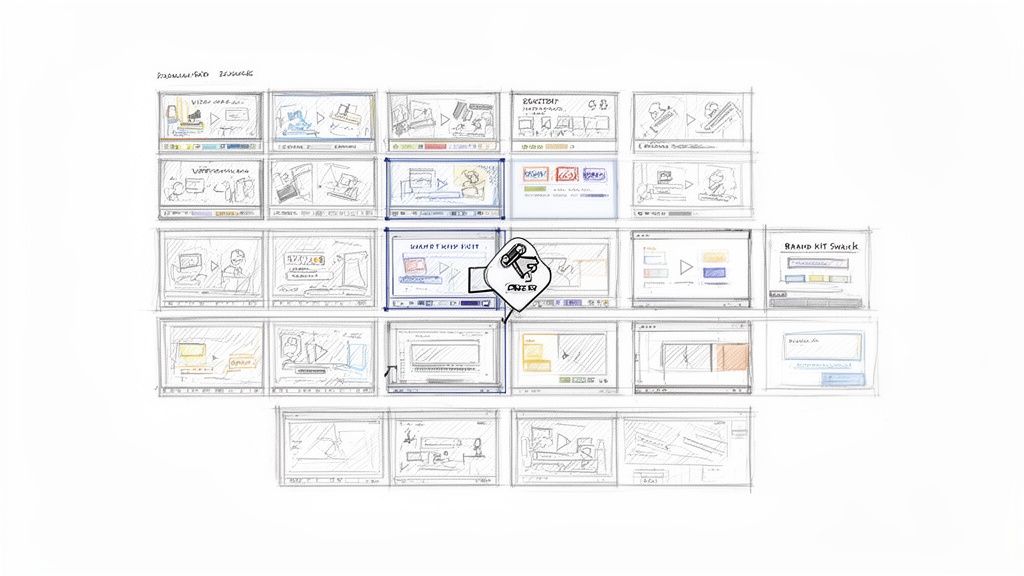
For any serious performance marketer, the real magic of turning a link into a video isn't just about making a single ad. It’s about achieving creative velocity—the ability to churn out hundreds of variations for systematic testing. This is where bulk rendering becomes your secret weapon, letting you turn a few core ideas into a massive library of ready-to-launch ads in minutes, not days.
Let's say you've come up with three killer hooks, two different body sections, and two compelling calls-to-action (CTAs). If you were editing manually, that’s seven separate video projects. With a tool like Sovran, it's a single click to generate all 12 possible combinations (3 Hooks x 2 Bodies x 2 CTAs), with each one rendered as its own unique video file.
This modular approach finally lets you isolate and test every single variable with confidence. You can get definitive, data-backed answers to the questions that keep you up at night:
Does a hook that agitates a pain point beat one that highlights a benefit?
Will a direct "Shop Now" CTA actually convert better than a softer "Learn More"?
Is a raw, UGC-style body more effective than a polished, feature-focused one?
It’s about taking the guesswork out of creative and replacing it with a repeatable, data-driven system.
The Hidden Power of Automated Naming
Here’s a small detail that will save you hours of agony: automated naming conventions. When you bulk-render dozens (or hundreds) of videos, trying to rename each file manually is a full-blown nightmare. It’s tedious, and one tiny mistake can completely mess up your campaign analysis.
Modern platforms solve this by automatically generating logical file names based on the components inside.
A video might be named
Hook-Problem-V1_Body-UGC-V2_CTA-ShopNow.mp4. This might seem minor, but it's a lifesaver. You can instantly see what's in a video without ever pressing play, making the process of uploading and organizing campaigns in Meta Ads Manager totally seamless.
This simple system creates a direct, error-free path from your initial link all the way to a live campaign. You can dig deeper into setting up this powerful workflow by checking out our guide on https://sovran.ai/docs/modular-video-ads/rendering-ad-variations.
From Rendering to Rapid Learning
Once your ad variations are rendered, you can jump straight into A/B testing to find your winners fast. By launching multiple versions at once, you collect performance data at an incredible speed, letting you double down on what’s working and kill the losers before your competitors even know what hit them.
This high-velocity testing loop is the true endgame of the "turn link into video" process. It's what allows for rapid learning cycles, helping you find those profitable ads before creative fatigue kicks in and your performance starts to dip. This isn't just about making more ads; it’s about building a scalable engine for sustained growth.
Common Questions About Link-To-Video Ad Creation
Even with a tool that can turn a link into a video, I get it—it’s a totally new way of working. Moving from a manual, one-at-a-time creative process to an automated, scalable one brings up some good questions. Let’s tackle some of the most common ones we hear from marketers making the switch.
How Does An AI Actually Turn A Link Into A Video?
It’s really a smart combination of web crawling and creative AI. When you drop a URL into the system, the AI acts like a search engine bot, scanning the entire page. It’s trained to identify and pull out the most important assets: images, headlines, product descriptions, pricing, and even those golden customer reviews.
Once it has the raw materials, natural language processing kicks in. The AI analyzes all the text and starts generating different script variations. It's not just grabbing sentences; it's crafting unique hooks, body copy, and calls-to-action based on marketing formulas that are proven to work. Finally, it pulls everything together—the scripts, the images, your brand kit, and even relevant stock footage—to assemble complete, ready-to-test video ads. The whole thing takes just a few minutes.
What Kind Of Links Work Best For Video Ad Creation?
This is a big one. The quality of your final video is directly tied to the quality of the link you start with. For the best results, you need a source page that’s already packed with persuasive copy and great visuals.
We've found these types of pages work wonders:
Product Pages: These are usually the jackpot. They’re already loaded with high-res product photos, benefit-focused copy, and specific details like features and pricing that make for a compelling ad.
Blog Posts: Got a data-heavy article, a "how-to" guide, or a listicle? These are fantastic because they provide a natural narrative structure that translates beautifully into a video script.
Customer Review Pages: A page full of authentic user testimonials is pure gold. The AI can pull these direct quotes to create incredibly powerful, social-proof-driven ads that feel genuine and build trust instantly.
The main principle here is to feed the AI a link with structured, compelling content. A cluttered homepage trying to be everything to everyone will just confuse it. A focused landing page, on the other hand, gives the AI a clear roadmap to create a winner.
Can I Maintain Brand Consistency With AI-Generated Videos?
Absolutely. This isn’t about handing over the keys to a black box and hoping for the best. Modern platforms are built to ensure your brand’s identity stays front and center.
This is usually managed through a dedicated "brand kit" or "context vault." Before you even think about turning a link into a video, you’ll upload your core brand assets one time:
Your logos and brand marks
Your specific brand fonts (as TTF files)
Your official brand color palettes (using hex codes)
Beyond that, a Context Vault lets you store your brand's voice guidelines, key messaging, and pre-approved testimonials. This gives the AI guardrails, ensuring every script and visual combination it generates feels like it came straight from your in-house team—just without the weeks of back-and-forth.
Ready to stop the manual grind and finally test creatives at the speed of your audience? With Sovran, you can turn any link into hundreds of high-performing video ads in minutes. Start your 7-day free trial and see just how fast you can find your next winning ad.

Manson Chen
Founder, Sovran
Related Articles
Your Guide to a Social Media Ad Generator in 2026
Discover how a social media ad generator revolutionizes creative production. Learn to automate video ads, scale testing on Meta & TikTok, and drive performance.
10 Actionable Ad Creative Ideas That Convert in 2026
Discover 10 actionable ad creative ideas for Meta & TikTok. Get hooks, scripts, and testing frameworks to boost your ROAS and combat creative fatigue.
Your Ultimate Guide to UGC Style Video Ads
Master UGC style video ads for Meta and TikTok. This guide reveals proven frameworks, scripts, and scaling tactics to boost your ROAS in 2026.