Storyboard Development: Scale Video Ad Production in 2026
Jump to a section
The script backlog is growing, the media buyer wants fresh variations before the next performance review, and every stakeholder has a different opinion about the opening shot. Your team can produce a polished video, yet still lose days deciding which hook belongs with which product demonstration, CTA, caption set, and platform format.
That's where storyboard development becomes more than a sketching exercise. In a high-velocity ad pipeline, the storyboard is a production blueprint, a testing map, and a shared approval document. It should tell the editor what changes, show the buyer what's being tested, and help the creative team reuse proven scenes without rebuilding every ad from scratch. Teams looking to expand this workflow can also review how to scale ad creative production for a broader operating model.
Strategic Blueprint for Storyboard Development
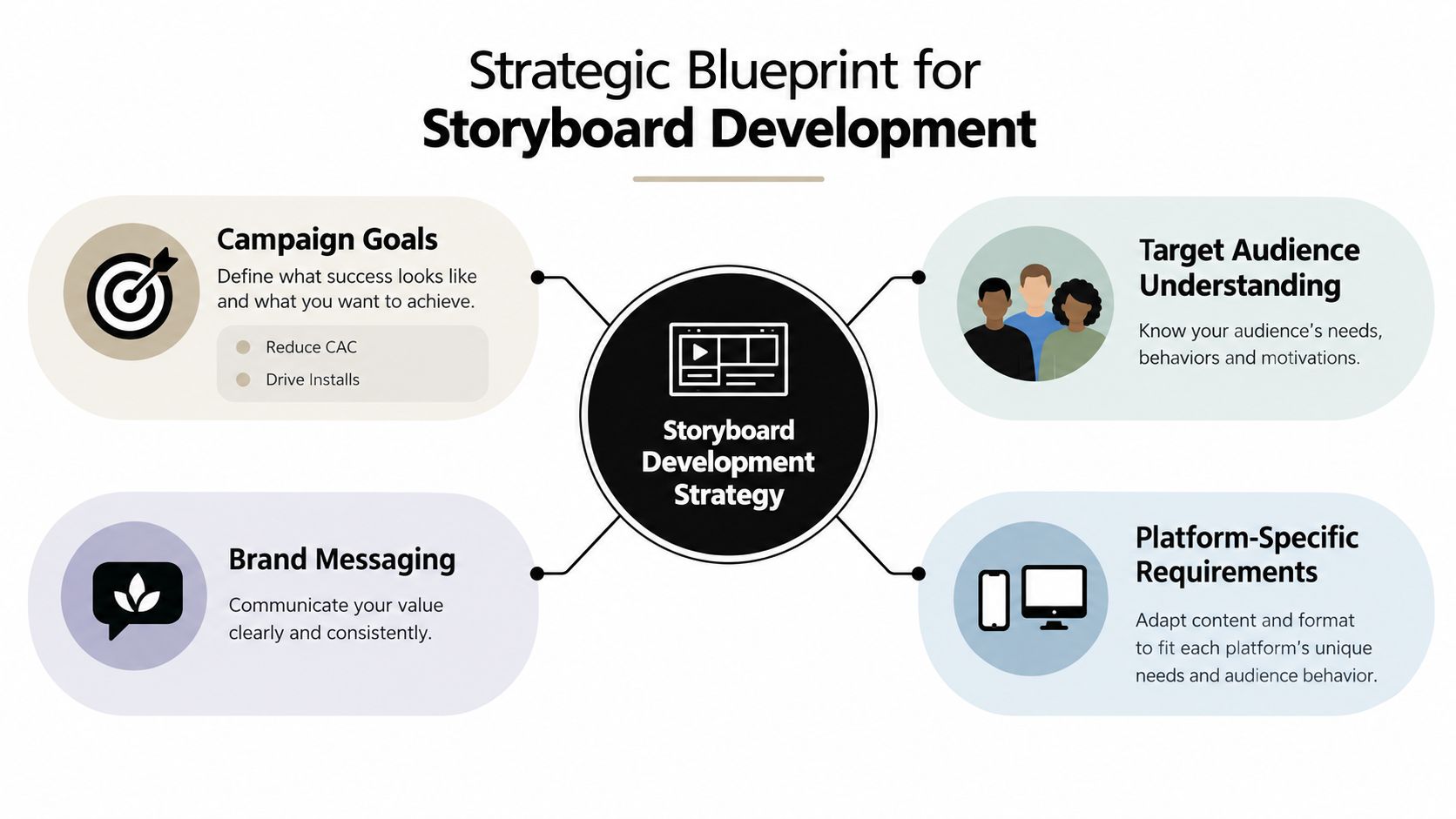
A strong storyboard starts before anyone draws a frame. First, define the business outcome the ad must support. A mobile app campaign might prioritize reducing CAC, driving installs, improving trial starts, or reactivating lapsed users. Each objective changes the story structure. An install-focused ad can move quickly from a recognizable pain point to a product demonstration, while a reactivation ad may need to remind the viewer why the app was useful in the first place.
Next, identify the audience narrowly enough to influence the visuals. “Mobile gamers” is a category, not a usable creative brief. A better audience description might include a player who wants faster progression, dislikes repetitive levels, and responds to competitive challenges. That detail affects the first frame, the language of the voiceover, the gameplay footage, and the CTA.
Build the hook, body, and CTA together
A hook earns attention, but it shouldn't be evaluated in isolation. Pair each hook with a body that proves the promise and a CTA that matches the viewer's intent.
For a gaming app, the combinations might look like this:
- Feature reveal: Open on a surprising game mechanic, demonstrate how it changes play, then invite the viewer to try the feature.
- Frustration opener: Show a familiar progression problem, reveal the app's solution, then use an install-focused CTA.
- Challenge opener: Present a direct challenge, show the player completing it, then ask the viewer to beat the result.
Rank these combinations by strategic fit, not by how attractive the individual frame looks. A dramatic hook paired with a weak demonstration creates a disconnected ad. A clear product explanation paired with an overly broad CTA leaves the viewer without a reason to act.
Practical rule: Every storyboard should identify the campaign goal, audience tension, visual promise, proof moment, and next action before the first panel is approved.
Brand messaging and platform requirements belong in the same blueprint. Decide where the logo appears, how much copy can sit over the footage, whether the opening works without sound, and how the sequence adapts to vertical placements. For audio-led creative, a resource such as create AI song can support early exploration of a distinctive musical direction, but the storyboard should still specify where music supports the action rather than letting it compete with the message.
A modular planning approach makes these decisions reusable. The modular video ad framework can help teams separate fixed brand elements from testable creative components, so a new audience angle doesn't require a completely new production brief.
Constructing Detailed Storyboard Panels
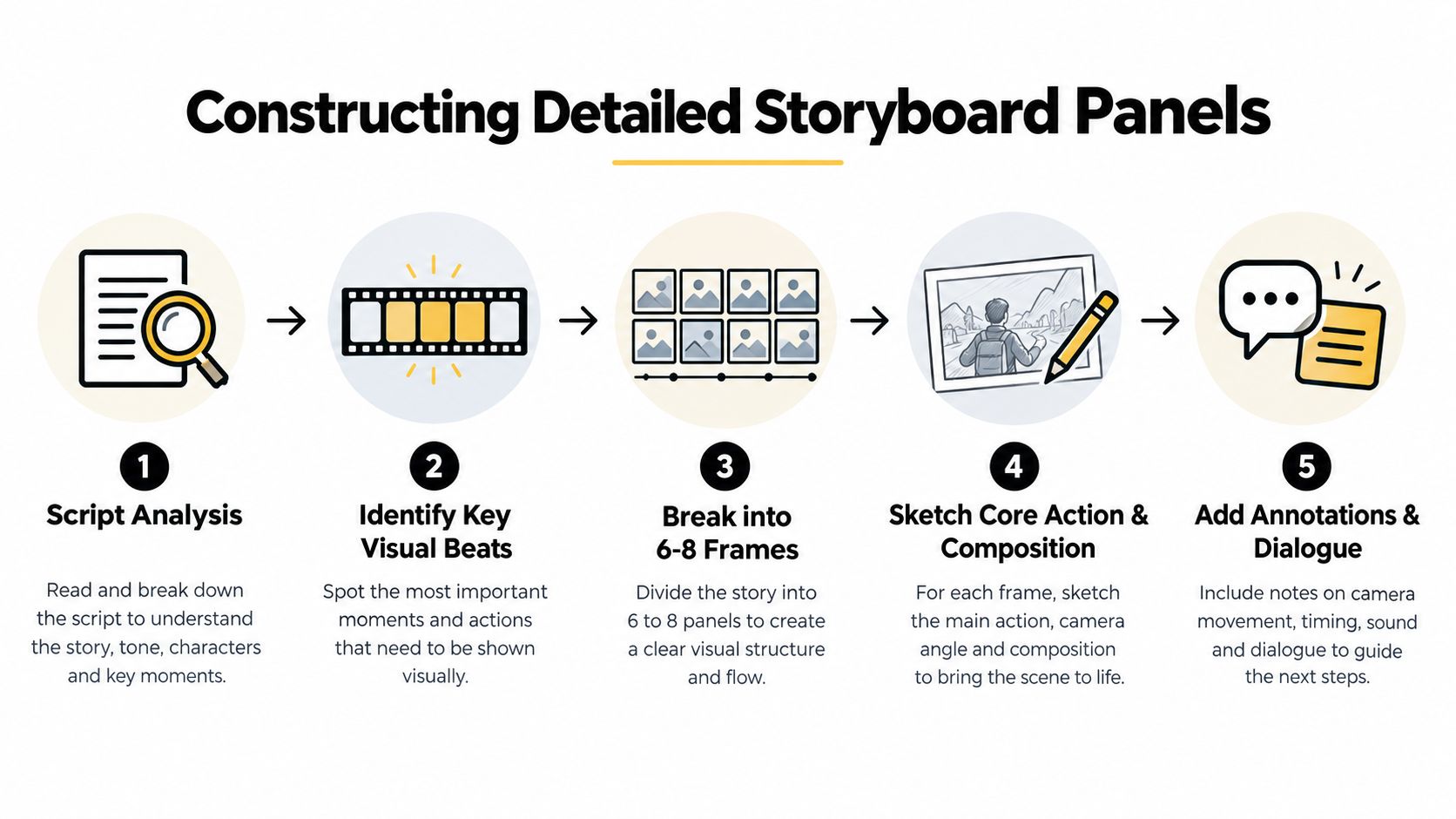
The panel should answer one production question at a time. If a frame tries to show a character entering, opening a product, reacting, and tapping a button, the editor has no reliable instruction about the intended beat. Practical guidance recommends starting with a stated goal, mapping only the sequence that contains meaningful change, and keeping each panel to a single step. Combining too many actions in one panel, or spreading one action across excessive panels, reduces readability and team alignment. This guidance on common storyboarding mistakes is especially relevant when several people review the same board.
Translate the script into visual beats
Start by highlighting every moment where the viewer learns, feels, or decides something. In a performance ad for a productivity app, the sequence might be:
- A user stares at a crowded task list.
- The app groups the tasks into a clear plan.
- The user completes a task and sees progress.
- The interface reveals a feature that removes the original friction.
- The user taps the CTA.
This is a useful working structure because each panel has a distinct job. The first establishes the problem, the next two demonstrate change, the fourth supplies additional proof, and the final panel turns attention into action.
A panel doesn't need finished artwork. Rough sketches, screenshots, stick figures, and reference frames are often enough if they clarify subject position, camera direction, movement, and copy placement. Add arrows for character or camera motion, note the framing, and write the on-screen text exactly as it should appear. Keep voiceover and sound effects beside the relevant frame instead of hiding them in a separate document.
Annotate for production, not decoration
A practical panel record can include:
- Visual: What the viewer sees and what changes.
- Framing: Close-up, medium shot, screen capture, or product detail.
- Motion: Camera movement, gesture, interface action, or transition.
- Copy: Headline, caption, subtitle, and CTA.
- Audio: Voiceover line, music cue, and sound effect.
- Asset reference: Footage, screenshot, illustration, or generated element required.
Use platform guidance and the approved media plan as pacing constraints rather than treating timing as an afterthought. The exact duration of each beat should reflect the amount of information the viewer must process. A fast visual reveal may need less screen time than an interface demonstration that requires the audience to understand a sequence of taps.
The board should also make continuity visible. Check whether the subject faces the same direction, whether screen captures use the correct interface state, and whether the transition from problem to solution feels earned. Detailed boards work when they communicate shot intent and sequence logic. They fail when they become attractive images that cannot be edited into a coherent progression.
For teams that need a repeatable starting point, an ad storyboard template can standardize fields for shot direction, voiceover, on-screen text, and variation notes. A broader effective design process framework can also help teams formalize the movement from brief to review without turning every project into an improvised process.
The completed board should be reviewable by someone who wasn't in the original briefing. If that person can't identify the hook, proof moment, intended CTA, and required assets, the board still needs work.
Designing Modular Variants for Testing
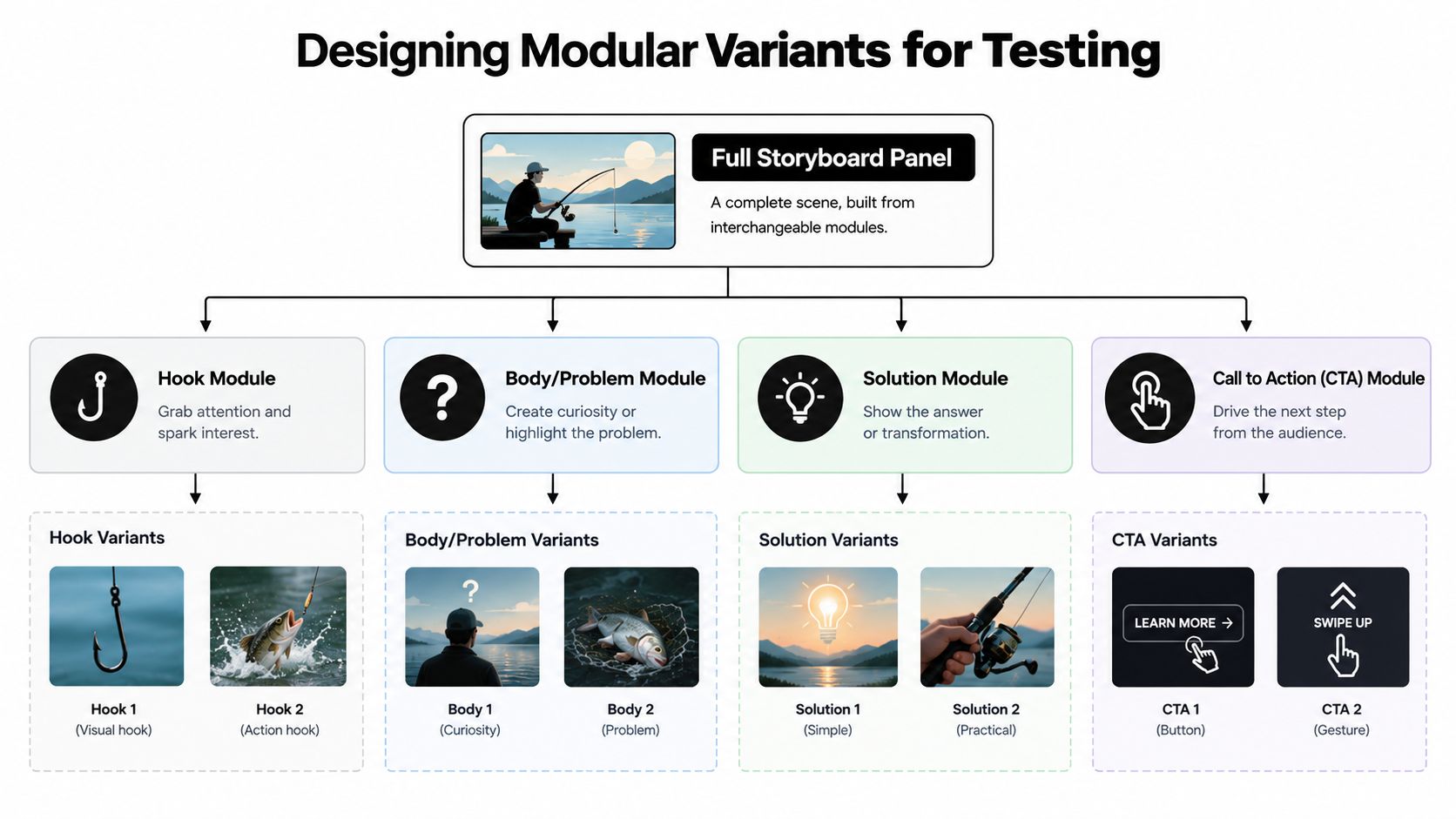
A performance storyboard shouldn't end with one approved sequence if the campaign requires ongoing experimentation. Build the board as a set of compatible modules. The core structure may include a hook, problem, solution, proof, and CTA, but each component should have defined alternatives and clear compatibility rules.
Separate fixed elements from testable elements
Start by labeling each panel as fixed, controlled, or variable.
Fixed elements include brand colors, required legal language, product UI, and core positioning. Controlled elements might include the background treatment, music style, talent, or supporting B-roll. Variable elements are the parts designed for learning, such as the opening claim, problem framing, demonstration order, caption, and CTA.
A useful variation map looks like this:
| Module | Variant examples | Compatibility rule |
|---|---|---|
| Hook | Feature reveal, challenge, user frustration | Must establish the same audience problem |
| Problem | Slow progression, confusing workflow, missed opportunity | Must connect directly to the selected solution |
| Solution | Product demo, before-and-after state, feature walkthrough | Must show visible proof |
| CTA | Install, start a trial, learn more | Must match the campaign objective |
The point isn't to create random combinations. It's to build a test matrix where each variation has a reason to exist. An energetic hook may suit a quick gameplay demonstration, while a reflective problem opener may require a calmer body sequence. Document those rules in the storyboard so editors and producers don't have to infer them from scattered comments.
Design for asset retrieval and reuse
Name assets by function, not by the date they were exported. Tags such as hook_challenge, body_feature_demo, cta_install, and vertical_ui_capture make a library useful to people who didn't create the original files. Include information about aspect ratio, language, talent, product version, and approval status where those fields affect reuse.
Recent industry reporting describes storyboarding moving toward reusable scene systems, asset banks, and direct handoff into production tools, including AI-assisted workflows that map scripts into visual sequences for distributed teams. The operational advantage is significant, but automation doesn't remove the need for human review. AI can help with reference gathering and style exploration, while people still need to control composition, staging, character consistency, framing, and continuity.
The most useful storyboard may be the one your team can reuse safely, not the one with the most polished illustrations.
For teams building this system digitally, smart variations documentation provides a useful reference for organizing reusable hooks, bodies, CTAs, and variation prompts. The same principle applies in a spreadsheet, project board, or editing tool. Every module needs an owner, a status, a source asset, and a clear reason it can be combined with the others.
Streamlining Collaboration and Templates
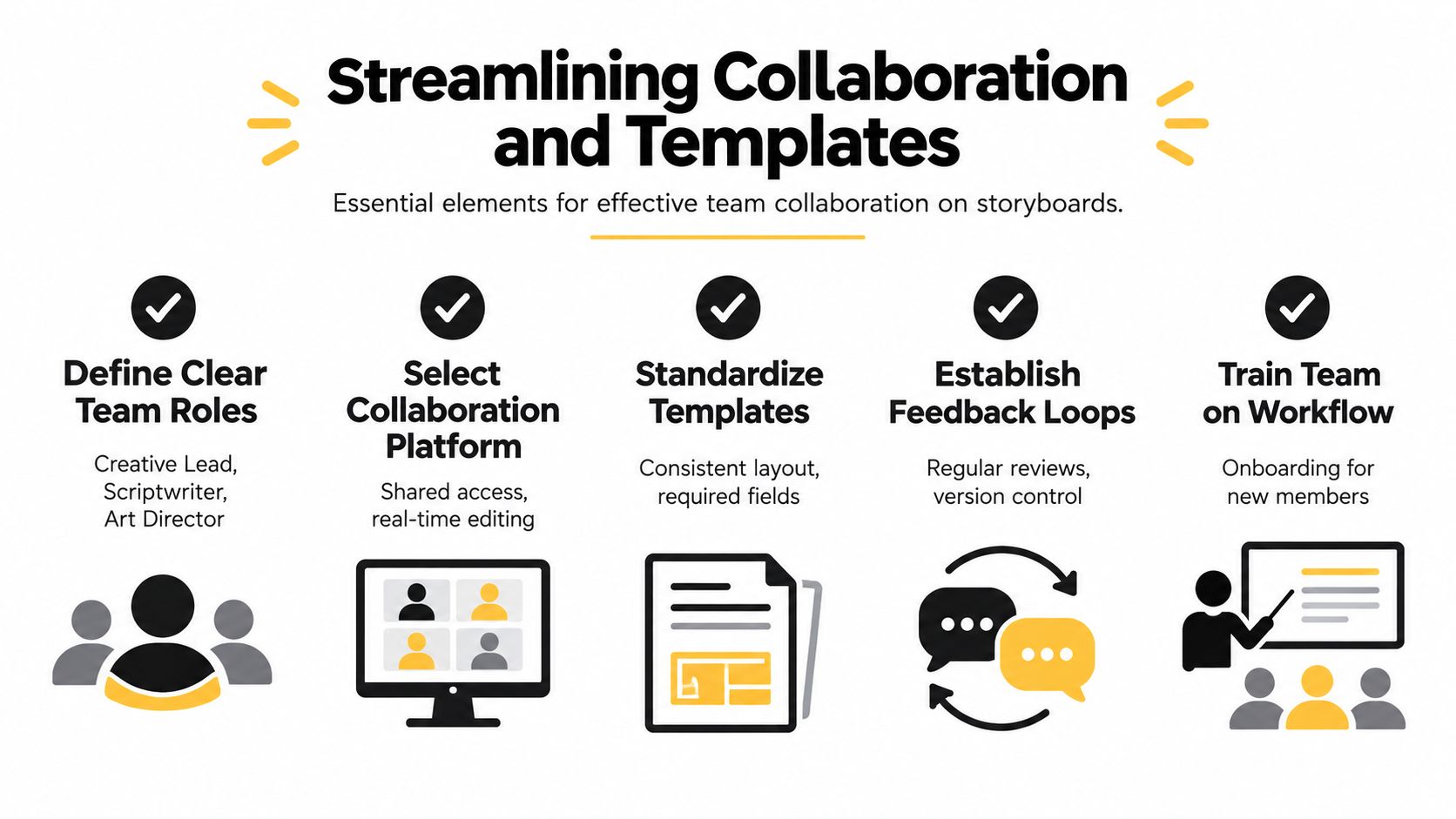
A storyboard becomes valuable when the next person can act on it without a meeting. The creative lead should own the visual direction, the scriptwriter should own spoken language and claims, and the art director or designer should control visual consistency. Production or ad operations then checks the board against available assets, required formats, captions, and launch needs.
A shared workspace prevents the single-copy problem, where one physical board or local file becomes the only version everyone trusts. A digital board with comments, access permissions, and revision history gives the team one place to resolve feedback. The workflow should distinguish between a suggestion, an approved change, and a blocked dependency.
Use a handoff checklist
A practical template should require the following before a storyboard moves into editing:
- Campaign brief: Objective, audience, placement, offer, and primary success event.
- Panel instructions: Shot purpose, framing, movement, transition, and visual reference.
- Audio layer: Voiceover, music direction, sound effects, and subtitle requirements.
- Copy inventory: On-screen text, captions, disclaimers, and CTA language.
- Asset register: File location, aspect ratio, language, product version, and approval state.
- Variant logic: Which hooks can pair with which bodies and CTAs.
- Review status: Owner, reviewer, open question, latest revision, and approval decision.
One 2025 USA-focused industry survey reported that 37.1% of filmmakers collaborate with artists on storyboards, while more than 30% identified clarity as the biggest benefit. The implication for ad teams is practical. Treat the board as a communication interface between creative roles, not as a private sketchbook.
Templates should also include a rejection reason. “Needs work” doesn't help a producer decide whether to replace the hook, clarify the product action, shorten the copy, or source a missing asset. A structured comment such as “solution isn't visible before CTA” creates a fixable task.
Teams working across property, product, and social video can compare their handoff requirements with a documented real estate media production process, particularly its emphasis on organized stages and deliverables. For distributed ad teams, team collaboration documentation can help define shared access and workspace responsibilities.
Conclusion
Effective storyboard development gives performance teams a repeatable way to turn strategy into production. Start with the campaign objective and audience tension, map each meaningful visual beat, annotate the board for editing and sound, then separate reusable modules from fixed brand requirements.
The biggest shift is operational. A storyboard should help your team create the first ad, explain why it exists, and assemble the next variation without restarting the process. Audit one current campaign, convert its hook, body, and CTA into labeled modules, and add the handoff fields your team repeatedly asks for.
Sovran helps performance teams organize footage into searchable assets, create modular video sequences, add captions and overlays, adapt formats, and produce high-volume ad variations from a shared workflow. Visit Sovran to turn your storyboard checklist into a practical creative testing pipeline.

Manson Chen
Founder, Sovran
Related Articles
10 Best Hook Testing Tools for Video Ads (2026)
I've tested 10 hook testing tools for short-form video across TikTok, Reels, and YouTube Shorts. Here's the 2026 ranking for DTC brands and performance marketers.
- hook testing
- video ads
- 3 more
Mastering AI B Roll for Meta & TikTok Ads
- ai b roll
- ad creative
- 3 more

Creative Workflow Management Software for Video Ad Teams (2026)
A practical guide to creative workflow management software for performance marketers who need to organize assets, create clips, test variants, and ship video ads faster.
- creative workflow management
- creative workflow software
- 3 more