Mastering AI B Roll for Meta & TikTok Ads
Jump to a section
Creative fatigue usually doesn't show up as a dramatic failure. It shows up when your top Meta ad still converts, but frequency climbs, comments get colder, and the next batch of variations all feels like the same ad wearing different clothes.
That's where ai b roll becomes useful. Not as a gimmick, and not as a replacement for your trusted footage. It works when your team already has solid A-roll, a clear offer, and a testing roadmap, but needs more visual variation without waiting on a reshoot.
Historically, B-roll meant supplemental footage that supports the main footage, or A-roll, by adding context, continuity, and visual interest, as outlined in Vizard's breakdown of b-roll footage. The difference now is that teams can generate supporting shots from prompts, insert them directly in the edit, and use them to build many more ad variants than a traditional shoot would normally allow.
The Modern Challenge of Ad Creative and AI B-Roll
Most ad teams don't have a footage problem. They have a variation problem.
You have a founder video, a UGC testimonial, a product demo, maybe a few customer clips. That's enough to launch. It's not enough to keep Meta and TikTok fed once you start testing fresh hooks, new bodies, alternate angles, and localized edits across multiple audiences.
One industry analysis found that only 6.0% of short-form videos included B-roll, which leaves a lot of room for supplemental footage to do more work in performance workflows, especially when teams need to scale testing without reshoots, according to Opus research on b-roll and visual effects in short-form video.
That gap matters because ai b roll solves a very specific production bottleneck. It gives you insert shots that can:
- Mask cuts when the talking head jumps
- Visualize claims that aren't shown in your source footage
- Create pacing changes inside hooks and proof sections
- Support modular testing when the same A-roll needs many visual wrappers
This isn't about generating random cinematic clips because the tool can. It's about producing performance-ready support footage that helps an ad survive more rounds of testing on Meta and TikTok.
Practical rule: If a generated clip doesn't strengthen a hook, explain a proof point, or make a transition cleaner, it probably doesn't belong in the ad.
For teams experimenting with different generation options, GPT Uncensored's video generator is one example of a tool marketers review when they need fast prompt-based video output for creative iteration.
The key shift is operational. ai b roll has moved from “nice editing trick” to a repeatable input inside a testing pipeline. The teams getting value from it aren't trying to make a standalone short film. They're trying to turn one useful ad into many distinct, testable versions.
Strategically Planning Your AI B-Roll Scenes
The fastest way to waste time with ai b roll is to open a generator before you know what the footage needs to do.
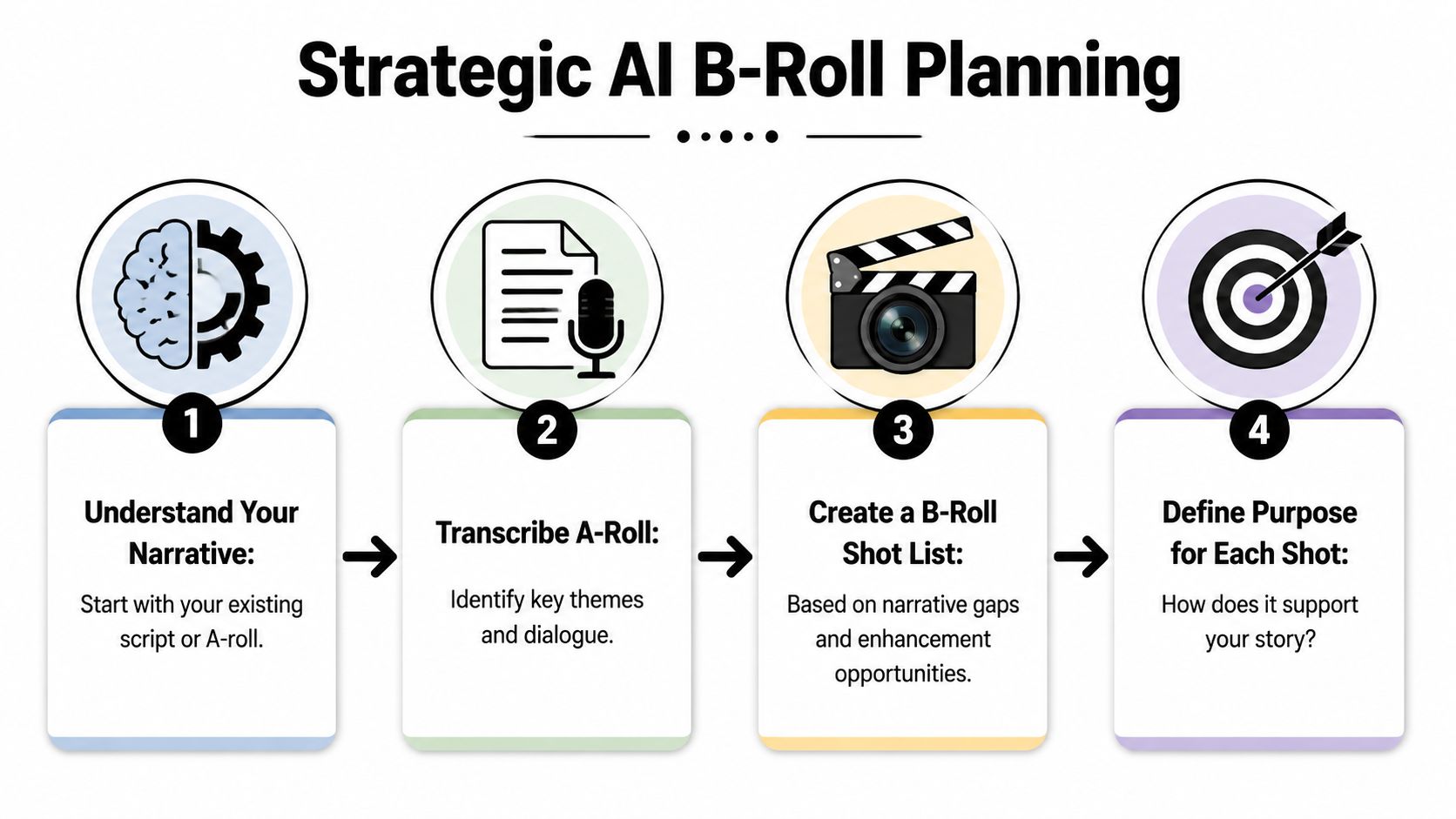
The strongest workflow starts with language, not visuals. Capsule's guide to adding AI b-roll recommends transcribing the source video first, identifying high-signal moments, and generating visuals only for those moments so insertion stays context-aware rather than keyword-driven.
Start with the transcript, not the timeline
If the ad says, “our formula absorbs fast and doesn't leave residue,” the transcript already told you where a supporting visual belongs. You don't need a broad search for “skincare b-roll.” You need a shot that makes that exact claim easier to understand in under a second.
Read the transcript and mark three kinds of moments:
Abstract claims
Claims like “clean ingredients,” “global shipping,” or “all-day comfort” usually need visual translation.Narrative gaps
If the speaker mentions a product use case that never appears on screen, that's a b-roll slot.Edit friction
Hard cuts, awkward pauses, and jumpy reframes are prime insertion points.
A practical DTC example
Take a skincare ad with a creator speaking to camera.
The creator says:
- “I switched because my old moisturizer felt heavy.”
- “This one goes on light.”
- “I use it before makeup.”
- “My skin still looks fresh later in the day.”
That ad gives you a clean shot list:
| Transcript beat | AI b-roll job | Better visual direction |
|---|---|---|
| old moisturizer felt heavy | contrast the pain point | dense cream texture on skin, close-up |
| goes on light | show product payoff | fast-absorbing serum on cheek, macro shot |
| before makeup | show routine context | hand placing product beside mirror tools |
| looks fresh later in the day | imply lasting result | natural skin in bright afternoon setting |
If you need inspiration for what those supporting shots can look like in paid social, this roundup of b-roll examples for Meta and TikTok ads is a useful reference point.
Don't assign ai b roll to every sentence. Assign it to the moments where the viewer needs help seeing the point.
Define the purpose before the prompt
Every shot on your list should answer one question: what job is this clip doing inside the ad?
Use a simple label system:
- Hook support for visual pattern interrupts early in the ad
- Proof support for claims, demonstrations, and before/after language
- Cut cover for smoothing transitions
- CTA support for product, packaging, or outcome visuals near the close
When teams skip this step, they generate pretty footage that doesn't improve the ad. When they plan scene purpose first, ai b roll becomes much more usable because each clip already has a home in the edit.
Writing AI Prompts That Generate Great B-Roll
Most weak ai b roll comes from weak prompting. The model isn't the main problem. The direction is.
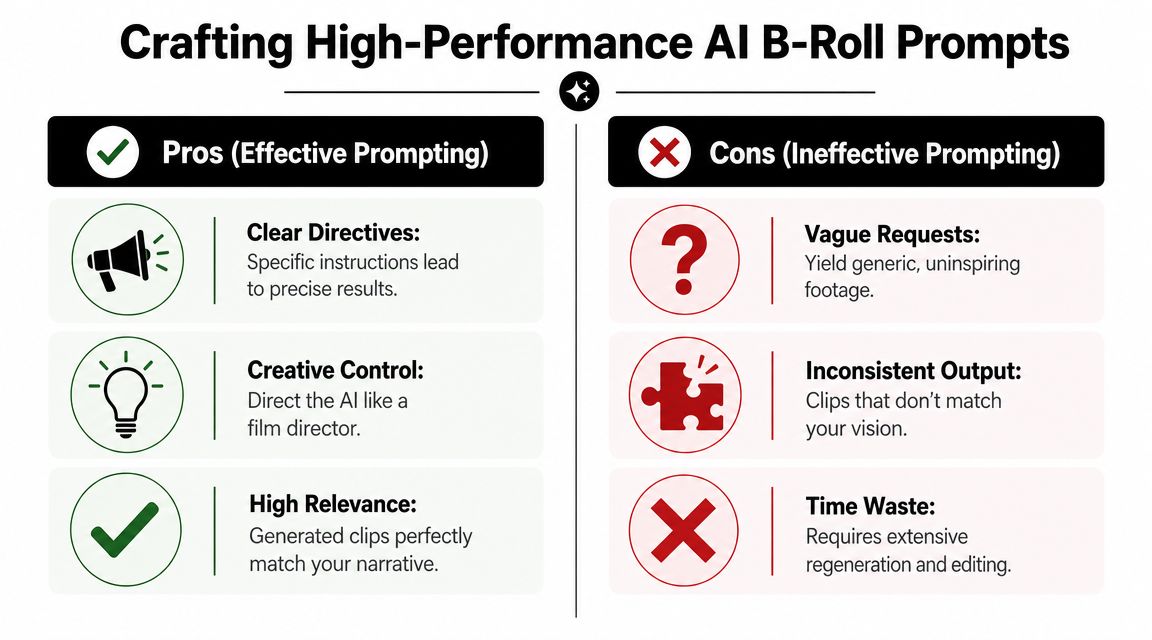
Visla's AI b-roll generator guidance gets this right. The best results come from treating generation as a prompt-engineering and editing problem, with iterative refinement and prompts that specify subject, environment, camera motion, pacing, and mood.
Bad prompts versus useful prompts
A bad prompt sounds like a vague request:
- person using skincare
- woman on phone
- product on table
- happy customer
Those prompts are too loose. They force the model to make choices you should be making.
A useful prompt acts like a shot brief:
- over-the-shoulder close-up of hands applying lightweight facial serum in a bright bathroom, soft natural window light, clean countertop, subtle camera push-in, photorealistic
- macro shot of beige moisturizer absorbing into skin texture, minimal residue, high-key studio lighting, slow motion feel, premium beauty ad style
- vertical handheld shot of smartphone scrolling a shopping app in a cozy cafe, shallow depth of field, soft ambient background blur, natural movement
Build prompts from five controllable parts
A reliable prompt usually includes these pieces:
Subject
What's the viewer supposed to notice first?Action
What is happening in the clip?Environment
Where is it happening, and what contextual details matter?Camera direction
Shot type, angle, movement, framing.Mood and style
Lighting, pace, realism, polish level.
Here's a simple framework in table form:
| Prompt component | Weak version | Stronger version |
|---|---|---|
| Subject | product | frosted glass skincare bottle with pump |
| Action | sitting there | rotating slightly on marble surface |
| Environment | bathroom | bright modern vanity with soft reflections |
| Camera | close-up | macro close-up with slow push-in |
| Mood | nice | premium, airy, clean beauty aesthetic |
If your team also writes image prompts for PDPs, paid social statics, or landing page assets, this guide to e-commerce AI image prompts is useful because the same discipline carries over. Better constraints usually produce more usable creative.
Prompt for insertion, not for admiration
This is the part many teams miss. A clip can look impressive by itself and still fail in the ad.
Ask these questions before you generate:
- Will this shot read in under two seconds?
- Does it match the energy of the section where it appears?
- Can I cut it cleanly between existing A-roll beats?
- Does it reinforce the claim, or just decorate it?
A strong ai b roll prompt describes what the clip needs to do in the edit, not just what it should look like.
That's also why keeping a prompt library matters. Save prompts that worked by category:
- product macros
- UI interaction
- ingredient texture
- lifestyle context
- package handling
- abstract proof visuals
If your team is producing full ad variants rather than isolated clips, this overview of an AI video generator for ads is relevant because prompt quality affects not only the footage itself, but how easily those clips slot into larger ad builds.
Iterate with intent
When a clip misses, change one variable at a time.
Don't rewrite the whole prompt immediately. Adjust the camera. Or the environment. Or the motion intensity. If you change everything at once, you won't know what fixed the output.
That method sounds slower, but it compounds. Over time, your team stops prompting from scratch and starts directing with a reusable system.
Mastering Technical Settings for Perfect Clips
Prompt quality gets you close. Technical settings decide whether the clip survives the edit.
For Meta and TikTok, generation settings shouldn't be treated as an afterthought. A clip that looks fine in a preview window can break once you crop it, speed it up, layer captions on top, or place it between two handheld UGC shots.
Match the platform before you render
For paid social, vertical usually needs to be the native output. If the placement is TikTok-first or Reels-first, generate for 9:16 from the start. Cropping a horizontal generation later often wrecks composition, especially on hand shots, product close-ups, and phone UI scenes.
Technical choices should map to media buying reality:
- Vertical framing keeps captions, UI chrome, and thumb zones in mind
- Higher output resolution gives editors room to stabilize or reframe
- Short clip duration makes pacing easier to control
- Simple camera motion tends to cut better than dramatic movement
For teams managing multiple placements, a clean spec reference helps. This breakdown of social media video specs is useful when editors need to align generation settings with actual delivery formats.
Use motion like an editor, not a filmmaker
Most AI tools now let you influence camera movement. That doesn't mean every shot needs movement.
Use motion according to the job of the clip:
| Ad moment | Better motion choice | Why it works |
|---|---|---|
| fast hook | quick handheld feel or subtle push | creates urgency without chaos |
| product proof | stable macro or slow glide | lets the viewer read the claim |
| founder voiceover | minimal drift | supports the voice, doesn't compete |
| CTA close | clean static or light reveal | keeps the offer legible |
A common failure mode is over-directing the camera. Big pans, dramatic orbits, and constant zooms make generated footage feel synthetic faster. For ad inserts, restrained motion usually wins.
Here's a useful reference clip on workflow and setup:
Prioritize consistency over spectacle
The clip doesn't need to be the most impressive thing in the ad. It needs to belong there.
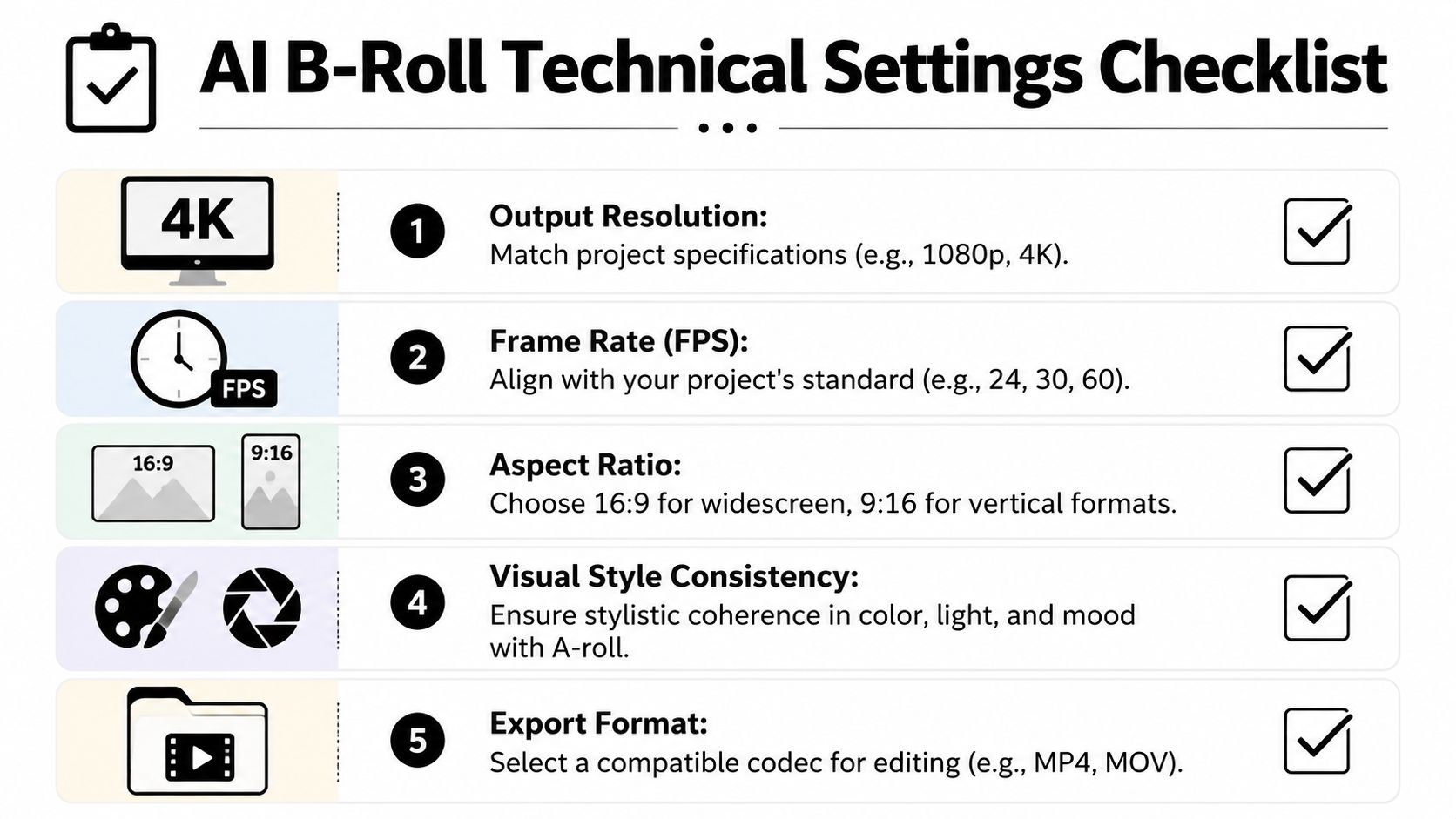
Check these technical variables before you approve a render:
Aspect ratio fit
Generate for the destination format first.Visual continuity
Match color temperature, brightness, and general realism level to the A-roll.Export compatibility
Keep outputs easy to move into Premiere, CapCut, Final Cut, or your ad assembly workflow.Batching potential
Generate related angle variations together when you know you'll test multiple hooks or bodies.
If you also work with lean production setups, guides like mastering OBS for budget streamers can be surprisingly relevant. The principle is the same. Technical settings matter most when they support the final viewing context, not when they look impressive in isolation.
Workflow note: Generate clips as if they'll be trimmed shorter than planned. Editors almost always want less footage, not more.
Integrating AI B-Roll into Your Asset Workflow
Generated footage becomes expensive the moment your team can't find it again.
That's the operational difference between playing with ai b roll and scaling it. If every clip lives in a random download folder named after the model's default export pattern, you're going to regenerate shots you already made, lose useful variations, and slow down every editor who touches the account.
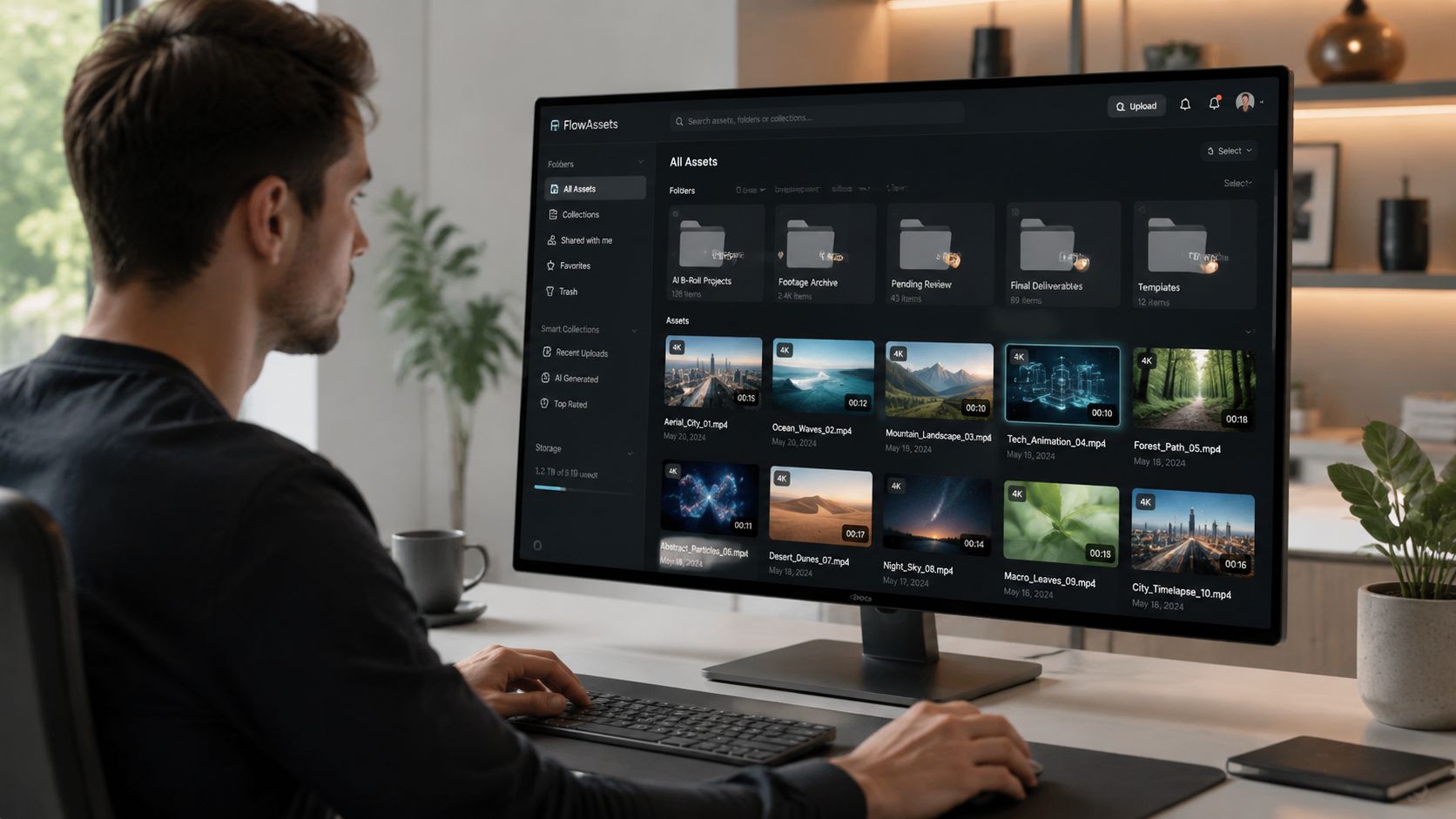
An industry guide on b-roll workflows makes the bigger point clearly. AI b-roll's value for growth teams isn't one-off footage. It's how those assets fit into a modular pipeline that improves test velocity and creative iteration across many ad variants, as discussed in InVideo's guide to b-roll.
What happens right after generation
The first pass after render should be production hygiene, not publishing.
That usually means:
- Trim aggressively so only the usable action remains
- Color match to the A-roll or to the account's broader visual language
- Rename assets using terms an editor or strategist would search
- Tag by role such as hook support, product proof, texture shot, or CTA support
Many teams overlook a key advantage. They treat generated footage as temporary. In practice, some of your best AI inserts will be reusable across multiple campaigns, offers, and even brands in the same category if the shot is generic enough.
Organize for retrieval, not storage
A useful asset system doesn't just hold files. It makes them searchable by the way ad teams think.
I'd tag ai b roll with layers like:
- product category
- scene type
- claim supported
- visual style
- placement suitability
- shot scale
- orientation
- approval status
Here's a practical example:
| Raw file name | Better library name | Tags |
|---|---|---|
| gen_clip_04_final2 | serum texture macro absorb | skincare, macro, proof, lightweight, vertical |
| output_v7 | woman mirror routine morning | beauty, routine, lifestyle, hook support |
| test_render | package on vanity premium reveal | packaging, CTA support, clean, product shot |
If you're building a larger system around modular ad production, these asset management best practices are worth reviewing because retrieval speed affects how quickly teams can launch new variants.
Turn clips into modular building blocks
This is the point where ai b roll starts paying for itself operationally.
A good insert clip should be reusable in more than one context:
- one version under a founder testimonial
- another under a UGC voiceover
- another inside a price objection ad
- another as background support in a product montage
That reusability is why some teams centralize generated and filmed footage in one system. For example, Sovran supports asset management with scene detection, transcripts, and search across stored video, which is relevant when editors need to find support footage quickly for modular ad assembly.
The clip isn't the asset. The searchable, reusable, approved clip is the asset.
Build a simple approval lane
Not every generated file should enter the main library.
Use three states:
- Draft
- Approved for editing
- Approved for paid deployment
That separation keeps experimental outputs from slipping into live ads. It also gives media buyers more confidence, because they know the footage attached to production-ready builds has already passed visual and policy review.
Without this layer, ai b roll creates clutter. With it, the same generated footage becomes a reusable component in a high-volume creative system.
QA and Deployment for Meta and TikTok Ads
AI-generated footage creates a new review burden. Ignore it, and you'll pay for it in rejected ads, weak credibility, or avoidable brand risk.
The clip might be short. The damage from a bad one isn't.
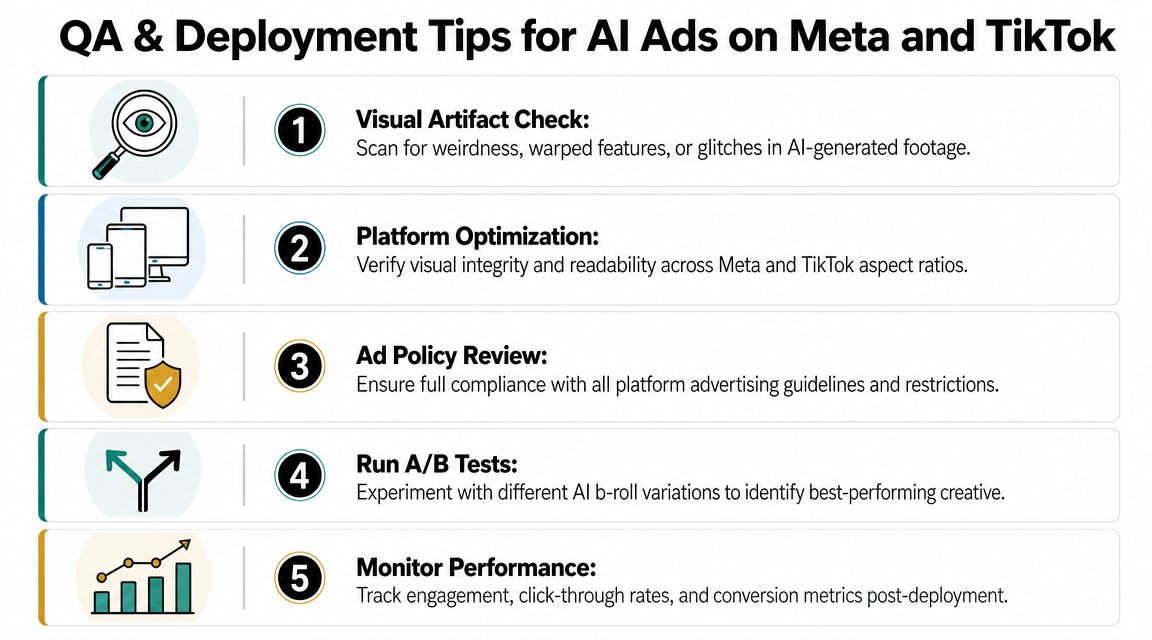
Major generative video platforms such as Adobe Firefly are positioned as commercially safe, but platform terms still note that outputs could resemble real people or copyrighted material, which means the advertiser remains responsible for clearance and validation, as covered in Opus's review of AI b-roll generators.
Run visual QA before policy QA
Teams frequently jump straight to ad policy. That's too late.
First, inspect the clip itself. Look for:
- warped hands
- inconsistent packaging
- strange reflections
- broken background geometry
- motion that feels physically wrong
- text-like artifacts that resemble labels or logos
Even if a platform approves the ad, viewers still notice weirdness. On Meta and TikTok, trust can fall apart in a fraction of a second if the creative looks off.
If the viewer pauses because the footage looks fake, the clip has failed before the landing page even matters.
Review for commercial safety
This step isn't optional for paid media.
Check whether the generated shot includes:
- lookalike branding
- recognizable but unintended people
- packaging shapes too close to known competitors
- accidental copyrighted elements in the environment
- claims visuals that overstate the product reality
For internal governance, I'd keep a lightweight log attached to each approved AI clip:
- prompt used
- model used
- generation date
- reviewer
- approved use cases
- restrictions or notes
That creates a practical record if legal, brand, or platform teams ask questions later.
Test the clip inside the ad, not by itself
A lot of ai b roll looks fine in a folder preview and weak inside the actual edit.
Run a final in-context check:
- Does the insert help the hook land faster?
- Does it support the narration beat it sits under?
- Does it feel visually related to the shots around it?
- Does it distract from the CTA or subtitle area?
- Is it short enough to stay supportive?
For paid social, shorter inserts usually hold up better. Long AI sequences invite scrutiny. Tight cuts keep the generated footage in its strongest role, which is support.
If your workflow includes direct handoff to Meta, this guide on publishing to Meta is a useful operational reference for getting approved creative from edit state into deployment cleanly.
Keep a deployment checklist
Use a repeatable signoff list before launch:
Creative integrity
Clip supports message, pacing, and edit flow.Platform fit
Safe areas, captions, and cropping all hold on mobile.Brand review
No visual conflicts with product truth or brand style.Commercial review
No obvious legal or rights red flags.Variant labeling
Distinguish AI-supported variants clearly so buyers can compare outcomes later.
The teams that do this well don't treat QA as bureaucracy. They treat it as the layer that makes ai b roll usable at scale.
If your team is trying to turn scattered footage, generated inserts, and ad variants into a repeatable testing system, Sovran is built for that workflow. It helps performance marketers organize assets, assemble modular video variations, and push approved creative into Meta without managing the whole process across disconnected tools.

Manson Chen
Founder, Sovran
Related Articles
Storyboard Development: Scale Video Ad Production in 2026
Understanding Value Proposition for High-Velocity Video Ads