The Ultimate Guide to Social Media Video Specs
Master the latest social media video specs for Meta, TikTok, Instagram, and more. Our guide helps you optimize video ads for maximum performance.
Jump to a section
- Your Quick Reference Guide to Video Ad Specs
- Why Ad Specs Have a Direct Impact on Campaign Performance
- A Breakdown of Meta's Video Ad Specs for Every Placement
- Complete TikTok Video Ad Specs for In-Feed Ads
- Best Practices for Exporting High-Quality Video
- How to Troubleshoot Common Video Spec Issues
- Common Questions About Video Specs
For any marketer deep in the trenches, it’s no secret: vertical video is the universal language of mobile-first ads. We're talking a 9:16 aspect ratio and a crisp 1080x1920 resolution. Getting these two specs right is your baseline for creating that full-screen, immersive experience on platforms like TikTok and Instagram Reels. Nail these, and you’re already avoiding the most common performance killers.
Your Quick Reference Guide to Video Ad Specs
Let's be honest, getting your social media video specs wrong is a surefire way to burn through your ad budget. An incorrect aspect ratio can chop off your key message, a low resolution makes your brand look amateur, and a messed-up call-to-action is just a missed opportunity. These aren't minor technical details; they directly hit your campaign performance and leave a bad taste with potential customers.
Think of this guide as your go-to cheat sheet. Instead of digging through a dozen different platform help articles every time you export a video, you can get the answers you need right here, right now.
Quick Reference Social Media Video Specs Cheat Sheet
To save you even more time, we've boiled down the most critical specs for Meta and TikTok into a simple table. This is the stuff we check every single day.
Platform & Placement | Aspect Ratio | Resolution | Max File Size | Recommended Length |
|---|---|---|---|---|
Meta (FB/IG) Feed | 1:1 or 4:5 | 1080x1080 / 1080x1350 | 4GB | 15-30s |
Meta (FB/IG) Reels/Stories | 9:16 | 1080x1920 | 4GB | Under 15s |
TikTok In-Feed Ads | 9:16 | 1080x1920 | 500MB | 9-15s |
Bookmark this page, print it out, do whatever you need to—just don't launch another campaign without double-checking these numbers. It's the small details that often make the biggest difference in performance.
The Core Mobile Ad Specs at a Glance
For almost any mobile-first platform, your goal is to create that seamless vertical experience that feels native to the user's phone. Sticking to the fundamentals ensures your video looks professional and actually does its job.
This diagram breaks down the three pillars of modern video ads.
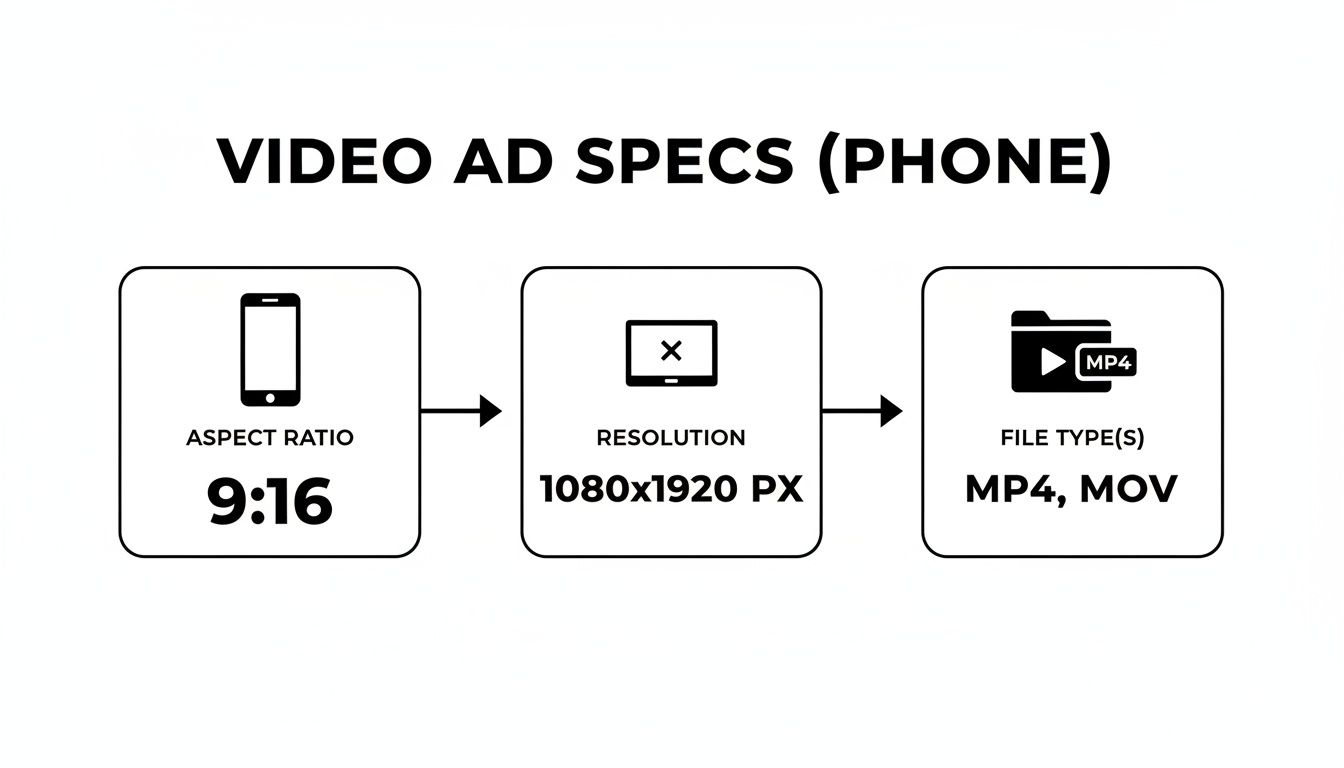
As you can see, it boils down to three key things: a 9:16 aspect ratio for vertical viewing, a 1080x1920 resolution for high-quality playback, and sticking to MP4 or MOV file types for the best compatibility.
Don't Forget the Platform-Specific Quirks
While 9:16 is a solid default, you have to be aware of the nuances for each platform. They all have their own little rules that can trip you up. For example, a video that crushes it on TikTok might need some tweaks to perform well on YouTube, where mastering the YouTube Shorts aspect ratio is key for engagement.
Drilling down a bit further, TikTok is surprisingly flexible, allowing 9:16, 1:1, or even 16:9 aspect ratios, though you need to keep your file size under 500MB. For Instagram Reels and Stories, however, you absolutely want to stick to a high-quality 1080x1920 resolution in a 9:16 format to avoid any ugly compression or cropping.
Why Ad Specs Have a Direct Impact on Campaign Performance
Let's be clear: getting your social media video specs right is a lot more than just a technical box to tick. It’s one of the most fundamental drivers of campaign success. We see a direct, and frankly unforgiving, link between technical compliance and business outcomes like Return on Ad Spend (ROAS). When specs are ignored, your budget is the first thing to suffer.
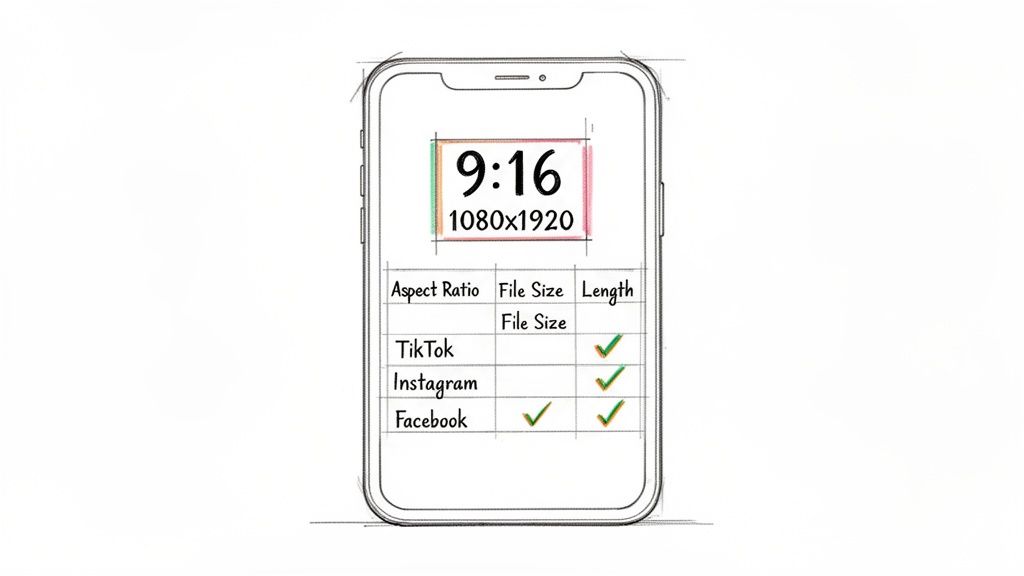
I’ve seen it happen countless times. A team spends hours, maybe even days, perfecting a video ad, only for the platform to chop off the opening hook or the all-important call-to-action. This is the classic result of a mismatched aspect ratio. Forcing a horizontal 16:9 video into a vertical 9:16 Stories placement means it will get awkwardly cropped, turning your carefully crafted message into gibberish and just burning through impressions.
You’ll Get Hit with an Algorithmic Penalty
Social media platforms are obsessed with delivering a seamless, native user experience. When you upload a video that feels out of place, their algorithms notice and can penalize your creative. This isn't just a theory; we see it in the data with measurable consequences for reach and cost.
An improperly formatted video almost always leads to:
Reduced Reach: The algorithm decides your ad provides a subpar viewing experience, so it simply shows it to fewer people.
Higher CPMs: You'll end up paying more to reach the same number of people because your ad is flagged as lower quality.
Lower Engagement: Users are lightning-fast to scroll past distorted, blurry, or poorly cropped videos, which absolutely tanks your engagement rates.
Platforms reward advertisers who play by their rules. By optimizing your social media video specs, you're sending a signal to the algorithm that your content is high-quality and user-friendly. This helps it perform better in the ad auction, which is exactly where you need to win.
Turn Specs into Your Competitive Edge
For performance marketers and creative strategists, mastering these technical details is a real competitive advantage. It ensures your message is delivered exactly as you intended, maximizing the impact of every single dollar spent. A video with unreadable text or a distorted product shot is a direct blow to your conversion potential.
Think of it this way: 82% of all consumer internet traffic is projected to be video. In such a crowded space, technical excellence isn't a goal; it's the baseline. Failing to meet spec requirements is like showing up to a race with the wrong gear—you're at a disadvantage before you even start.
Ultimately, optimizing your video specs isn't a barrier to creativity. It's the foundation that successful campaigns are built on. It guarantees that your creative strategy, compelling hook, and clear CTA are actually seen and understood by your target audience, which directly fuels better performance and a stronger ROAS.
A Breakdown of Meta's Video Ad Specs for Every Placement
Getting your video creative right on Meta means thinking about the placement first. The specs for an in-feed ad are totally different from what works in Reels, and a one-size-fits-all approach is just a surefire way to burn through your ad budget.
When you ignore the native environment, you end up with awkwardly cropped videos, calls-to-action that get covered by the UI, and an overall clunky user experience. The algorithm sees this and penalizes you. To get the best performance, you have to create for the canvas. Let’s break down exactly what you need for every key Meta ad placement.
Facebook and Instagram Feed Ads
The Feed is still a major battleground for attention, and the specs here are built for a more traditional "lean-in" viewing experience. While full-screen vertical is king elsewhere, the Feed still plays nicely with slightly less immersive formats.
Recommended Aspect Ratio: 4:5 (Vertical). This is the sweet spot. It takes up the most screen real estate on a mobile feed without completely taking over the screen. 1:1 (Square) is another solid, highly compatible choice.
Resolution: For a 4:5 video, you'll want 1080x1350 pixels. If you're going with 1:1, use 1080x1080 pixels.
Max File Size & Duration: Keep it under 4GB. You can technically upload a video that's 240 minutes long, but for ads, the magic happens in clips under 15 to 30 seconds.
Think of the 4:5 format as the ideal size for mobile feeds. It’s big enough to be thumb-stopping but doesn't feel as interruptive as a full-screen video, which helps it blend in more naturally with content from a user's friends and family.
Instagram and Facebook Stories and Reels Ads
Stories and Reels are all about the full-screen, immersive experience. Your ad needs to look and feel like it belongs there, and that means going all-in on vertical video.
Honestly, any other format will result in ugly black bars or weird cropping, which is an instant signal to the user that they’re watching an ad that wasn't made for them. Don't make that mistake.
Key Requirements:
Aspect Ratio: 9:16 (Full-screen Vertical) is non-negotiable.
Resolution: Use 1080x1920 pixels for that crisp, high-definition look.
File Formats: Stick with MP4 or MOV. They're the most reliable.
Max File Size: 4GB.
Duration: Stories can go up to 60 seconds, and Reels up to 90 seconds. But for ads? Shorter is almost always better. Aim for under 15 seconds.
Crucial Tip The Safe Zone: Always leave about 15% of the top and bottom of your video clear of any essential text, logos, or CTAs. This "safe zone" ensures the platform's own UI elements—like the profile icon, caption, and CTA button—don't cover up your most important message.
Carousel Video Ads
Carousel ads are a fantastic tool for showing off multiple products, highlighting different features, or telling a story across several "cards." You can mix and match up to ten videos or images in a single, interactive ad unit.
For these, the specs for each video card are a bit different, usually favoring a square format to keep things looking clean and consistent as users swipe.
Number of Cards: Between 2 and 10 videos or images.
Aspect Ratio: 1:1 (Square) is the most common and what we recommend.
Resolution: Go with 1080x1080 pixels for each card.
Max File Size: 4GB per video card.
Total Duration: While the technical limit is 240 minutes, keep each individual card short and punchy.
Complete Meta (Facebook & Instagram) Video Ad Specs
To make things even easier, here's a quick-reference table that pulls all these specs together. It compares the video requirements across every major Meta ad placement so you can get what you need at a glance.
Placement | Aspect Ratio | Resolution (Recommended) | Max File Size / Duration | Key Considerations |
|---|---|---|---|---|
Feed (FB & IG) | 4:5 (Vertical) or 1:1 (Square) | 1080x1350px or 1080x1080px | 4GB / Under 30s | 4:5 offers max screen real estate in the feed. |
Stories (FB & IG) | 9:16 (Vertical) | 1080x1920px | 4GB / 15-60s | Must feel native and immersive. Use the safe zones! |
Reels (FB & IG) | 9:16 (Vertical) | 1080x1920px | 4GB / Up to 90s | Aim for fast-paced, engaging content under 15s for ads. |
Carousel (Video Cards) | 1:1 (Square) | 1080x1080px | 4GB / Under 30s per card | Great for showcasing multiple products or features. |
In-Stream (FB) | 16:9 (Horizontal) or 1:1 (Square) | 1920x1080px or 1080x1080px | 4GB / 5-15s recommended | Appears mid-roll; needs to grab attention instantly. |
Mastering these specs is the first step. Once you know the rules for each placement, you can start creating ads that are genuinely effective. For a deeper dive into how these placements fit into a bigger picture, check out our guide on the different types of Facebook advertising.
Complete TikTok Video Ad Specs for In-Feed Ads
TikTok’s in-feed ads are meant to feel native, sliding right into a user’s “For You” page without skipping a beat. To pull this off, your video creative has to perfectly match the platform’s full-screen, sound-on world. Nailing these social media video specs isn’t just about checking a box—it’s about making your ad feel like it actually belongs on TikTok, which is everything for performance.
The whole platform is built around vertical video. If you stray from that, you create a clunky experience that immediately screams "ad," giving users every reason to scroll right past you. Getting these core requirements right is step one for any successful campaign.
Core Technical Requirements
For your ads to look sharp and render correctly on any device, you need to hit some specific technical benchmarks. These numbers are your baseline for a professional-looking ad.
Aspect Ratio: It's 9:16, no exceptions. This is the only way to get that immersive, full-screen feel. While TikTok technically lets you upload 1:1 or 16:9, they look terrible in-feed, don't fill the screen, and perform poorly. Just don't do it.
Resolution: A minimum of 1080x1920 pixels is your target. Anything less and your video will look blurry and unprofessional.
File Type: Stick with .MP4 or .MOV. They give you the best mix of quality and compatibility with TikTok's ad system.
Max File Size: Keep your final export under 500MB. Good compression is your friend here, allowing you to hit this limit without trashing your video quality.
Hitting these foundational specs is non-negotiable. It’s how you avoid basic problems like pixelation, weird cropping, or your ad getting rejected outright.
Duration and Creative Constraints
Beyond the file itself, TikTok has some firm ideas about video length and creative elements. These rules are all about matching user behavior on a platform where you have seconds—literally—to win someone over.
Officially, your ad can be anywhere from 5 to 60 seconds long. But let's be real, the sweet spot for performance is way shorter. The best-performing ads we see consistently land between 9 and 15 seconds.
Pro Tip: You have to get your main message, hook, and brand out in the first 3 seconds. If you don't grab their attention by then, they're gone.
And always, always design for a sound-on experience. TikTok's culture is all about audio trends and music. An ad without sound feels broken and completely out of place, unlike on other platforms where people often watch with the sound off.
Respecting the Safe Zones
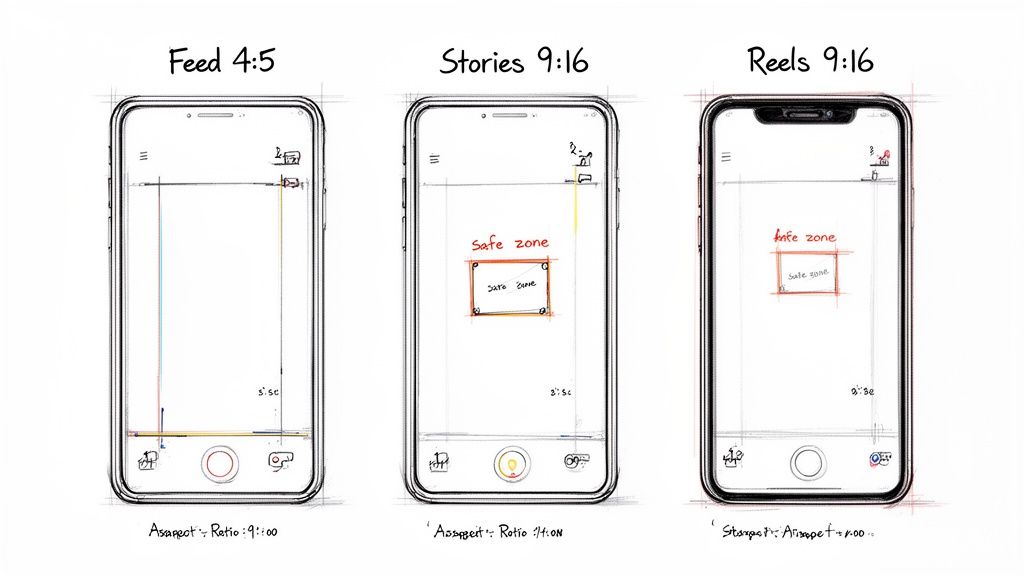
Here’s a rookie mistake that can tank an otherwise great creative: ignoring the UI safe zones. TikTok slaps icons, captions, and your profile name right on top of your video. If you put your logo or a call-to-action there, nobody will see it.
To keep your important stuff visible, stay out of these areas:
Top & Bottom: Leave some breathing room at the very top and bottom edges.
Right Side: This is where the profile icon and engagement buttons (like, comment, share) live. Keep it clear.
By designing inside these safe zones, you make sure your message is seen, your CTA is clear, and you aren't wasting ad spend on creative that’s impossible to read.
Best Practices for Exporting High-Quality Video
Knowing the right video specs for each social media platform is only half the battle. How you actually export your final video file is what makes or breaks its quality on the feed. A bad export can introduce ugly compression artifacts, pixelation, and muffled audio, completely tanking your creative efforts and campaign performance.
Getting this final step dialed in ensures your video looks sharp and professional, no matter where it’s viewed.
Whether you're working in Adobe Premiere Pro, Final Cut Pro, or even CapCut, the core principles for a great export don’t really change. You’re always trying to strike that perfect balance between fantastic visual quality and a file size that won’t get rejected by the platform. This is how you avoid common ad rejections and guarantee smooth playback for everyone who sees your ad.
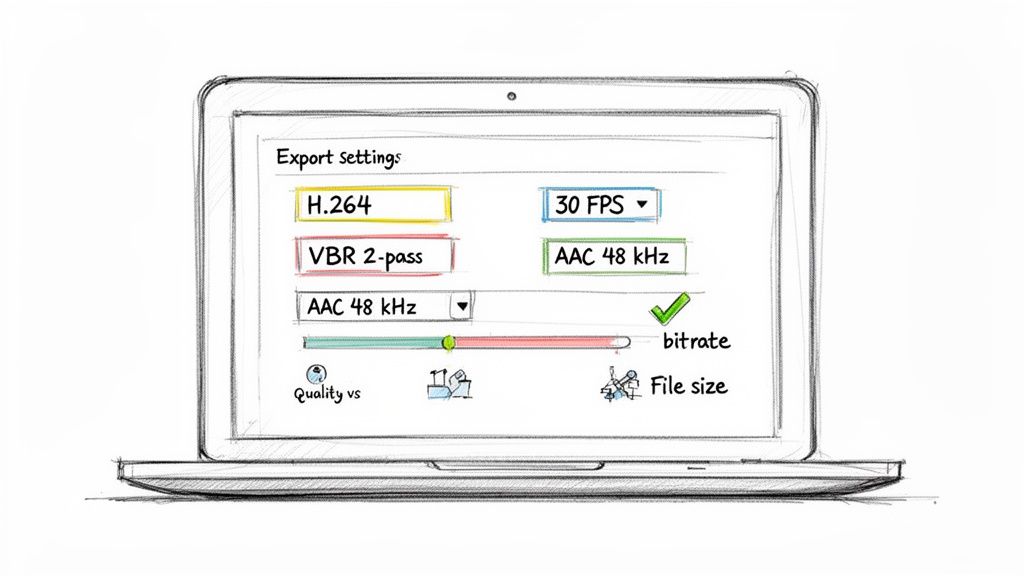
Essential Video Export Settings
Let's cut through the guesswork. If you start with this solid foundation of technical settings, you'll be in great shape. These specs are pretty much universally compatible and play nicely with the compression algorithms that platforms like Meta and TikTok use.
Codec H.264: This is the gold standard for web video, period. The H.264 codec gives you excellent compression, which means it shrinks your file size way down while keeping the visual quality high.
Frame Rate 30 FPS: While some platforms can handle up to 60 FPS, 30 frames per second (FPS) is the sweet spot for social media ads. It gives you smooth, natural motion without bloating your file size.
Bitrate VBR, 2-Pass: Don’t use a constant bitrate (CBR). Instead, go with a Variable Bitrate (VBR) using 2-pass encoding. This is a smarter way to export—it allocates more data to complex, fast-moving scenes and less to the simple, static parts. The second pass then goes back over the file to refine everything, giving you the best possible quality for the file size.
Even when you're using modern creative tools like Text To Video tools to generate content, knowing how to export the final cut is what separates amateur work from professional results. These tools can spit out visuals in seconds, but a proper export is what makes them actually perform on paid social.
Recommended Audio Configurations
Amazing video is critical, but bad audio will make people scroll away just as fast. If your sound is garbled, tinny, or too quiet, your ad immediately feels unprofessional and your message gets lost.
Seriously, don't sleep on your audio mix. Viewers are way more forgiving of slightly fuzzy video than they are of terrible sound. Clear, crisp audio builds trust and keeps people locked in.
For the best results, lock in these audio export settings:
Audio Format AAC: The Advanced Audio Coding (AAC) format is the standard you should be using. It delivers way better sound quality at lower bitrates than older formats like MP3.
Sample Rate 48 kHz: Always set your audio sample rate to 48,000 Hz (48 kHz). This is the professional standard for digital video and ensures your audio sounds clean and clear.
Bitrate 192 kbps or higher: An audio bitrate of 192 kbps is a fantastic starting point for high-quality stereo sound. If your audio mix is particularly rich or complex, feel free to bump it up to 320 kbps.
By using these settings as your go-to presets, you can streamline your entire production workflow and cut out the frustrating export errors that lead to ad rejections or glitchy playback. To see how we put these specs into action, check out our full guide to video editing for social media campaigns.
How to Troubleshoot Common Video Spec Issues
Even when you've got a solid plan, technical glitches can still pop up and derail your video ad launch. Nothing’s more frustrating than spending hours getting the creative just right, only to be hit with an upload error at the last minute. Think of this guide as your first-aid kit for the most common headaches related to social media video specs.
Getting these problems sorted out quickly means your campaigns go live faster, and your content looks exactly how you designed it to. Let's run through how to diagnose and fix the usual suspects that kill performance.
Fixing Pixelated or Blurry Video
One of the issues we hear about most is a video that looks perfectly sharp on your computer but turns into a pixelated mess after you upload it. This loss in quality is almost always a compression problem, happening either when you export the file or when the platform gets its hands on it.
The Problem: Platforms like Meta and TikTok re-compress every single video to make sure they load quickly for users. If your original file has a bitrate that's too low, their compression algorithms will crush it even further, leaving you with obvious blurriness.
The Solution: Bump up your export bitrate. Using a Variable Bitrate (VBR), 2-pass setting in your video editor is the way to go. This lets the software dedicate more data to the visually complex parts of your video. For 1080p footage, aim for a target bitrate between 10-15 Mbps. This gives the platform's algorithm enough data to work with so it doesn't butcher the quality.
Eliminating Black Bars on Your Video
Seeing those ugly black bars on the top, bottom, or sides of your video? That's a dead giveaway of an aspect ratio mismatch. It happens when your video’s dimensions don't fit the placement you're trying to use—like dropping a 16:9 widescreen video into a 9:16 Stories slot.
An aspect ratio mismatch immediately screams "this is a lazy ad" to users, which can absolutely tank your engagement. It shatters the native feel of the feed and makes your brand look sloppy.
The fix is to make sure your project's sequence settings in your editing software match the final destination from the very start. For a TikTok ad, your sequence should be set to 1080x1920 (9:16) before you even start editing. Don't just edit a horizontal video and try to export it with vertical dimensions; you have to build the creative for the right aspect ratio from the ground up. Our video production software comparison can point you to tools that make reframing footage for different formats a lot less painful.
Resolving Ad Rejections for Incompatible Files
Sometimes, a platform will just flat-out reject your video file. This is usually down to an incorrect codec, the wrong file format, or a file that's just too big. While an MP4 file using the H.264 codec is the gold standard pretty much everywhere, small deviations can trigger an error.
Check the Codec: First things first, double-check that your video is exported using the H.264 codec. Other codecs might work sometimes, but they aren't universally supported and can cause issues.
Verify the File Format: Make sure your file extension is .MP4 or .MOV. These are the two most widely accepted formats across all major social platforms.
Confirm File Size: Look up the platform’s max file size. TikTok has a 500MB limit, while Meta is much more generous at 4GB. If your file is over the limit, just re-export it with a slightly lower bitrate. This will shrink the file size without a huge drop in visual quality.
Common Questions About Video Specs
Trying to keep up with video specs for every social platform can feel like a full-time job. But once you get the hang of it, you'll find a few core principles apply almost everywhere. Here are the straight answers to the questions we hear most from marketers and creators.
Nailing these details is the first step. It ensures your ads look sharp and perform well, setting you up for a successful campaign.
What’s the Best “One-Size-Fits-All” Video Format?
If you're looking for a single format that works almost everywhere, you can't go wrong with an MP4 file container, using an H.264 video codec and an AAC audio codec. This combination is the undisputed champion for social media.
Why? It hits the sweet spot between high quality and small file size, making it compatible with everything from Meta and TikTok to virtually any modern device. Sticking to this combo is the easiest way to avoid upload errors and ensure your videos play back smoothly for everyone.
How Do I Actually Resize One Video for Multiple Platforms?
Resizing a video for different placements is more than just changing the numbers in your export settings. The right way to do it is to edit from the very beginning in a sequence that matches the final destination's aspect ratio. For instance, you should have a dedicated 9:16 (1080x1920) sequence for your Reels and a separate 4:5 (1080x1350) sequence for Feed ads.
Once you have your sequences set up, you need to manually reframe your shots inside each one. This lets you make sure the key subject, text, and graphics are perfectly centered for that specific format. It’s a little extra work, but it prevents your ads from getting awkwardly cropped and keeps your message crystal clear.
Why Is 30 FPS the Standard for Social Ads?
Most modern cameras can shoot in 60 FPS (frames per second) or even higher, but 30 FPS remains the standard for online video for a very practical reason: it delivers smooth, natural-looking motion without bloating your file size. This is a huge deal for social media, where quick load times are everything.
For almost any ad you'll create, 30 FPS is the perfect balance between visual quality and technical performance. It keeps your ads looking good while ensuring they load fast, even for users on slower connections.
A higher frame rate doesn't automatically equal a better ad. The goal is a clear, fast-loading video that gets a message across. For social media, 30 FPS delivers that perfectly.
Why Does My Video Look Blurry After I Upload It?
This is a classic problem. Your video looks perfect on your computer, but once you upload it to Facebook or Instagram, it's a blurry mess. The culprit is almost always the platform's aggressive compression. Every video gets re-compressed to save bandwidth and speed up loading for billions of users. If your original file has a low bitrate, the compression algorithm has less data to work with, which leads to a noticeable drop in quality.
To fight back, export your video with a higher bitrate. For 1080p footage, aim for 10-15 Mbps using a VBR, 2-pass setting in your video editor. This gives the platform’s compression engine more information to preserve, resulting in a much sharper final product on the feed.
Ready to stop wrestling with specs and start scaling your winning ads? Sovran automates the entire video ad production process, letting you remix hundreds of high-performing creative variations for Meta and TikTok in seconds. Find your next winner 10x faster by visiting https://sovran.ai.

Manson Chen
Founder, Sovran
Related Articles
How to Turn Link Into Video: Ads That Convert in 2026
Learn how to turn link into video for Meta & TikTok ads. Leverage AI to scale creation, boost ROI, and succeed in 2026.
- ai-video-generation
- link-to-video-ads
- 6 more

Your Ultimate Guide to UGC Style Video Ads
Master UGC style video ads for Meta and TikTok. This guide reveals proven frameworks, scripts, and scaling tactics to boost your ROAS in 2026.
- ugc-video-ads
- social-media-advertising
- 4 more
8 High-Converting Static Ads Examples for 2026
Discover 8 high-performing static ads examples from top apps. Learn to create text-overlays, testimonials, and lifestyle ads that convert.
- static-ads
- performance-marketing
- 5 more