Social Media Editing for Ads: Workflow, Tools, and Tips (2026)
Learn how to edit social media videos for paid ads with platform-specific pacing, captions, hooks, proof, and a repeatable workflow for testing more creative.
Jump to a section
- Quick Comparison: Social Media Editing Workflows
- Why Social Media Editing Needs Its Own Workflow
- Platform Editing Cheat Sheet
- The Social Media Ad Editing Framework: Hook, Body, CTA
- Step 1: Build A Searchable Asset Bank
- Step 2: Split Source Videos Into Hooks, Bodies, And CTAs
- Step 3: Edit For The First Frame
- Step 4: Use Captions As Editing, Not Decoration
- Step 5: Pick The Right Social Media Video Editor
- Step 6: Add Proof, Not Just Motion
- Step 7: Build A Weekly Editing Loop
- How Sovran Fits The Social Media Editing Workflow
- How To Edit Videos For Social Media: A Practical Checklist
- Common Social Media Editing Mistakes
- The Bottom Line
- FAQ
Social media editing for paid ads is not just trimming a video shorter. It is the process of turning raw footage into platform-native creative that earns attention quickly, explains one idea clearly, and gives the viewer an obvious next step.
If you only change one thing, change the first five seconds. Open on the most interesting visual, add a caption that names the pain point, and get to proof faster. A good social ad edit usually has four parts:
- Hook: the first visual or line that stops the scroll.
- Body: the proof, demo, story, or explanation.
- CTA: the next action you want the viewer to take.
- Platform polish: captions, safe zones, aspect ratio, pacing, music, and native details.
That is why a good social media video editor is not always the fanciest editing tool. The right setup depends on what you need to do most often. CapCut is great for native TikTok and Reels editing. Premiere Pro and DaVinci Resolve are better for detailed post-production. Descript is useful for talking-head cleanup. Sovran is built for performance teams that need to turn existing footage into many paid social ad variants without editing each one from scratch.
The goal is not one perfect video. The goal is a repeatable editing system that helps you test hooks, bodies, CTAs, formats, and angles fast enough to keep Meta, TikTok, Reels, and Shorts supplied with fresh creative.
Quick Comparison: Social Media Editing Workflows
| Workflow | Best For | Editing Focus | Main Limitation |
|---|---|---|---|
| CapCut or native platform editor | Organic-feeling TikTok and Reels ads | Trending audio, native captions, quick effects | Hard to manage high-volume paid ad variants |
| Premiere Pro or DaVinci Resolve | Polished brand videos and complex source edits | Timeline control, color, audio, advanced edits | Slower for repetitive variant production |
| Descript or Opus-style tools | Talking-head clips and long-form repurposing | Transcript edits, captions, clipping | Less control over paid social test structure |
| Canva or Adobe Express | Fast templated social content | Templates, resizing, light motion | Limited timeline precision |
| Sovran | Paid social teams testing many ad variations | Asset bank, hook/body/CTA clipping, bulk variants | Narrower focus than a general-purpose editor |
Why Social Media Editing Needs Its Own Workflow
The old way was simple: make one polished horizontal video, cut it down, then post it everywhere. That approach is too slow for modern paid social.
Social platforms reward different editing choices. TikTok and Reels need speed, native formatting, captions, and a first-frame reason to keep watching. YouTube Shorts can support slightly more explanation, but still needs a fast payoff. LinkedIn gives you more room for business context, but it still punishes rambling.
The data supports the shift. Wyzowl's 2026 video marketing report found that 69% of video marketers have created social media videos, making social video the most common single video use case in their survey. The same report found that 63% of video marketers have used AI video tools to create or edit marketing videos.
LucidLink's 2026 video content marketing guide also points to the operational side of the problem: social video teams need faster access to source footage, cleaner review loops, and repeatable ways to repurpose finished assets across channels.
That does not mean every edit should be automated. It means the repetitive parts should be. Captions, clip tagging, filler-word removal, aspect-ratio versions, and controlled hook tests should not eat your whole week.
Platform Editing Cheat Sheet
| Platform | Edit For | Starting Length | What To Prioritize |
|---|---|---|---|
| TikTok | Native energy and fast pattern interrupts | 7 to 20 seconds | First-frame hook, trending format cues, large captions, fast proof |
| Instagram Reels | Visual clarity and lifestyle-native pacing | 7 to 20 seconds | Strong visual open, safe-zone captions, product proof, quick CTA |
| YouTube Shorts | Search plus entertainment | 15 to 30 seconds | Clear title idea, useful payoff, strong captions, direct next step |
| Facebook and Instagram Feed | Thumb-stop plus skimmable proof | 15 to 30 seconds | Benefit-led opening, subtitles, testimonial or demo proof |
| Professional clarity | 30 to 90 seconds | Clean pacing, context, data, branded text overlays |
Treat the same raw footage differently by platform. A founder demo can become a 10-second TikTok hook test, a 15-second Reels cut, a 25-second YouTube Short, or a 60-second LinkedIn edit. The footage is the same. The edit is not.
The Social Media Ad Editing Framework: Hook, Body, CTA
For paid social, the cleanest editing framework is hook, body, CTA. The hook earns attention. The body proves the point. The CTA tells the viewer what to do next.
That structure matters because creative testing gets messy when every video is a one-off. If you change the opening, the body, the CTA, the caption style, and the offer all at once, you learn almost nothing from the result.
A modular editing workflow lets you test one part at a time:
- Keep the body video constant and test five hooks.
- Keep the winning hook and test three CTAs.
- Keep the structure and test platform polish.
- Keep the message and test UGC, demo, founder, and testimonial formats.
Step 1: Build A Searchable Asset Bank
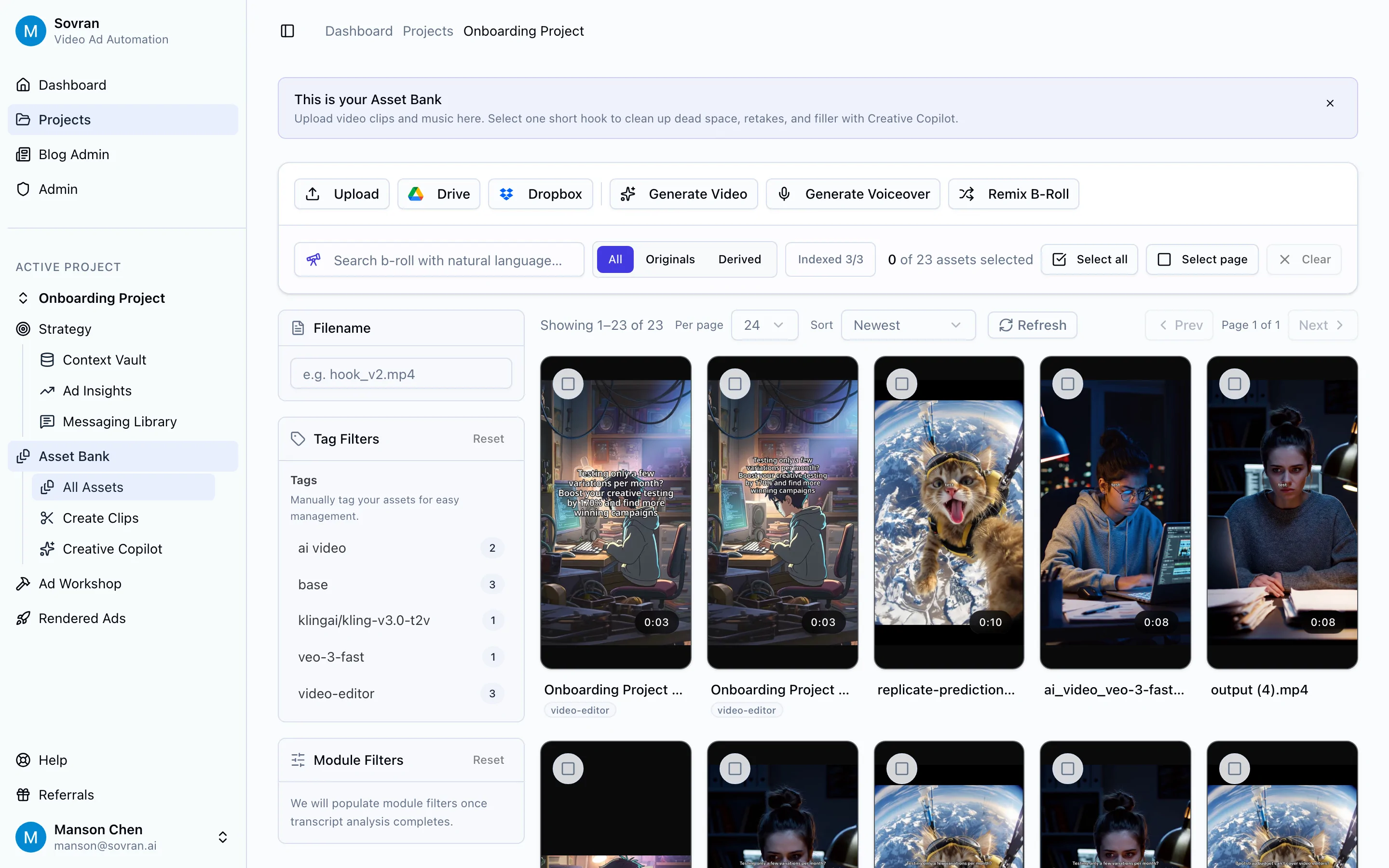
Before you edit, organize the footage. Most teams lose time before the timeline even opens because assets are scattered across drives, Slack, Frame.io, Dropbox, Google Drive, and old ad accounts.
A useful social ad asset bank should separate clips by role: hooks, product demos, UGC clips, testimonials, founder clips, problem statements, proof clips, CTAs, B-roll, brand overlays, music, and voiceovers.
Step 2: Split Source Videos Into Hooks, Bodies, And CTAs
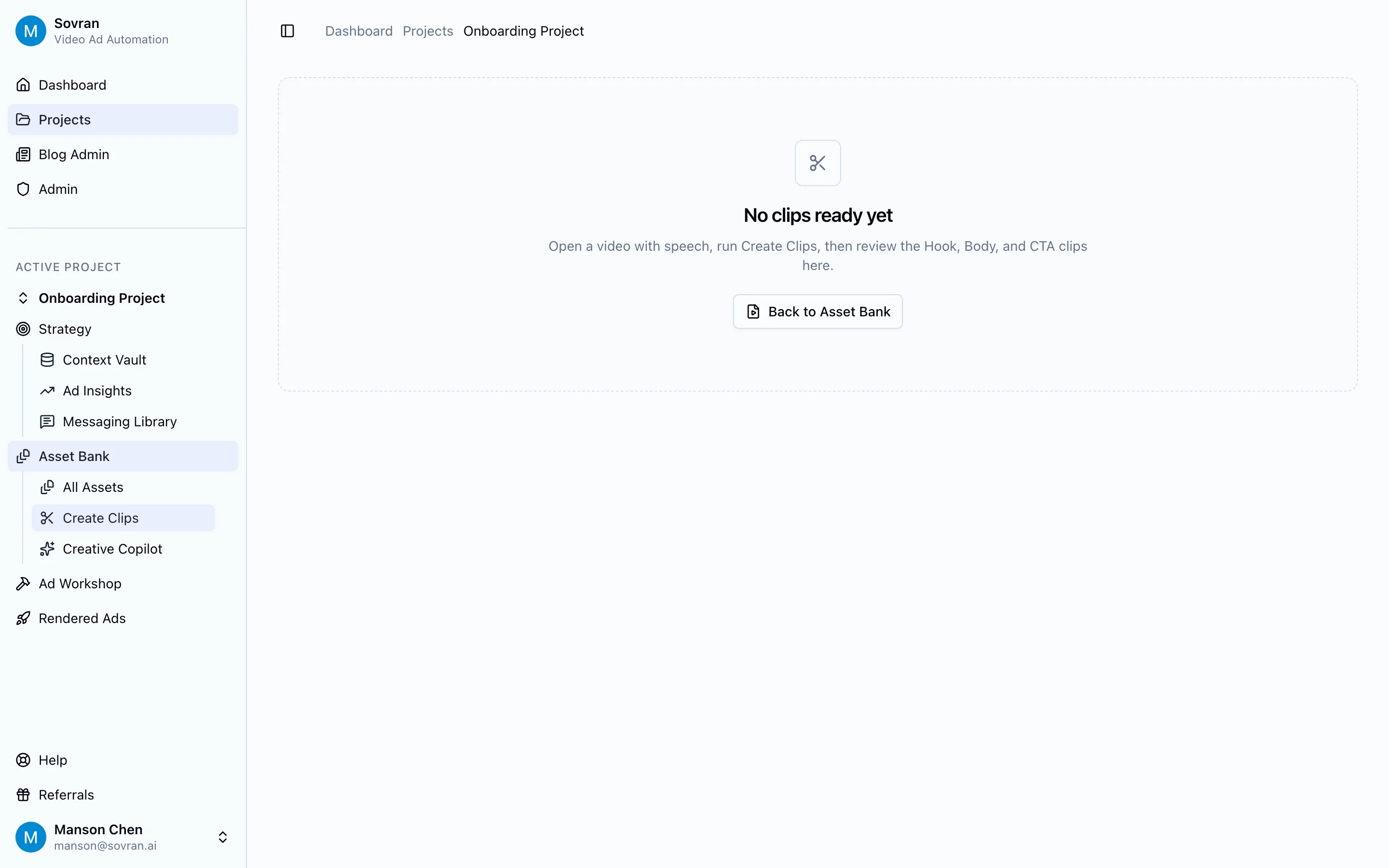
Once the asset bank is organized, split longer videos into testable modules. A 45-second UGC video might contain three usable hooks, one strong product explanation, two proof moments, and a CTA. Most teams leave that value trapped inside the original edit.
| Clip Type | What It Does | Examples |
|---|---|---|
| Hook | Stops the scroll | Pain-point question, contrarian claim, founder confession, surprising visual |
| Body | Builds belief | Product demo, customer result, before/after, objection handling |
| CTA | Directs action | Start trial, shop now, book demo, compare options, download template |
Step 3: Edit For The First Frame
Most weak social ads lose before the story starts. They open with a logo, intro animation, slow establishing shot, or vague scene that makes the viewer guess what is happening.
Better social media editing starts in the middle of the action. Show the product result before the setup, put the pain point in the first caption, cut dead air before the speaker's first useful sentence, lead with proof instead of brand, and use a first frame that makes sense with the sound off.
Step 4: Use Captions As Editing, Not Decoration
Captions are part of the edit. They control pacing, clarify the message, and guide the viewer's eye.
Use captions to repeat the hook in plain language, highlight the proof moment, break complex ideas into short beats, point attention toward the product or CTA, and make the video work without sound.
Wyzowl's 2026 report found that 89% of consumers say video quality impacts their trust in a brand. Quality does not always mean cinematic polish. In social ads, quality often means the edit is easy to understand, cleanly captioned, and paced for the feed.
Step 5: Pick The Right Social Media Video Editor
There is no single best social media video editor. There is only the best editor for your bottleneck.
| If Your Bottleneck Is... | Use This Type Of Tool | Why |
|---|---|---|
| Native TikTok/Reels feel | CapCut or native editors | Fast templates, trending sounds, mobile-first effects |
| High-control source editing | Premiere Pro or DaVinci Resolve | Best for polished edits, color, audio, and complex timelines |
| Talking-head cleanup | Descript | Fast transcript editing, filler-word removal, captions |
| Template speed | Canva or Adobe Express | Quick resizing, brand kits, simple motion templates |
| Ad variation volume | Sovran | Build from reusable hooks, bodies, and CTAs, then render variants |
| Repurposing long-form clips | Opus-style tools or Descript | Finds usable moments from longer videos |
For organic content, the native feel may matter most. For paid social, testing speed usually matters more. A beautiful edit that takes five days to make is often less useful than 20 good variants that teach you what your audience actually responds to.
Step 6: Add Proof, Not Just Motion
Fast cuts do not save a weak claim. The body of the edit needs proof.
Strong proof assets include customer result clips, founder explanations, product demos, side-by-side before/after visuals, screenshots of workflow or output, social proof, quotes, and recognizable customer logos.
Sovran has a few proof points worth using in this article: Rewardify increased creative testing on its largest UA channel by 170% month-over-month using Sovran; Fuelin cut CAC by 40% while increasing creative output; Pickup Music used Sovran to increase creative testing and scale monthly media spend while hitting KPIs; and Hallow highlighted the speed benefit of testing variants without editing and exporting one by one.
Step 7: Build A Weekly Editing Loop
Social media editing improves when it is connected to performance data. Do not treat launch as the finish line.
- Pull the top and bottom ads by hook rate, hold rate, CTR, CPA, and spend.
- Identify the creative variable that likely caused the difference.
- Save winning hooks, proof clips, and CTAs into the asset bank.
- Cut 5 to 10 new variants around one test idea.
- Launch them with consistent naming.
- Repeat with the winning module.
How Sovran Fits The Social Media Editing Workflow
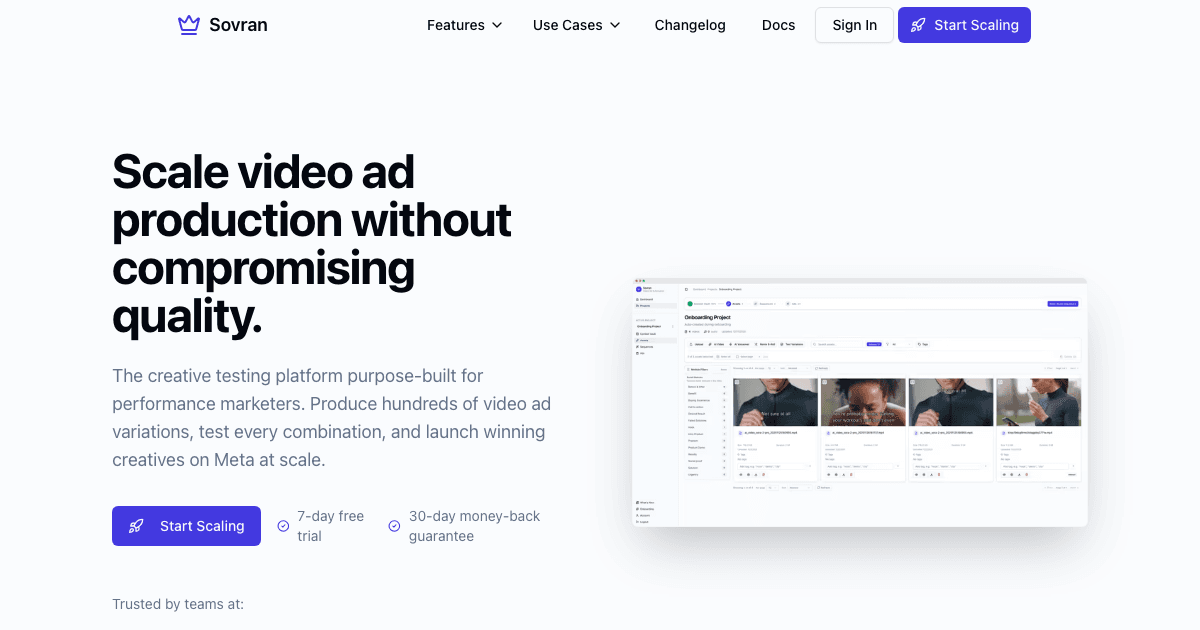
Sovran is not trying to replace every video editor. It is for the specific paid social workflow where a team already has footage and needs more testable ad creative.
- Upload existing videos, UGC, demos, founder clips, and CTAs.
- Use Create Clips to split longer videos into hooks, bodies, and CTAs.
- Store approved clips in the Asset Bank.
- Combine modules into many variants.
- Add captions and platform-ready formatting.
- Render and launch testable ads.
The important difference is the starting point. A normal editor starts with a blank timeline. Sovran starts with a reusable library of creative parts.
How To Edit Videos For Social Media: A Practical Checklist
- Does the first frame communicate the idea without sound?
- Does the first caption name a pain, desire, or outcome?
- Is the format correct for the placement?
- Are captions readable inside platform safe zones?
- Does the body show proof quickly?
- Is there only one main message?
- Is the CTA visible and specific?
- Can this edit be turned into 5 more variants?
- Are the hook, body, and CTA named clearly for future testing?
- Does the ad feel native to the platform where it will run?
Common Social Media Editing Mistakes
Opening Too Slowly
Do not save the best line for second 12. The feed will not wait.
Editing Once For Every Platform
TikTok, Reels, Shorts, LinkedIn, and Meta feed placements all need different pacing and text treatment. Reusing the same file everywhere is convenient, but it usually performs like a compromise.
Treating Captions Like An Afterthought
Captions are one of the main ways people understand social ads. They should be bold, timed tightly, and written like part of the script.
Testing Too Many Variables At Once
If every ad changes everything, you cannot tell what worked. Use modular edits to isolate hooks, proof clips, CTAs, and formats.
Keeping Winning Clips Trapped In Old Ads
A strong hook should become an asset. A strong CTA should become an asset. A strong proof clip should become an asset. Save them, tag them, and reuse them.
The Bottom Line
Social media editing is now a performance system. The teams that win are not simply better at making one polished video. They are better at turning footage into many clear, platform-native tests.
Start with the basics: first-frame hook, vertical framing, readable captions, fast proof, and a clear CTA. Then build the system around it: asset bank, hook/body/CTA modules, weekly testing loop, and performance-informed iteration.
If your bottleneck is editing one more version by hand, Sovran is built for that stage of the workflow. Use it to turn existing footage into reusable clips, combine those clips into variants, and ship more social ads without rebuilding each edit from scratch.
FAQ
What is social media editing?
Social media editing is the process of cutting video for the behavior of each social platform. For ads, that means a strong first-frame hook, vertical framing, bold captions, fast pacing, clear proof, and a CTA that matches the placement.
What is the best social media video editor for ads?
The best editor depends on your bottleneck. CapCut is strong for TikTok-native edits, Premiere Pro and DaVinci Resolve are best for detailed post-production, Descript is useful for talking-head cleanup, and Sovran is built for paid social teams that need many hook, body, and CTA variations from existing footage.
How do I edit videos faster for social media ads?
Use a modular workflow. Organize reusable hooks, proof clips, product demos, testimonials, and CTAs in an asset bank, then combine them into controlled variants. This lets you test more creative without rebuilding each ad from scratch.
How long should social media videos be?
For paid social, start short: 7 to 15 seconds for TikTok and Reels hooks, 15 to 30 seconds for many Shorts and paid social demos, and 30 to 90 seconds for more educational LinkedIn clips. The right length is the shortest version that delivers the hook, proof, and next step clearly.
Should I use AI for social media video editing?
Use AI for repetitive editing tasks like captioning, filler-word removal, clip tagging, transcript cleanup, and variant assembly. Keep human judgment on the hook, claim, proof, offer, and pacing because those are the creative choices that change ad performance.
Turn social editing advice into platform-specific production
Check the video formats, safe zones, and ad requirements for TikTok, Instagram Reels, and YouTube before you export your next edit.
Create TikTok Video Ads That Convert
Use TikTok-specific specs, hook pacing, and format guidance as your next step after editing strategy.
See TikTok workflow- Platform pageSee Reels workflow
Build for Instagram Reels
Adapt the same creative ideas for Reels-safe zones, placements, and Meta-native expectations.
- Platform pageSee YouTube workflow
Adapt for YouTube Shorts and in-stream
Understand how short-form social editing advice changes when YouTube formats enter the mix.
Frequently asked questions

Manson Chen
Founder, Sovran
Related Articles
10 Attention Grabbing Ad Openings to Test in 2026
- attention grabbing ad openings
- video ad hooks
- 3 more
How to Test More Video Creatives Without a Designer
Step-by-step guide to testing more video ad creatives without a designer. Use modular production to go from 3 variations per week to 30+.
- creative testing
- ad variations
- 2 more

8 Pattern Interrupt Techniques for Video Ads
- pattern interrupt techniques
- video ad hooks
- 3 more