How to Create Videos with AI: How to Create Videos with AI, Quick Wins
Making videos with AI isn't some black box magic. It really boils down to a few key moves: getting your brand assets in order, picking a proven ad format,...
Jump to a section
Making videos with AI isn't some black box magic. It really boils down to a few key moves: getting your brand assets in order, picking a proven ad format, writing sharp prompts, and then actually testing what the AI spits out.
The real game-changer, though, is when you stop thinking about one-off clips and start building a system. A system that can pump out dozens of ad variations at scale. That’s how you find out what your audience really wants, fast.
The New Reality of AI Video Creation
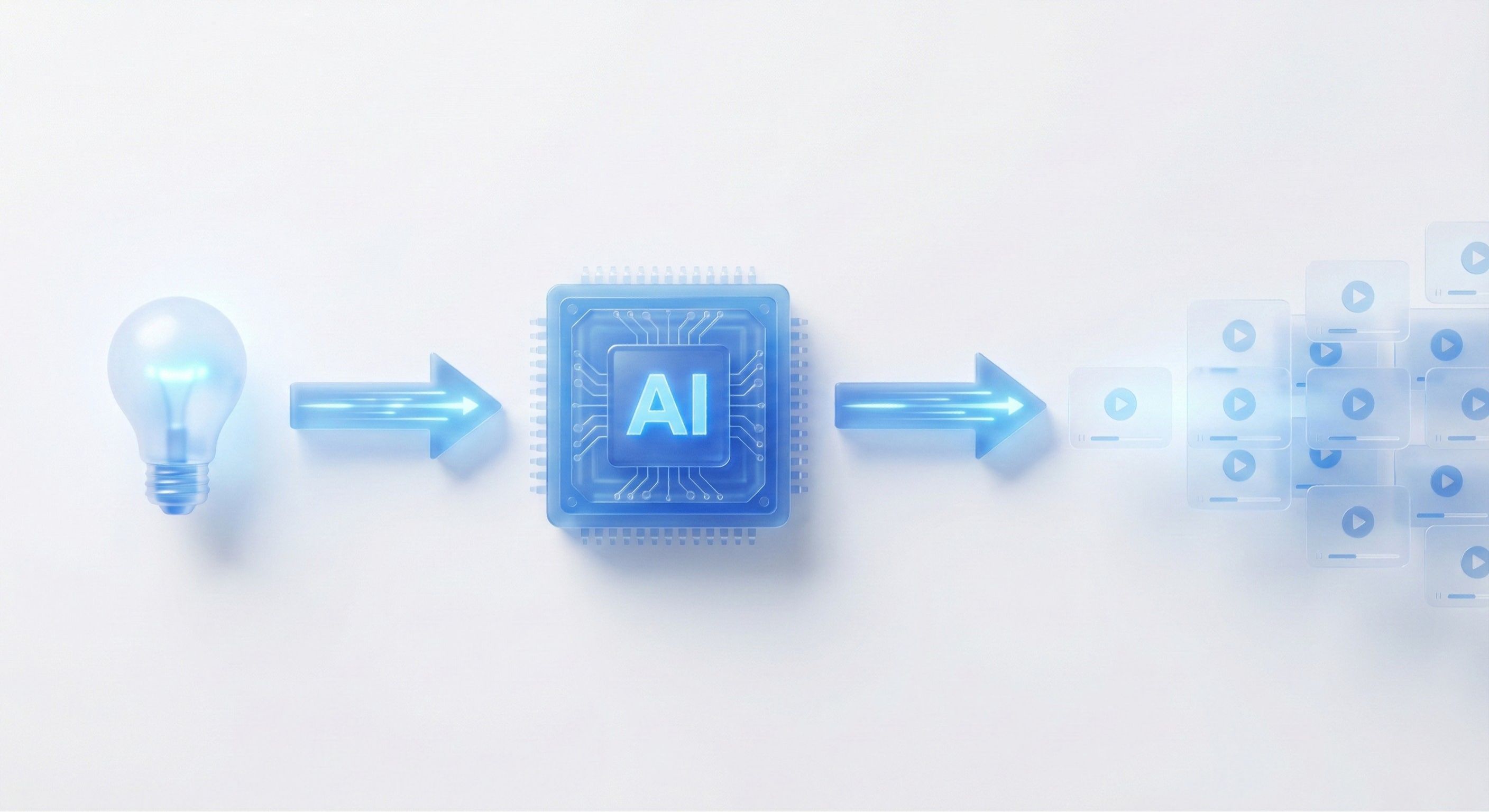
The whole playbook for video ad creation has been flipped on its head. Artificial intelligence isn't some sci-fi concept anymore; it's a practical, get-it-done tool for marketers who need to ship high-performing video without the old-school headaches. This guide cuts through the hype and gets straight to the "how-to."
We're going to walk through how AI changes everything from the first spark of an idea to the final ad you push live. It’s now totally possible to test more creative angles faster and cheaper than ever before. Forget about those long, expensive production cycles. We're talking about generating a whole campaign's worth of unique ads in a single afternoon.
A New Era for Advertisers
This isn't just a small shift; it's powered by some serious tech advancements. The global AI video generator market was valued at around USD 614.8 million and is expected to hit USD 2.56 billion by 2032. That kind of explosive growth tells you everything you need to know—people are adopting this stuff because it works.
For modern marketing teams, this brings some massive advantages to the table:
Speed and Volume: You can go from a single idea to a full slate of creative assets in hours, not weeks.
Cost Efficiency: This slashes the costs tied to traditional video shoots, editing, and all that post-production work.
Creative Agility: Test different hooks, messages, and visual styles on the fly to find winning combos without betting the farm.
Data-Informed Iteration: You can take performance data straight from Meta and TikTok and feed it back into the AI to generate even smarter, more effective video concepts.
As AI keeps changing the game, getting familiar with the top AI powered marketing tools gives you a better view of the entire ecosystem where AI video creation fits.
This shift lets teams act more like scientists—constantly experimenting, learning, and iterating. The goal is no longer to create one perfect ad. It's to build a system that consistently finds and produces high-performing creative.
This guide gives you a clear roadmap, from prepping your brand's core assets to launching and analyzing your campaigns. For any advertiser trying to get ahead, understanding what AI brings to the strategy is non-negotiable. You can check out our deep dive into the broader applications of AI for advertisers to see how this all fits into your growth plan.
By the end, you'll have actionable strategies you can use to start making videos with AI today.
Preparing Your Brand for Smarter AI Outputs

Before you even think about generating your first video, you need to do some prep work. This is actually the most important part of the whole process. The quality of your AI-generated videos is a direct reflection of how well you’ve prepared your brand information.
Think of it like this: you’re teaching the AI to be your brand’s best creative strategist. And for that, it needs a proper education. This upfront work is what separates generic, forgettable videos from content that feels authentic, connects with your audience, and actually drives sales. Skipping this step is the fastest way to get mediocre results.
Building Your Comprehensive Asset Library
First things first, you need to gather all the visual elements that define your brand. This isn't just about dropping a logo into a folder. It’s about creating a complete toolkit the AI can use to keep everything consistent, from video to video. A messy asset library just leads to off-brand visuals and a lot of wasted time fixing things later.
Get these core components organized and ready to go:
Logos: Make sure you have high-resolution versions in different formats. Think full color, monochrome, and versions with and without taglines. Having PNGs with transparent backgrounds is a must for easy overlays.
Brand Colors: Define your exact hex codes. I’m talking primary, secondary, and accent colors. This stops the AI from guessing and keeps every text overlay or background perfectly on-brand.
Fonts: Provide the actual font files for your brand’s typography. Include different weights like bold and regular to maintain the right visual hierarchy for headlines and body text.
Product Imagery: Don’t just upload one or two hero shots. Give the AI a library of high-quality product images from multiple angles, in different use cases, and on various backgrounds.
Platforms like Sovran are built for this. They let you create a structured design system where all these assets are stored and tagged, ready for the AI to access instantly. By setting this up first, you’re basically empowering the AI to make smart, on-brand creative decisions automatically. That means way fewer manual edits for you down the line.
Establishing a Rich Context Vault
Once your visuals are locked down, it's time to teach the AI how to talk about your brand. This is where a Context Vault comes in. It's the brain behind the entire operation—a central spot for all your brand’s messaging, knowledge, and strategic direction.
Your Context Vault is your brand's single source of truth. It's what ensures every script, headline, and call-to-action the AI spits out isn't just correct, but is strategically aligned with your actual business goals.
A well-stocked Context Vault gives the AI the guardrails it needs to think like your in-house marketing team. This is absolutely critical if you want to create videos that don't just look good, but actually perform.
Here’s what you should load into your Context Vault:
Ideal Customer Profiles (ICPs): Don’t be vague. Go deeper than basic demographics. Describe their real pain points, what motivates them, and the specific language they use. Instead of "millennial males," get specific: "David, a 28-year-old app developer who's struggling with time management and is always looking for new productivity hacks."
Unique Value Propositions (UVPs): Clearly spell out what makes your product different and better than the competition. List your key features, and more importantly, explain the benefits they deliver to your customers.
Brand Voice and Tone Guidelines: Is your brand witty and sarcastic? Authoritative and serious? Empathetic and friendly? Provide actual examples of on-brand copy, plus a list of words to use and words to avoid.
Proven Scripts and Angles: This is a goldmine for the AI. Upload your best-performing ad copy, top customer testimonials, and glowing reviews. This gives the AI a library of successful messaging to learn from and remix into new creative.
By loading all this information in at the start, you're not just giving the AI assets; you're programming it with your brand's DNA. This foundational work ensures every video it creates is a strategic asset, not just another piece of random content.
Picking Video Ad Formats That Actually Convert
Look, knowing how to use an AI to make a video is one thing. Knowing what kind of video to make is the real game-changer. Especially on fast-moving platforms like TikTok and Meta, success is never an accident. It comes from using battle-tested creative frameworks designed to stop the scroll and get a click.
The right format gives your AI a clear roadmap, turning a simple idea into an ad that performs. Instead of just throwing stuff at the wall, you're building on a foundation of solid marketing psychology. Let's break down the powerhouse formats we see winning day in and day out.
The Classic Hook-Body-CTA
This is the bread and butter of direct-response video ads. It’s simple, it works, and it’s incredibly easy for an AI to churn out at scale. The structure is right there in the name.
Hook (First 3 seconds): Your scroll-stopper. It has to be visually jarring or emotionally resonant. Think surprising stats, a relatable problem, or a bold opinion.
Body (5-15 seconds): This is where you deliver on the hook's promise. Show the product in action, highlight its biggest benefit, or explain how it solves the problem from the hook. Keep it fast and punchy.
Call-to-Action (Last 3 seconds): Tell them exactly what to do. "Shop Now." "Download Free." "Learn More." Make it impossible to miss with strong visuals and text.
This format is a go-to for retargeting campaigns or for products with a super clear value prop. It's all about speed and clarity.
The Hook-Body-CTA framework is your secret weapon for speed and volume. Since it's so modular, you can prompt an AI to spit out dozens of hook variations to test against the same body and CTA. This is how you quickly find the opening line that actually connects with your audience.
The Problem-Agitate-Solution Narrative
The Problem-Agitate-Solution (PAS) formula is an old-school copywriting classic that absolutely crushes it in video form. It taps into a viewer's pain points and perfectly positions your product as the only logical solution.
This is more of a mini-story. You start by showing a frustration everyone recognizes, then you twist the knife a little by showing why that problem sucks, and finally, your product swoops in as the hero. It’s a killer approach for anything that solves a specific, nagging issue—like an app for time management starting with a shot of someone drowning in notifications.
Engaging Listicles and How-To Guides
Let's be honest, hard sells get old. Educational content like listicles ("3 Reasons Why...") or quick how-to guides ("How to get X in 30 seconds") builds authority by providing real value first. This is a great play for top-of-funnel campaigns.
This format is perfect for breaking down ideas into snackable, shareable bits. For an AI, this is easy work. You can feed it key benefits from your Context Vault and just ask it to structure them into a numbered list with cool b-roll.
For instance, a skincare brand could run a video titled "3 Ways to Get Glowing Skin," with one of the tips naturally featuring their product. It feels like helpful advice, not a pushy ad. To get the specs right, you can check out our guide on TikTok video ad specs to make sure every format is perfectly optimized.
UGC Mashups for Instant Social Proof
User-generated content (UGC) is pure gold. There's nothing more powerful than real customers raving about your product. A UGC mashup is simply a fast-paced edit of customer testimonials, reviews, or unboxing clips. It screams authenticity and builds trust instantly.
While an AI can't create the UGC for you, it's an absolute beast at putting it all together. Once you upload your approved customer clips to a platform like Sovran, the AI can:
Instantly find the best, most impactful moments from every video.
Stitch them together into a high-energy, compelling montage.
Slap on branded text, captions, and a strong CTA to tie it all together.
This literally saves hours of painful manual editing and lets you create dozens of authentic-looking ad variations from the content you already have. The final product feels native to the platform and builds credibility in a way slick, over-produced ads just can't.
By choosing the right framework for your campaign, you're not just telling the AI what to make—you're turning it into a strategic creative partner.
AI Video Ad Format Comparison
To make it even clearer, here’s a quick breakdown of these formats, what they're best for, and how to think about them when prompting an AI.
Format Type | Best For | Key Elements for AI | Example AI Prompt |
|---|---|---|---|
Hook-Body-CTA | Direct response, retargeting, clear value props | Strong visual hook, concise benefit statement, clear CTA text overlay | "Generate a 15-second video ad. Hook: a surprising statistic about [topic]. Body: show the product solving [problem]. CTA: 'Shop Now' with an arrow." |
PAS Narrative | Problem-solving products, emotional connection | Relatable problem visuals, scenes showing frustration, a "hero shot" of the solution | "Create a video that starts by showing [common problem]. Then, show visuals of why this is frustrating. End with our product as the easy solution." |
Listicles/How-Tos | Top-of-funnel, building authority, education | Numbered lists, quick cuts, clear text for each point, educational tone | "Make a '3 Reasons Why' video about [product benefit]. Use b-roll from my asset library for each point. Keep it under 30 seconds." |
UGC Mashups | Building trust and social proof, conversion-focused ads | Fast-paced editing, authentic clips, testimonial text overlays, native-style captions | "Take these 10 UGC clips. Find the best 2-second moments from each and create a high-energy montage with a 'Shop Now' CTA at the end." |
Choosing the right structure is half the battle. When you pair a proven framework with the power of AI, you’re not just making ads faster—you’re making them smarter.
Your Creative Workflow for Generating Videos at Scale
Alright, this is where the magic happens—moving from planning and strategy to actually making the ads. To really get the most out of AI, you need a solid workflow. Think of it as an assembly line for turning your assets and ideas into a flood of high-quality, testable video ads. It’s all about generating, refining, and scaling in a continuous loop.
It always, always starts with the hook. You could have an award-winning product and a video that looks like a Hollywood blockbuster, but if you don't stop the scroll in the first three seconds, it's all for nothing. Once you've got some solid hooks, you'll move on to finding or creating the visuals to back them up.
The real engine of this whole process is the feedback loop. You'll generate a first draft, quickly see what's working and what's not, and then give the AI super clear, specific notes for the next version. Do this a few times, and you’ll watch your creative get stronger and more effective with each pass.
Crafting Irresistible Hooks at Scale
First things first: you need to generate a ton of different hooks for a single video idea. Don't even try to guess which one will be the winner; that's what your ad budget is for. Let the data tell you what works. This is an area where AI is just incredible—it can spit out a dozen compelling hook variations in the time it takes a human to come up with one.
Prompt the AI with specific angles you’ve pulled from your customer research and Context Vault. For example, you can ask for hooks built around pain points, surprising stats, or even by directly calling out your ideal customer.
Here are a few quick prompt examples for a productivity app:
Pain Point Angle: "Create three different 5-second video hooks showing the chaos of a messy desktop with too many open tabs. The text overlay should ask a question like 'Is this your digital life?'"
Statistic Angle: "Generate a hook using a bold text animation of the statistic 'You waste 60 minutes a day switching between apps.' Use high-energy, abstract background visuals."
UGC Angle: "Use a clip from my asset library of a customer testimonial and add the text overlay 'My productivity 2x'd after I found this...'"
The name of the game is building a library of openers to A/B test. This approach massively increases your odds of finding a winning hook that can slash your acquisition costs.
Sourcing and Generating Relevant B-Roll
With your hooks ready to go, you need visuals to tell the rest of the story. Your b-roll has to match the vibe of your message and, crucially, stick to your brand's aesthetic. You’ve got two main options here: dig into what you already have or generate something new.
A smart platform like Sovran lets you upload your entire library of existing video clips. Its AI can then automatically tag every single asset, making it all searchable with plain English. You can literally just ask for "a clip of someone looking frustrated at their laptop" or "a satisfying shot of a checklist being completed," and it will pull the right visuals in seconds. For a deeper dive, our guide on implementing a video asset management system shows you how to get your content organized for this kind of speed.
And when you just don't have the perfect shot? Generate it. Prompting an AI to create b-roll is all about being descriptive.
Pro Tip: Don't just ask for "a video of a happy customer." Get specific: "Generate a photorealistic, slow-motion clip of a woman in her early 30s, smiling with relief as she closes her laptop in a bright, modern home office. The mood should be calm and satisfying."
That level of detail is how you get generated clips that feel like they were made just for your campaign.
The Refinement and Feedback Loop
Your first AI-generated draft is almost never the final cut. Think of it as a really solid starting point. The true craft is in the refinement. Watch that first version and pinpoint what needs to be better.
Is the pacing off? Does one clip feel totally off-brand? Can you even read the text overlay? Give the AI clear, simple feedback.
For instance, your feedback prompts might look something like this:
"In the second scene, replace the current clip with a faster-paced one from my asset library showing teamwork."
"Change the text overlay font to my brand's primary font and increase the size by 15%."
"Trim the final clip by one second and add a more prominent 'Shop Now' button animation."
This back-and-forth is what takes a video from "good enough" to "great." Each iteration tightens up the ad and brings it closer to your campaign goals. This simple structure is the foundation of every single great video ad.
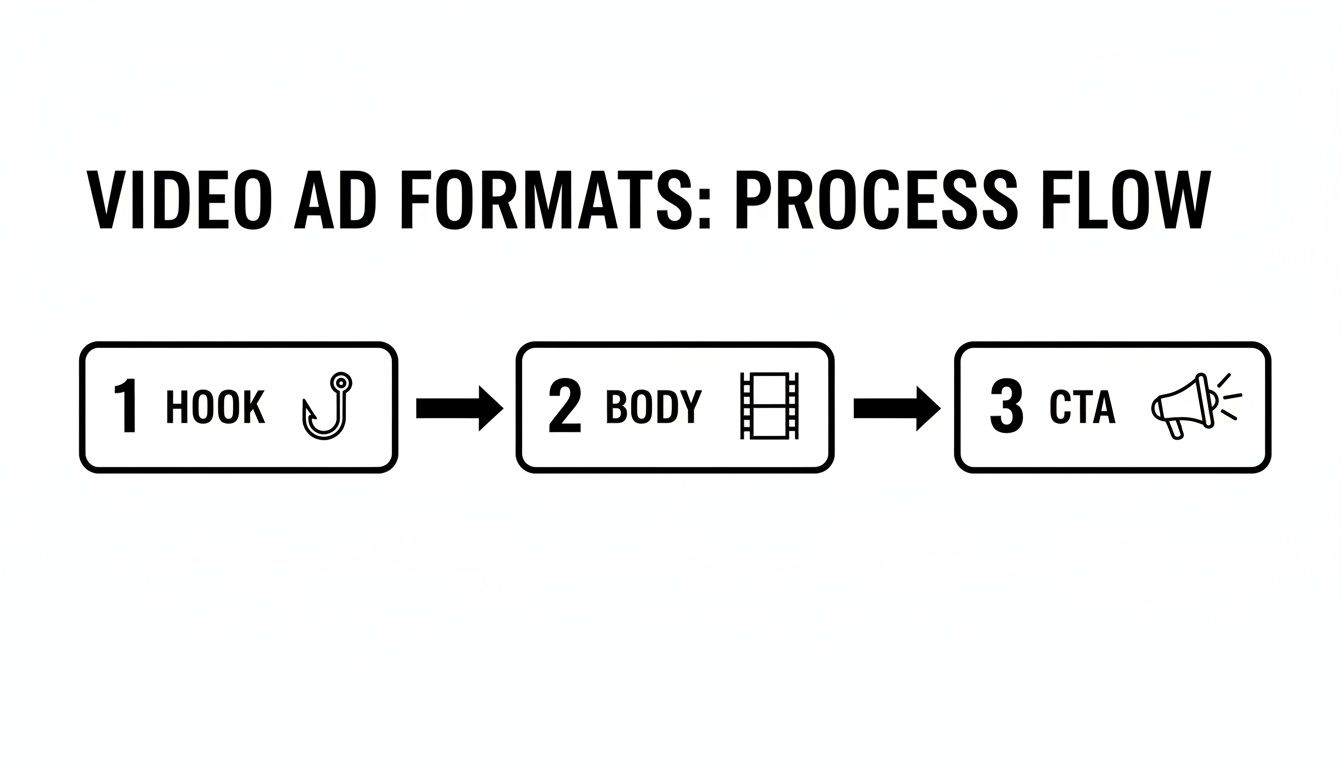
As you can see, every successful ad boils down to the simple Hook-Body-CTA foundation. Your iterative process is all about perfecting each of those three parts.
Unleashing the Power of Batch Rendering
Once you’ve nailed a core video ad that you feel good about, it’s time to really scale up your creative testing. Batch rendering is a game-changer. It’s a feature that lets you automatically create hundreds of variations from one master video. This is how you produce creative at a volume that would be completely impossible for a human team.
You can tell the AI to mix and match all sorts of variables:
Different Hooks: Test 10 different opening scenes with the exact same body and CTA.
Various CTAs: Keep the video the same but test "Shop Now" vs. "Learn More" vs. "Get 50% Off."
Music Options: Render versions with different background music to see what mood performs best.
B-Roll Swaps: Automatically switch out clips in the body of the video to keep your creative from getting stale.
This whole process is exploding right now. The AI video generator market was valued at around USD 430 million and is expected to hit an incredible USD 2.34 billion by 2030. That’s a compound annual growth rate of 32.8%, all because brands need tools that can pump out dozens or even hundreds of video variations every single day—a task that used to take teams weeks. Batch rendering gives you a massive arsenal of creative to deploy, helping you find what works, lower your costs, and fight off ad fatigue before it even starts.
Turning Performance Data into Smarter AI Videos
Churning out a huge library of AI videos is a great start, but it's just that—a start. The real, needle-moving growth comes from digging in and systematically understanding what works and why. This is where you close the loop, turning raw performance data into a powerful creative engine that gets smarter over time.
Without a solid testing framework, you're essentially just guessing. With one, you're building an intelligent system that learns and improves with every dollar you spend. That’s the difference between just using AI and strategically building with it.
Designing A/B Tests for Clean Data
The secret to effective A/B testing is isolating variables. It’s simple, really. If you test a new hook, a new call-to-action, and new b-roll all in one video, you’ll have zero clue which change actually made the difference. The goal is to get clean, unambiguous data that points to a clear winner.
On platforms like Meta and TikTok, this requires discipline. Start with a "control" video—this could be your current best performer or just a solid baseline creative. From there, create variations where you change only one single element at a time.
Hook Testing: Keep the body and CTA exactly the same, but test five completely different opening scenes or lines of text.
CTA Testing: The hook and body stay identical. Your only change is the closing offer or button text—think "Shop Now" versus "Get Your Free Trial."
Visual Style Testing: Use the same script and audio, but pit a version with user-generated content against one with slick, AI-generated b-roll.
This methodical approach keeps your data from getting muddy. You'll know with confidence that the boost in your click-through rate came from that specific hook, giving you a concrete insight to build on for your next batch of videos.
The most impactful tests almost always happen in the first few seconds of your video. A winning hook can slash your Cost Per Acquisition (CPA) in half, while a weak one will kill an otherwise brilliant ad before it ever gets a chance.
Metrics That Actually Drive Growth
It’s way too easy to get lost in a sea of vanity metrics like views and likes. Sure, they feel good, but they don't tell you if your ads are actually making you money. To truly get a grip on performance, you have to focus on the numbers that connect directly to your business goals.
For any performance-focused video ad campaign, these are the metrics that matter most:
Metric | What It Measures | Why It's Important |
|---|---|---|
Hook Rate | The percentage of viewers who watch the first 3 seconds. | This is your scroll-stopper score. A low hook rate means your opener is failing to grab attention, and the rest of your video might as well not exist. |
Hold Rate | The percentage of viewers who watch through a key point (like 50% or 75%). | This shows if your message is compelling enough to keep people engaged past the hook. It's a direct measure of your storytelling. |
Click-Through Rate (CTR) | The percentage of viewers who click your link or CTA. | This reveals how well your video actually motivates action. A high CTR means your creative and your offer are perfectly aligned. |
Cost Per Acquisition (CPA) | The average cost to acquire one new customer. | This is the ultimate bottom-line metric. The whole game is about finding the creative that drives this number as low as humanly possible. |
Focusing on these KPIs helps you make objective decisions, not emotional ones. You're no longer relying on gut feelings; you're letting hard data guide your creative strategy and inform your next set of prompts. To really nail this, you first need to understand what your audience is doing; you can learn how to analyze content performance with our dedicated guide.
From Insights to Actionable Prompts
This is where the feedback loop becomes a superpower. Once you've identified winning elements from your A/B tests, you translate those learnings directly back into your instructions for the AI. This is how you start creating videos that aren't just new, but are measurably better.
For instance, if you find that hooks featuring a specific pain point have the highest hook rate, your next prompt to the AI becomes incredibly specific: "Generate five new video hooks that visually demonstrate the frustration of [specific pain point]."
Or, if your data shows that videos with UGC-style visuals have a lower CPA, you can tell the AI to prioritize those assets: "Create a 30-second ad using only clips tagged as 'UGC testimonial' from my asset library."
The AI video market is exploding for a reason. It was valued at an estimated USD 11.2 billion globally and is projected to hit about USD 246 billion by 2034, with B2B users making up roughly 70.1% of that. This insane growth is being driven by companies that are using AI for marketing and analytics to create exactly this kind of data-driven feedback loop.
By turning your performance data into your next creative brief, you stop making random videos and start building a predictable system for growth.
Common Questions About AI Video Creation
Jumping into AI video generation is exciting, but it's totally normal to have a few questions. It’s a pretty new space, after all. Let's tackle some of the most common things people wonder about so you can get started with confidence and avoid the usual traps.
Getting these answers straight is a big part of learning how to make AI videos that actually perform. It helps you set the right expectations from day one and put your energy where it'll make the biggest difference.
Can AI Truly Replicate Human Creativity?
This is the big one, right? The short answer is no, and honestly, that's its biggest advantage. Think of AI as an incredible creative partner, not a replacement for your own gut feeling and expertise. Its real magic is in its ability to handle speed, scale, and iteration in a way no human ever could.
Sure, it might not have the subtle, nuanced eye of a seasoned human editor, but it can spit out dozens of different concepts and rough cuts in minutes. This speed is a game-changer. It frees you up to think about the big picture—the strategy, the story, and the final polish that makes an ad shine.
The best workflow we've seen is a hybrid one: let the AI do the heavy lifting of production while you provide the strategic direction and the final creative sign-off.
What Is the Biggest Mistake When Creating Videos with AI?
Hands down, the most common mistake is feeding the AI vague, generic instructions and then crossing your fingers for a masterpiece. It’s the classic "garbage in, garbage out" scenario. Your success with AI video comes down entirely to the quality of your inputs and prompts.
Vague prompts lead to vague videos. Specificity is your best friend. The more detail you give the AI about your brand, your audience, and your goals, the better your results will be.
Taking the time to build out a rich Context Vault is the single most important thing you can do. This means uploading your high-res brand assets, getting super detailed about your ideal customer profiles, and writing clear, descriptive prompts for every single element you want. This is what separates a generic, forgettable video from a powerful, on-brand ad that actually converts.
How Do I Keep My AI-Generated Videos from Looking Repetitive?
Creative fatigue is a real risk, but it's completely avoidable if you're actively guiding the AI. You have to treat it like a tool that needs direction, not just a button you push and hope for the best.
Here are a few practical ways to keep your content feeling fresh:
Vary Your B-Roll Prompts: Get really descriptive. Instead of just asking for "an office scene," try specifying different moods, color palettes, camera angles, and actions.
Test Different Ad Formats: Don't get stuck in a rut. Use A/B testing as your creative playground. Pit a fast-paced listicle against an emotional UGC-style mashup and see what your audience responds to.
Refresh Your Asset Library: Keep feeding the machine new stuff. Regularly add new product shots, customer testimonials, and updated brand graphics to your library so the AI has a fresh pool of content to pull from.
Lean into Batch Generation: The best way to find those hidden gems is to create in volume. Use batch rendering to generate dozens of variations from one core idea, then pick out the most unique and compelling versions for your campaigns.
This cycle of prompting, testing, and refreshing is how you avoid creative burnout and keep your ads performing over the long haul.
Ready to stop the manual grind and start creating high-performing video ads at scale? Sovran automates the entire creative workflow, from generating ideas to launching campaigns. Start your 7-day free trial today!

Manson Chen
Founder, Sovran
Related Articles
How to Make UGC: Fast and Effective Methods for 2026
Learning how to create UGC that actually converts starts way before you hit record. It’s all about laying the right groundwork—nailing down your goals, getting...
Master AI Video Ad Production Workflow
Imagine whipping up a video ad in minutes, without sacrificing quality. That’s the promise of AI video ads—they draft scripts, select visuals, handle...
How to Create Ads with AI That Actually Convert
Creating ads with AI is all about combining your brand's unique creative assets with an intelligent platform to generate, test, and scale winning ad...