How to Make UGC: Fast and Effective Methods for 2026
Learning how to create UGC that actually converts starts way before you hit record. It’s all about laying the right groundwork—nailing down your goals, getting...
Jump to a section
Learning how to create UGC that actually converts starts way before you hit record. It’s all about laying the right groundwork—nailing down your goals, getting inside your audience's head, and mapping out a crystal-clear plan. This prep work is what separates a purpose-driven ad from just another video getting lost in the feed.
Building Your Foundation for High-Performing UGC
You can't ignore the massive wave of user-generated content. Brands are pouring their budgets into it for one simple reason: authentic, creator-led videos just work better. Seriously. The global UGC market is on track to hit $7.6 billion in 2025—a jaw-dropping 69% jump from 2024—and is forecasted to reach an insane $32.6 billion by 2030. This isn't a fleeting trend; it’s a core shift in how people connect with brands.
So, how do you get a piece of that action? It all starts with a solid plan. Just "winging it" is a surefire way to burn through ad spend and get messy, confusing results. A strong foundation makes sure every video you pump out has a clear job to do and a much higher chance of success.
This process really boils down to three key pillars: defining your campaign goals, knowing your customer persona inside and out, and writing a sharp creative brief. Each step naturally flows into the next, giving your creators a perfect roadmap.
This flowchart lays it all out, from setting your main objective to getting a brief ready for a creator.
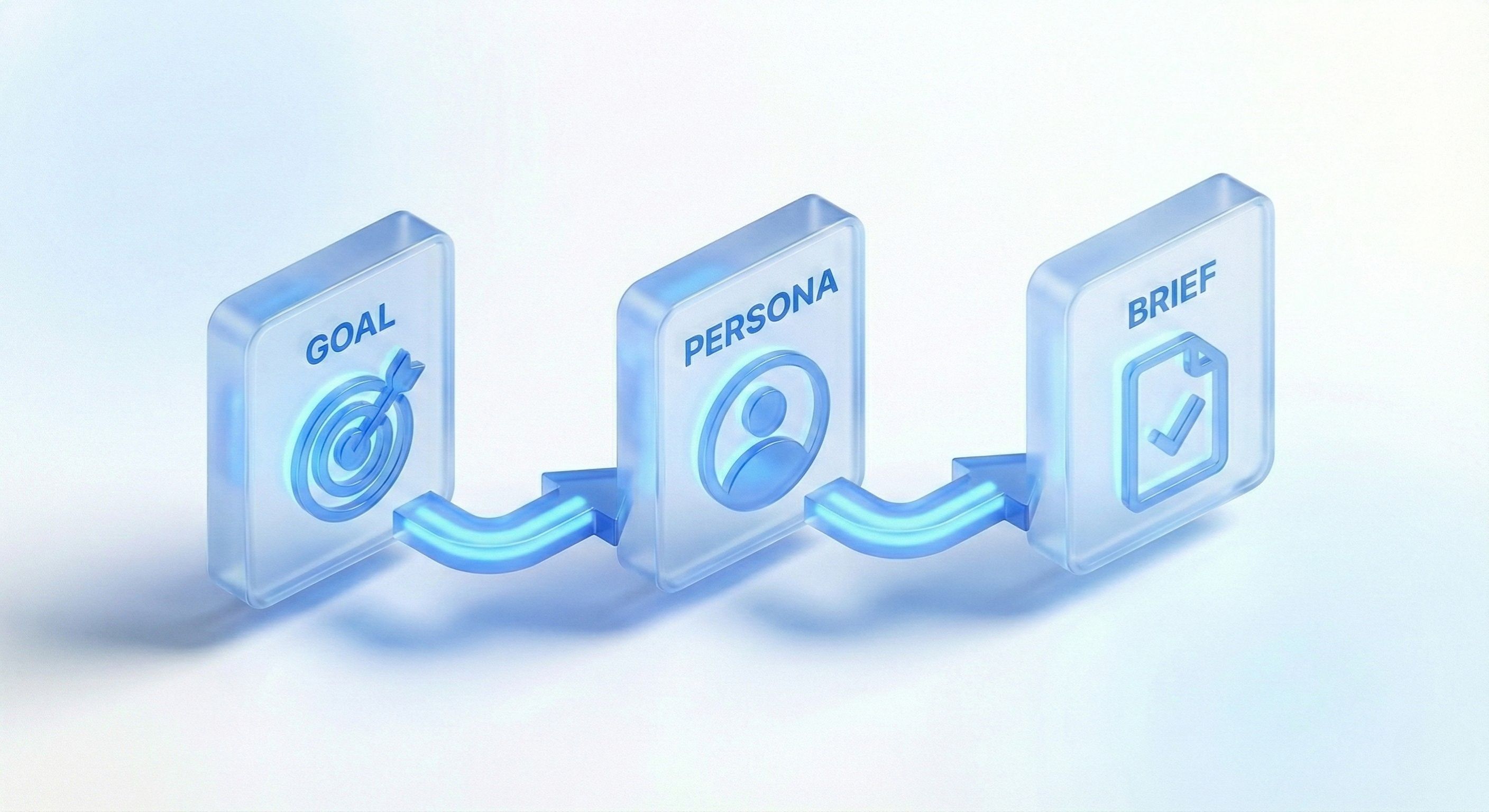
You can see how a specific goal directly shapes who you target, which then dictates exactly what you need to tell your creators in the brief.
Define Your Campaign Goals
First things first: you have to decide what a "win" looks like. Are you chasing direct sales? Pushing for app installs? Or just trying to get your brand name out there? Fuzzy goals lead to fuzzy content. Your main objective is going to steer every single decision you make from here on out.
For Sales-Driven Goals: Your content needs a direct call-to-action (CTA) and has to hammer home a specific product benefit that solves a real problem for the viewer.
For App Installs: The whole point is to show off the app's core value—fast. You need to demonstrate what makes it great, not just talk about it.
For Brand Awareness: Here, you can get a bit more creative. The focus might be on your brand's vibe, building a community, or just making entertaining stuff that gets people talking.
Key Takeaway: Your campaign goal is your North Star. Without a specific, measurable objective, you can't write a good script, direct a shoot, or edit your UGC effectively. More importantly, you'll have no idea if it's actually working.
Build a Detailed Customer Persona
Okay, you know your goal. Now, who are you talking to? Generic demographics like "women, 25-34" won't cut it. You need to build out a customer persona so detailed it feels like you're describing a real person.
Get into their head by asking:
What are their biggest headaches that your product can fix?
What kind of videos are they already watching and loving on TikTok and Instagram?
What slang and phrases do they use? Which creators do they follow?
What's holding them back from buying? What are their biggest hesitations?
Getting this deep into their world helps you come up with angles and hooks that feel personal. It's the difference between a generic ad and a recommendation that sounds like it came from a trusted friend. Before you can truly nail this, you need to understand the fundamentals, which is where this ultimate guide to User-Generated Content comes in handy.
Craft a Sharp Creative Brief
The creative brief is easily the most important document in this entire process. It’s where you turn all your goals and customer insights into clear, actionable steps for a creator. A killer brief gives them guardrails but still leaves room for their own creative magic.
As you start scaling up, keeping all these briefs, videos, and assets straight can become a nightmare. This is exactly why having a good video asset management system in place is a game-changer.
Your brief has to include:
The Big Idea: The single most important message you need to get across.
Hook & CTA: The specific hooks you want to test and the exact call-to-action.
Visual Guidelines: Simple dos and don'ts for the setting, lighting, and overall vibe.
Brand Voice: Key phrases to hit and any words or claims to avoid.
A well-written brief empowers creators to deliver authentic, on-brand content that’s primed to hit your performance targets right out of the gate.
Scripting and Shot Listing for Authentic Impact
The best UGC ads look like a customer just hit record on their phone. They feel raw, genuine, and completely unplanned. But here's the secret: that effortless authenticity is almost always the result of some serious behind-the-scenes planning.
Trying to just "wing it" usually leads to rambling, unfocused videos that completely miss the mark. A solid script paired with a detailed shot list is how you get content that looks spontaneous but performs like a perfectly engineered ad. This is how you make sure every single second serves a purpose, from the scroll-stopping hook to the final CTA.
Crafting a Script That Sounds Human
First, forget everything you know about traditional ad scripts. For UGC, you need to capture the way real people talk. It should feel less like a commercial and more like a voice memo from a friend who just found something they're obsessed with.
The trick is to use proven frameworks to guide the story without making it sound robotic. You're not trying to get a creator to read lines word-for-word. Instead, you're giving them clear talking points they can deliver in their own voice.
A few frameworks are absolute gold for this:
Problem-Agitate-Solution: This is a classic for a reason. You start by calling out a pain point everyone relates to. Then, you poke at it a bit, reminding them how frustrating it is. Finally, you introduce your product as the hero.
Unboxing/First Impressions: This one is all about building anticipation. The script guides the creator through their genuine, real-time reactions as they open the product, try it out, and call out the features that immediately impress them.
"Things I Wish I Knew Sooner": This angle is great for positioning your product as a game-changing life hack. The script can quickly list 2-3 key benefits in a punchy, share-a-secret kind of way.
Don't overdo it on the script. The goal is a detailed outline, not a screenplay. Give them the key messages, the hook, the main points, and the CTA, but always encourage them to make it their own.
For a deeper look at how to structure these narratives, check out our guide on writing a great script for advertising, which has frameworks you can easily adapt for that fast-paced, authentic UGC style.
Turning Your Script into a Visual Shot List
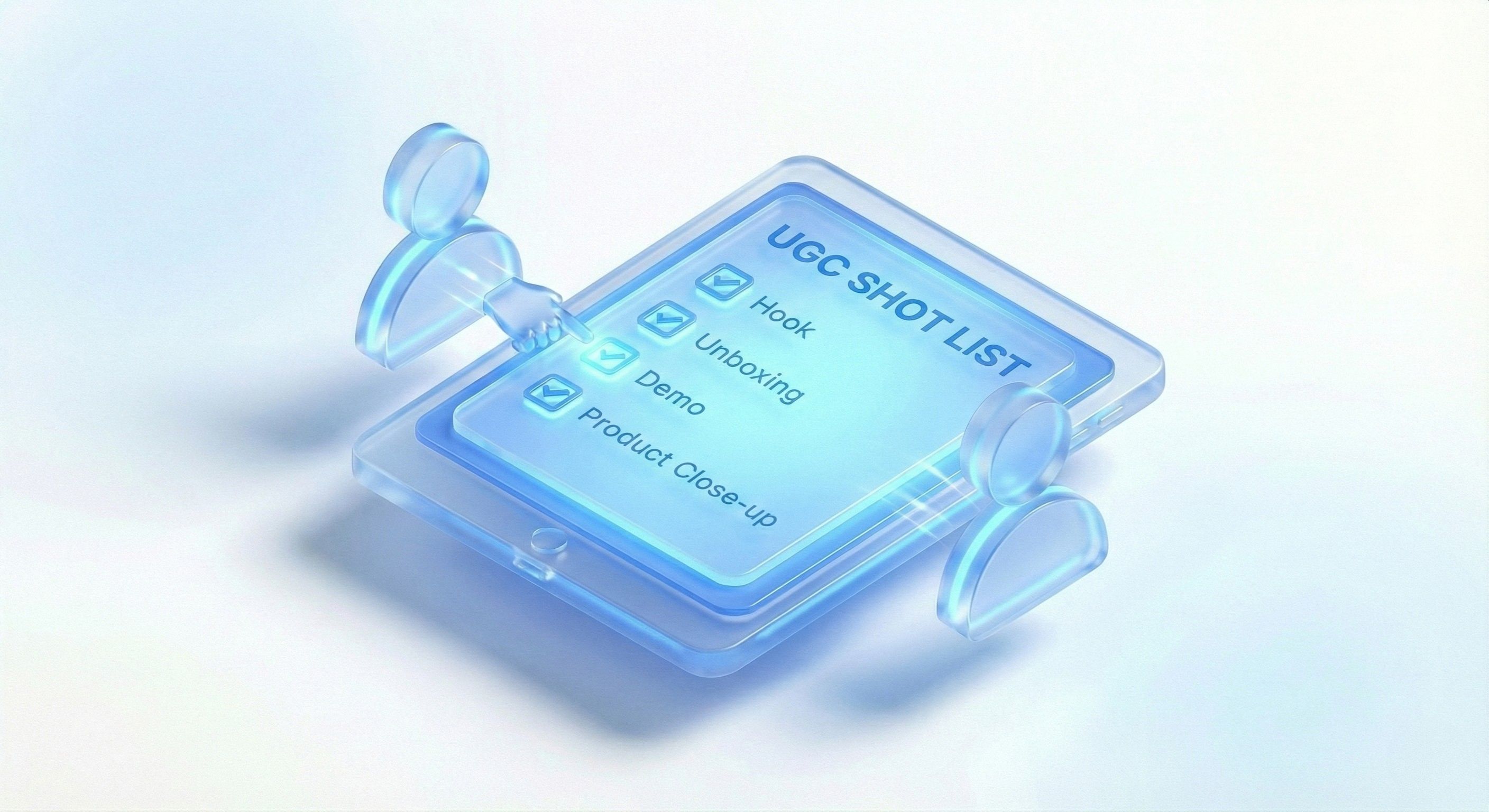
Once you've got the talking points down, it's time to think visually. A shot list is your scene-by-scene plan for everything you need to film. Think of it as the creator's blueprint—it ensures they capture all the necessary footage in one session, which saves a ton of time on annoying reshoots.
A great shot list breaks the video down into small, individual clips. For each clip, you'll specify the action, the camera angle, and any props needed. This removes all the guesswork and guarantees you get a variety of shots to play with in the edit.
Here's a look at what a simple shot list for a product demo could look like. It's a fantastic starting point that any creator can adapt for their own shoot.
Sample UGC Shot List for a Product Demo
Shot Number | Scene Description | Angle/Framing | Required Props |
|---|---|---|---|
1 | Creator looking frustrated at their messy desk. | Medium shot, slightly high angle. | Laptop, scattered papers, old organizer. |
2 | Close-up of the product box arriving. | Tight shot on the box. | Product box. |
3 | Creator smiling while unboxing the new desk organizer. | Eye-level shot. | Product, box, new organizer. |
4 | Quick cuts of placing items into the organizer. | Extreme close-ups on hands and product. | Pens, notebook, phone, organizer. |
5 | A final wide shot of the clean, organized desk. | Wide shot showing the "after" state. | Fully organized desk. |
6 | Creator speaking directly to the camera, holding the product. | Close-up, direct-to-camera. | Product. |
This structured process is a game-changer for anyone learning how to make UGC. It forces you to think beyond just the "talking head" shots and capture the essential B-roll footage that brings the story to life.
Production Tips for an Authentic Vibe
Finally, you need to make sure the production environment feels right for UGC. You don't want a polished, studio look—in fact, on platforms like TikTok, that can actually hurt your ad's performance. Relatability is key.
Just focus on these simple production hacks:
Use Natural Light: Seriously, just film facing a window. Natural light is soft, flattering, and free. It immediately gives your video a clean look without feeling overproduced.
Keep Backgrounds Simple: A cluttered background is distracting. Find a clean corner in a room, a simple wall, or just tidy up your desk. The focus should be on you and the product.
Prioritize Clear Audio: Bad audio is an instant scroll. Find a quiet room and keep the phone as close to the speaker as possible. Even using the standard microphone on a pair of headphones will make a world of difference.
Practical Tips for Shooting UGC on a Smartphone
Let's kill a common myth right now: you do not need expensive DSLRs or complicated lighting rigs to create winning UGC ads. The most powerful tool for the job is probably already in your pocket. Your smartphone is more than capable of capturing footage that looks native and performs like crazy on Meta and TikTok—you just need to know a few simple tricks.
The beauty of mobile-first production is just how accessible it is. You don’t need a film degree to make content that stops the scroll. You just need to nail the fundamentals of lighting, stability, and sound. These small tweaks can dramatically lift the quality of your videos, making them look clean and engaging without losing that crucial, low-fi aesthetic that builds trust.
Dial In Your Smartphone Settings
Before you even think about hitting record, take 30 seconds to check your camera settings. Most modern phones have decent default settings, but "decent" isn't what we're aiming for. A few quick adjustments will make sure your raw footage is crisp, clear, and ready for the edit.
First things first, always shoot with your phone's rear-facing camera. It almost always has a much better sensor and more advanced tech than the selfie camera, which means a significantly higher-quality image.
Next, jump into your camera's video settings and make these changes:
Resolution: Set it to 1080p (HD). Sure, 4K is an option on most new phones, but the file sizes are huge and the difference is barely noticeable on a small mobile screen. 1080p gives you the perfect balance between quality and a manageable file size.
Frame Rate: Stick with 30 frames per second (fps). This is the standard for most online video and gives you that smooth, natural look. Don't bother with 60 fps unless you're specifically planning to create some slick slow-motion effects.
One last pro tip: lock your focus and exposure. On most phones, you can do this by tapping and holding on your subject until a yellow box pops up. This stops the camera from distractingly "hunting" for focus or changing the brightness right in the middle of a perfect take.
Master Stability and Smooth Shots
Nothing screams "amateur" faster than shaky, jarring footage. While a tripod is a solid tool, it can sometimes make your UGC feel a little too static and planned out. The real goal is to get stable shots that still have that natural, handheld vibe.
Try a simple technique I call the "human tripod." Just stand with your feet shoulder-width apart, tuck your elbows into your sides, and hold the phone with both hands. This creates a surprisingly stable base and minimizes the tiny jitters that can ruin a shot.
For smooth panning or tilting shots, don't just move your hands. Pivot your entire body from your core. This creates a much more fluid and controlled motion, mimicking the look of professional gear without spending a dime.
This steady foundation is key, especially when you're trying to capture more dynamic footage. When you pair this technique with a variety of interesting shots, your video instantly becomes more engaging. If you need some ideas, check out our guide to high-impact B-roll examples that work wonders for social media ads.
Capture Clear and Crisp Audio
Think about it: viewers will forgive slightly grainy video, but they will absolutely not tolerate bad audio. If your sound is muffled, distant, or echoey, they'll scroll away in seconds. The good news is you don't need a fancy external mic to get great results.
The secret is proximity. Your phone's built-in microphone is surprisingly good, but it needs to be close to the sound source—your mouth. When you're filming yourself talking, hold the phone at a comfortable arm's length, maybe 1-2 feet away.
Pay attention to your environment, too. Film in a quiet room with soft surfaces like carpets, curtains, or a couch to absorb annoying echoes. Avoid big, empty rooms with hard surfaces where sound bounces around like crazy. A quick clap test will tell you immediately if a room is too echoey.
Leverage Natural Light and Composition
Great lighting is the single fastest way to make your phone footage look professional. And the best light source you can find is completely free: the sun.
Simply position yourself facing a large window or an open doorway. This lets that soft, natural light hit your face evenly, which gets rid of harsh shadows and creates a bright, clean look that's incredibly flattering. Whatever you do, never film with a window or bright light source behind you—it’ll turn you into a dark, faceless silhouette.
Finally, think about basic composition. An easy win is to use the rule of thirds. Imagine your screen is divided by a 3x3 grid. Instead of placing your subject dead center, line them up along one of the vertical lines. This simple trick makes your shot feel more balanced and visually interesting.
Editing Formulas for TikTok and Meta Ads
Once you’ve got your raw footage, the real work begins in the edit. This is where you stitch simple clips into a high-octane, conversion-driving machine. On platforms like TikTok and Meta, attention is the scarcest resource, so your editing has to be aggressive, fast, and built for a mobile-first, sound-off world.
The name of the game is speed. Forget long, drawn-out scenes. Modern social ads live and die by rapid-fire cuts. You should be aiming for a new scene, a different angle, or some kind of visual change every 1-2 seconds. This constant motion is what keeps thumbs from scrolling.
This doesn't mean your video needs to feel chaotic or jarring. The goal is to create a rhythm that feels completely native to the platform—energetic, engaging, and always pushing forward. This quick pacing mirrors how people naturally consume content in their feeds, making your ad feel less like an interruption and more like part of the experience.
Layering Text and Captions for Maximum Impact
Let's be real: a huge chunk of your audience is watching with the sound off. If your message is locked away in the audio, you're basically invisible to them. That’s why on-screen text and animated captions are completely non-negotiable.
Think of your text strategy in a few layers:
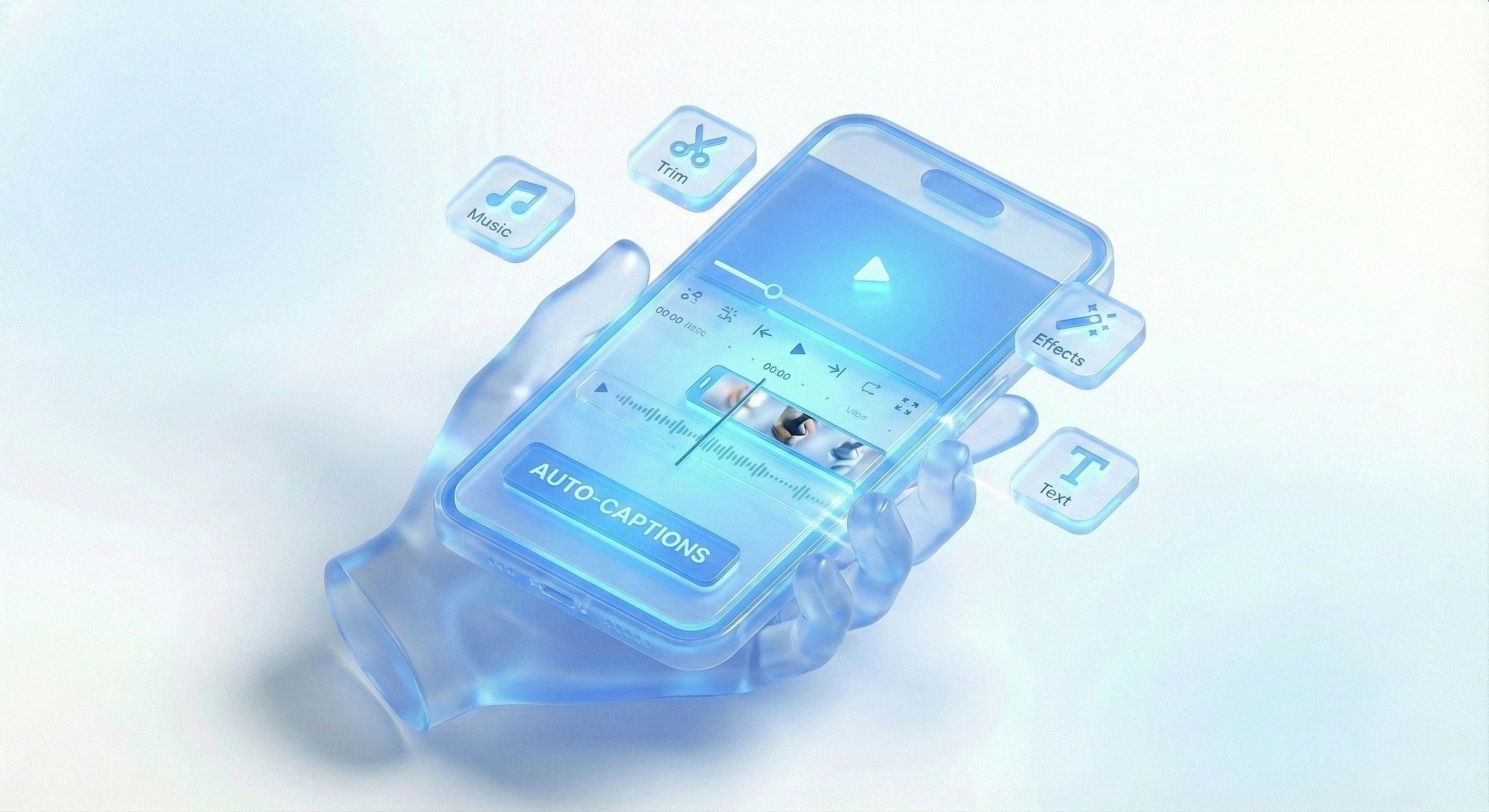
Dynamic Captions: Use the auto-captioning features in apps like CapCut to generate subtitles for every spoken word. The trick is to animate them so they pop up word-by-word. This pulls the viewer's eye along and practically forces them to read.
Key Message Overlays: Don't stop at just captions. Slap some bold, static text overlays on the screen that hammer home your most important benefit or the main hook. Keep them short, punchy, and instantly readable.
Visual Punches: Use emojis, color changes, and simple text animations to make certain words pop. For example, you could make the word "free" flash a different color or do a quick zoom effect to grab attention.
This combination makes sure your message gets through loud and clear, whether the user's volume is at zero or full blast.
Key Insight: Treat your on-screen text as a primary storytelling tool, not an afterthought. It guides the viewer's attention, reinforces your message, and makes your video accessible to everyone, significantly boosting comprehension and retention.
Mastering Mobile Editing Apps Like CapCut
You don't need a souped-up desktop with complex software to create ads that perform. Mobile apps like CapCut are incredibly powerful and have everything you need to pull off a pro-level edit right from your phone.
The key is to master a few essential functions that deliver the biggest impact. These features are tailor-made for the fast, trendy style of content that crushes it on TikTok and Instagram Reels.
Your go-to CapCut toolkit should include:
Auto-Captions: I can't say it enough—this is a must. CapCut’s tool is surprisingly accurate and lets you easily tweak fonts, colors, and animations.
Trending Audio: The app has a massive library of trending sounds. Tossing a popular audio track into your ad can give it an instant dose of relevance and help it blend in with organic content.
Simple Transitions: Ditch the cheesy, over-the-top transitions. Stick to simple cuts or quick zoom-in/zoom-out effects to move between clips. The goal is a seamless flow, not a flashback to a 2010 PowerPoint presentation.
Basic Color Grading: You don't need to be a professional colorist. A simple filter or a slight boost in saturation and contrast can make your footage pop on a small screen. It's a small touch that makes your video look way more polished.
The Final Polish for a Native Feel
Before you hit export, give your ad one last look—on your phone, with the sound off. Ask yourself: Is the main point crystal clear in the first three seconds? Are the captions easy to read against all the different backgrounds? Does the pace feel energetic enough to hold my attention?
Also, pay attention to the "safe zones." You need to keep your critical text and visuals away from the edges of the screen where they can get covered by the platform's UI elements, like the username, caption, or the like and comment buttons.
Finally, think in variations. Once you have a solid edit locked in, it's super easy to swap out the first clip for a different hook or change the call-to-action text at the end. This lets you A/B test different creative angles, learn what your audience actually responds to, and set yourself up for a much more scalable and effective UGC strategy.
How to Test, Iterate, and Scale Your Winners
Launching your UGC ad isn't the finish line; it’s the starting pistol. The real growth engine for any brand is a disciplined, data-driven approach to testing, iterating, and scaling what actually works. You have to find your winning videos and, more importantly, figure out why they won.
This whole process turns your creative strategy from a guessing game into something more like a science. You'll stop throwing content at the wall to see what sticks and start making informed decisions that systematically improve your ad performance. The goal here is to build a reliable system for producing high-impact ads, not just getting lucky with a one-hit wonder.
Isolate and Test Single Variables
The absolute bedrock of effective creative testing is isolating one variable at a time. It’s simple, really. If you launch a new ad with a different creator, a new hook, new body copy, and a new CTA, you'll have no earthly idea what actually caused a change in performance. The key is surgical precision.
Start with a few simple, high-impact A/B tests:
Hook Variations: Grab a video that’s performing okay and re-edit it with two new hooks for the first three seconds. Keep everything else in the video identical. This tells you exactly which opening line resonates most.
CTA Swaps: Use the exact same video creative but test two different calls-to-action in the final frames. For example, pit "Shop Now" against "Learn More" or a benefit-driven CTA like "Get Your Free Trial."
Visual vs. Text Hooks: Test a purely visual, action-packed hook against one that uses a bold on-screen text question. This can reveal if your audience responds better to raw curiosity or immediate visual gratification.
By changing only one element, your performance data gives you a clear, unambiguous answer. This is how you build a library of proven creative elements you can reuse again and again.
Key Insight: Treat every ad you launch as an experiment with a clear hypothesis. For example: "I believe this problem-focused hook will outperform our current benefit-focused hook because it creates stronger initial empathy." This mindset shifts you from just making content to actively learning from it.
Focus on Metrics That Matter
Look, vanity metrics like likes and shares are nice, but they don't pay the bills. For performance-focused UGC, you need to obsess over the numbers that directly correlate with user behavior and, ultimately, conversions.
Dig into your ad platform's analytics and prioritize these specific data points:
Hook Rate (First 3s View Rate): This tells you what percentage of people who saw the ad watched at least the first three seconds. A low hook rate means your opening is failing to stop the scroll, period. It doesn't matter how good the rest of the video is.
Hold Rate (ThruPlay Rate): This measures how many viewers watched to at least 15 seconds (or the full video if it's shorter). A strong hold rate is a clear signal that your story is engaging and keeping people invested beyond that initial hook.
Click-Through Rate (CTR): The old classic is still crucial. It shows how compelling your ad is at driving immediate action and getting users off the platform and onto your landing page.
These three metrics provide a diagnostic funnel for your creative. A high hook rate but a low hold rate? Your opening is great, but the middle of your video is boring. High hold rate but a low CTR? Your call-to-action is probably weak or unclear.
Systematize and Scale Your Winners
Once you've identified a winning creative—a video that's consistently hitting your target CPA—it's time to scale. This doesn't just mean pumping more budget into it. It means understanding its DNA and replicating its success. This is where UGC really shines; campaigns that integrate it often see 50% higher engagement than those with only brand-produced content. For a deeper dive into the numbers, you can explore the full research on UGC engagement rates.
First, add the core elements of your winning ad to a "creative library." Document the successful hook, the value props you highlighted, and the CTA framework.
Next, you need to create variations to fight off creative fatigue.
Remix with Different Body Angles: Keep the winning hook and CTA, but swap in different B-roll or product shots for the middle section.
Test New Creators: Give the winning script and concept to a new creator. See if a different face or delivery style can replicate or even improve performance.
Localize and Adapt: Translate the winning on-screen text into different languages or adapt cultural references for new markets.
This methodical process of testing, learning, and scaling is how you build a sustainable and predictable growth machine with UGC. It ensures you're always improving and never just relying on a lucky break.
Common Questions About Making UGC
Diving into user-generated content for the first time brings up a ton of questions. It’s totally normal. From finding the right people to figuring out payments and usage rights, a few common hurdles pop up for pretty much every brand.
Getting these things sorted out from the start will save you a massive headache later and help you build a much smoother, scalable process.
One of the biggest questions I always hear is about where to find good creators. While there are huge marketplaces out there, some of the best talent might already be in your own backyard—your customer base. These are the people who genuinely love your product, and that authenticity is something you just can't fake.
How Do You Find and Vet UGC Creators?
Finding the right creators is part art, part science. You're not just looking for someone with a nice phone camera; you need a partner who gets your brand's vibe and can speak your audience's language. A great place to start is right in your own social media mentions and tagged posts.
Look for customers who are already making great content with your products. Their genuine excitement is a goldmine.
Beyond your own community, here are a few other spots to check out:
Creator Marketplaces: Platforms like Upwork or more specialized UGC sites are full of creators actively looking for gigs.
Hashtag Prospecting: Jump on TikTok and Instagram and search for hashtags relevant to your niche. Selling skincare? Check out who’s posting under #skincarehacks.
Competitor Analysis: A bit of friendly snooping can go a long way. See which creators your competitors are working with. This can give you a ready-made list of experienced people who already get your market.
When you're vetting creators, don't get hung up on follower counts. Focus on their engagement rates, the quality of their past videos, and whether their personal style aligns with your brand.
What Are Typical Payment Structures?
There's no single "right" way to pay for UGC—it can vary wildly. The structure usually depends on the creator's experience, the scope of the project (like how many videos you need), and the specific usage rights you're after.
Here are a few common models:
Flat Fee Per Video: This is the simplest and most common approach. You agree on a set price for a specific deliverable, like $250 for three 30-second videos.
Product Gifting: For newer creators or brands just starting out, offering free products in exchange for content can be a good entry point. Just know that as creators get more established, they’ll expect to be paid in cash.
Performance-Based: This is less common for one-off projects, but some deals might include a smaller upfront fee plus a bonus based on how well the ad performs.
Key Takeaway: Always, always have a clear contract. Your agreement should spell out the exact deliverables, payment terms, how many revisions are included, and—this is crucial—how and where you're allowed to use the content they create.
How Do You Handle Usage Rights?
This is a big one, and it’s so easy to overlook. Just because you paid for a video doesn't automatically mean you can use it anywhere you want, forever. Usage rights define the terms of use, and they absolutely must be spelled out in your contract.
Typically, brands will ask for rights to use the content in paid social ads for a set period, like 60 or 90 days. If you want to use the content on your website, in emails, or other channels, you'll need to negotiate for broader rights—sometimes called "in-perpetuity" or a "full buyout"—which will naturally cost more.
For a better sense of what great campaigns look like and what kind of content works, it’s worth checking out some inspiring UGC examples.
Turn your UGC workflow into a repeatable growth engine. Sovran helps performance teams create, test, and scale winning ads effortlessly.

Manson Chen
Founder, Sovran
Related Articles

How to Create Videos with AI: How to Create Videos with AI, Quick Wins
Making videos with AI isn't some black box magic. It really boils down to a few key moves: getting your brand assets in order, picking a proven ad format,...
- AI
- Video Creation
- 1 more
AI Powered Video Creation: Your Ultimate Guide
What if you could ditch the endless cycle of high costs and slow turnarounds that plague traditional video ad production?Picture this: instead of waiting weeks...
- AI
- Video Creation
- 1 more
Best Tool for Making UGC Style Video Ads (2026)
The 6 best tools for creating UGC style video ads. Compare AI UGC generators, remix platforms, and editing tools for performance marketers.
- video ads
- ugc
- 2 more