Master AI Video Ad Production Workflow
Imagine whipping up a video ad in minutes, without sacrificing quality. That’s the promise of AI video ads—they draft scripts, select visuals, handle...
Jump to a section
Imagine whipping up a video ad in minutes, without sacrificing quality. That’s the promise of AI video ads—they draft scripts, select visuals, handle voiceovers, and even stitch the final cut. With AI video ads, you can slash production time by up to 70% and watch engagement metrics climb.
Explore Practical AI Video Ad Workflow
Our case study follows a mid-size ecommerce brand that wove AI into every stage of its ad pipeline. They shaved clip editing from 8 hours down to under 3 hours and unlocked a 35% lift in engagement inside just one week.
Every stage—from your asset stash to hooks to live launches—leans on clear inputs and AI smarts to switch up creative blocks in minutes.
Asset Gathering: Assemble logos, scripts, style guides and brand assets.
Hook Generation: Use AI to craft script snippets and match B-roll.
Modular Frameworks: Combine PAS, listicles and UGC mashups for variety.
This infographic outlines the three main steps in the process.

As you can see, the asset pool fuels hook creation and feeds straight into campaign launches. AI replaces manual handoffs at key junctions, accelerating your move to real-world tests.
Key Takeaway
AI-driven modular workflows let teams test hundreds of combinations in under 48 hours.
Meanwhile, automated subtitles and overlay rendering run in parallel. Hook up your asset library to a render API and crank out 120 variants in about 2 hours.
From there, push your ads live on Meta and TikTok, using structured A/B tests to pinpoint top performers. Tracking CTR, watch-through rate and CPA ensures each iteration sharpens your results.
Real-World Example
One DTC brand plugged B-roll, voiceover and CTAs into Sovran, generating 150 ad variations almost overnight. By slicing audiences across age and interests, they surfaced a standout variant with a 22% higher CTR.
70% Reduction in editing hours
35% Average engagement increase
Rapid iteration of creative variants
That’s how AI video ads transform your production line into a lean, data-driven engine. Next, we’ll dive deeper into each phase.
Gather Brand Assets And Context
Building an effective AI video ad starts with assembling every visual, text snippet, and brand guideline you’ll need. Keeping these elements in one place saves precious minutes when you’re loading assets into your tools.
Core inputs to collect:
Logo files in vector and PNG formats
Color codes and hex values straight from your style guide
Brand fonts with typography specs
Audience personas summarizing demographics and pain points
This becomes your Context Vault, where Sovran tags each element for fast retrieval.
Check out our guide on video asset management systems to see folder structures that halve setup time: guide on video asset management system
Use clear, consistent file names like logo_primary.svg or bg_dark_blue.jpg. That way, prompts hit the right assets every time and batch renders run smoothly.
Organize Assets Effectively
A DTC client we partnered with split folders by asset type and campaign date. Suddenly, what once took 6 minutes to find dropped to under 1 minute per clip.
Keep a master spreadsheet or DAM tool to list and tag files:
Mood (energetic, calm)
Format (16:9, vertical)
Usage rights
“A clear asset library is the backbone of rapid AI-driven video production,” notes Sovran’s lead designer.
Try this folder framework:
Create top-level folders: Logos, Fonts, Color Palette, Personas
Add subfolders for each campaign or quarter
Assign metadata tags in your DAM or spreadsheet
That structure feeds directly into your prompt templates, so every AI output stays on brand.
Interestingly, AI usage among video marketers jumped from 18% in 2023 to 41% in 2024, and 96% believe it will be critical in the coming years. Read the full research about video marketing statistics insights on Siege Media on Siege Media
This screenshot shows the jump in AI adoption for video production among marketers, proving automation is no longer optional.
Craft Contextual Prompts
With your Context Vault ready, writing prompts becomes both faster and more precise. Sprinkle in your brand voice and campaign goals to turn routine instructions into on-brand assets.
Here’s a quick template map:
Asset Type | Prompt Instruction |
|---|---|
Logo | "Overlay logo_primary.svg" |
Color | "Set background to #123456 accent" |
Persona | "Target eco-focused Gen Z viewers" |
Voice Tone | "Write in a friendly, upbeat tone" |
This table ensures every AI request respects your visual identity and messaging style. When you wrap this step up, each clip you generate will feel like it was handcrafted for your brand.
Keep your Context Vault fresh. Review asset usage monthly—and add new logos or color codes ahead of every campaign launch.
Generate AI Hooks And B Roll
When someone scrolls past your ad, it’s often because those opening seconds didn’t spark enough curiosity. Crafting compelling intros and pairing them with on-point B-roll can feel like trial and error—but AI tools streamline the whole process.
Tools such as Synthesia, Pictory, and Runway ML let you spin up multiple hook-and-B-roll combinations within minutes. They automatically sync visuals to your script’s tempo and mood, so you can focus on creativity instead of endless manual edits.

I worked with a DTC brand that tested five distinct openings and saw a 20% lift in watch-through rates. The trick was feeding AI with simple, clear prompts that balanced visual energy and script pacing right from the first frame.
Experiment With AI Hook Variants
To get started, tell Runway ML something like “energetic product splash reveal ending on logo” to lock in that upbeat vibe. Over in Synthesia, you can specify voice characteristics and match bouncy B-roll clips to your brand’s personality.
Use strong verbs to hook viewers in under two seconds
Tag mood or pacing in prompts so visuals hit on key script moments
Generate at least three unique variants to spot your top performer fast
According to the IAB report, nearly 90% of advertisers plan to use generative AI for video ads by 2025—and half are already on board.
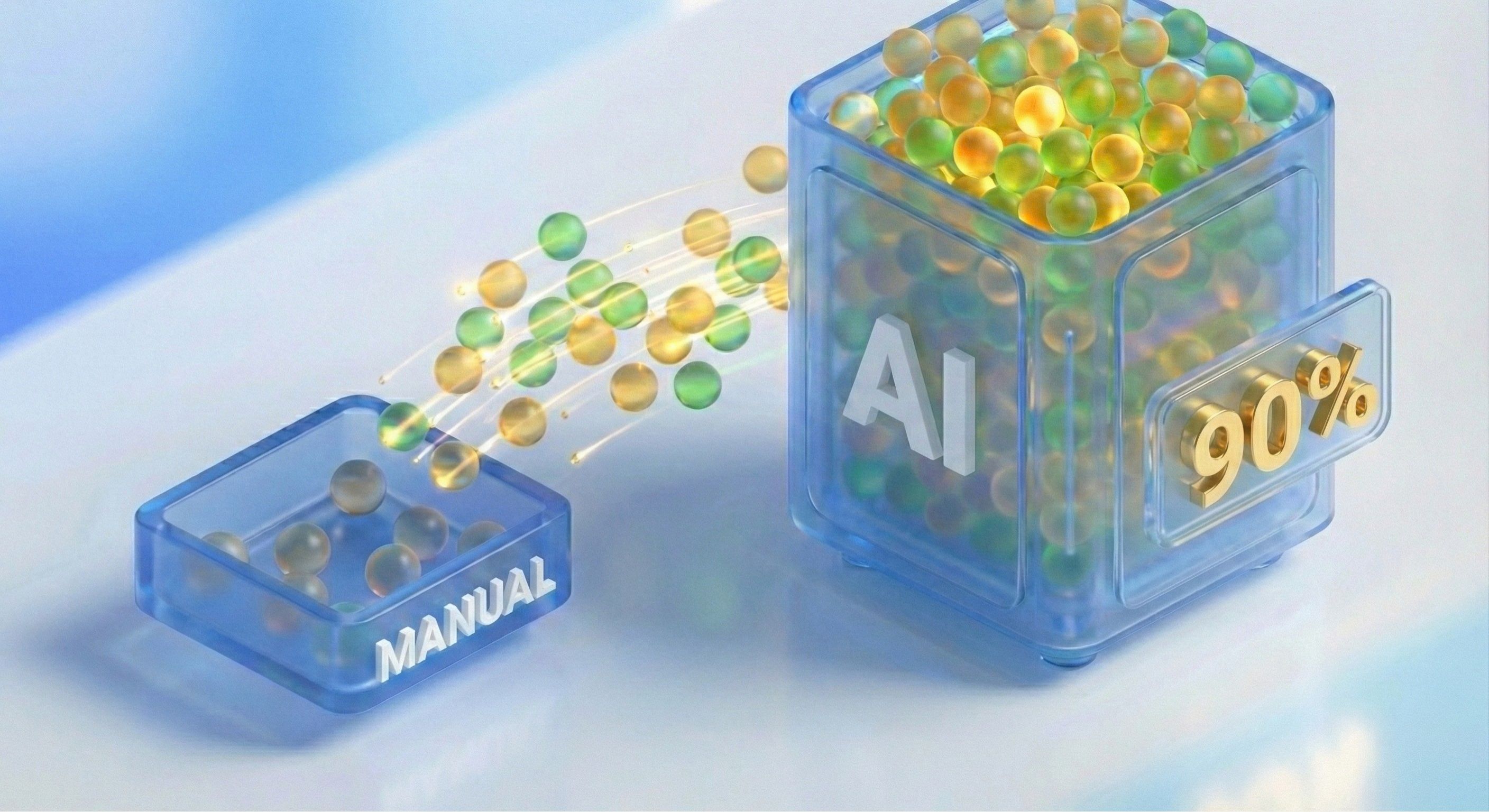
That graphic highlights how quickly budgets are shifting toward AI. Building a reusable library of high-energy openings not only speeds up each campaign but also ensures you start every new edit with proven winners.
Tag each clip with mood, pacing, and visual style for fast retrieval
Organize by performance metrics so you can pull top hooks in seconds
Fine Tune Voiceover Pacing
Even the best visuals can fall flat if the voiceover feels off-rhythm. A prompt tweak here and there will give your narration room to breathe and land key lines with impact.
Set a 2-second pause just before you drop the main product reveal
Ask AI to shift tone—soft on the setup, punchy on the benefits
Preview voice takes side by side and pick the one that keeps you leaning in
Once your hooks and voice tracks are locked in, you can slot them straight into your AI video ad pipeline.
Check out our guide on high impact B-roll ideas for Meta and TikTok Ads to expand your clip library.
Build A High Energy Hook Library
Whenever a hook variant outperforms, stash it in a shared folder tagged by its watch-through and click-through rates. That way, your team isn’t reinventing the wheel each time.
Key takeaway: A library of high-performing hooks can cut iteration time by up to 50%
Mood: energetic, calm, playful
Visual Style: monochrome, vibrant, minimal
Script Tone: direct, humorous, testimonial
Schedule regular audits to retire clips that dip below your benchmarks. With this dynamic collection of AI-generated hooks and matched B-roll, every ad launch starts on solid ground.
Next, you’ll weave these openings into body scripts and CTAs to complete your modular AI video ad workflow.
Build Modular Hook Body CTA Frameworks

Mixing Hooks, Bodies, and CTAs like building blocks lets you test dozens of ad ideas without rewriting from scratch. In one campaign, a DTC brand loaded each creative block into Sovran’s AI editor and churned out 120 ad variants in under 48 hours.
Here are the three core frameworks you can drop into your workflow today:
Problem Agitate Solution: Highlight a pain point, deepen the urgency, then offer relief.
Listicle Style: Break benefits down into numbered, bite-sized tips.
UGC Mashup: Stitch real user clips together with scripted voice-over.
“Modular frameworks give you endless combinations without rebuilding your scripts each time.”
Problem Agitate Solution Snippets
To grab attention, open with a relatable struggle:
“Tired of charging cables that fray after a week?”
Next, make the pain point vivid:
“You’re mid-call and suddenly—no power.”
Finally, deliver your fix:
“Switch to our reinforced cables today and never miss a beat.”
This back-and-forth feels like a conversation—and ends with a clear next step.
Listicle Style Snippets
Listicles promise quick takeaways. Start strong:
“3 Ways To Double Your Phone’s Battery Life Instantly”
Then drive each tip home with fast-paced B-roll:
“Enable Low-Power Mode.”
“Close Background Apps.”
“Try Our Fast-Charging Cells.”
Seal the deal:
“Grab our cells now with a 20% launch discount.”
Data adds extra punch. 75% of companies see better engagement when they personalize, and programmatic AI can boost click rates by up to 450%. Read more about these wins on MaticDigital.
Before you jump in, it helps to compare each framework side by side.
Comparison Of Modular Frameworks
Use this table as a quick reference when you feed blocks into Sovran’s API.
Framework | Best For | Typical Length | Key Strengths |
|---|---|---|---|
Problem Agitate Solution | Pain-driven offers | 10–15 seconds | Emotional resonance, decisive action |
Listicle Style | Educational pitches | 12–18 seconds | Scannable flow, perceived value |
UGC Mashup | Social proof dynamics | 15–20 seconds | Authenticity, trust-building |
Refer to this table as you mix and match modules to find your top performers.
UGC Mashup Snippets
Nothing beats seeing real people rave about your product:
“I never thought a case could survive a 50-foot drop—until I tried this one!”
Follow up with customer footage and product close-ups:
“Watch my phone survive an accidental cliff tumble.”
And finish with a social CTA:
“Join thousands of happy users—shop now.”
“A UGC mashup can boost credibility by showing real voices and faces,” notes a Sovran strategist.
Rotate these snippets across Meta and TikTok, and you’ll uncover winning combos in two days—without rewriting a single line.
Automate Subtitles And Bulk Variant Rendering
Generating subtitles automatically slashes review times and keeps viewers hooked when videos start on mute.
By feeding raw footage into a speech-to-text engine, you can have accurate captions in minutes. Brand-specific overlays then lock in your color palettes and typeface rules.
When you queue up batch renders, swapping CTAs or changing visuals across dozens of clips happens without opening a timeline.
One ecommerce team connected its asset library to a render-farm API and churned out 120 variants in two hours. They leaned on template parameters, scheduled overnight jobs, and set up alert hooks to catch hiccups before sunrise.
Template Parameters define placeholders for text, logos or end cards.
Off-Hours Scheduling taps idle cloud machines so renders don’t eat into work hours.
Sync Error Alerts flag misaligned overlays or audio dropouts for instant fixes.
Generate Captions At Scale
Speech-to-text services like Whisper and AWS Transcribe can spot multiple speakers, insert timecodes and cut out manual timestamp tweaks. Teams have slashed captioning costs by up to 80% this way.
In Sovran’s batch editor, set your caption style once—font, size, position, drop shadow—and watch it apply to every clip automatically.
Upload your clips or standalone audio to the Sovran Context Vault.
Pick the Caption Template, then select your brand’s color codes and font.
Preview captions, correct any misheard lines and approve everything in bulk.
Here you can spot misaligned lines flagged for review before batch export.
Batch Variant Rendering
Turning three or four core clips into a library of custom ads happens in seconds. Reference template keys to swap out CTA text, images or background footage in one go.
In our ecommerce scenario, those 120 final ads included mobile-first CTAs, seasonal banners and local-language taglines. Each file even auto-named itself for seamless upload to your ad manager.
Parameter | Purpose | Example Value |
|---|---|---|
{{CTA_Text}} | Customise the call-to-action | “Shop Now” / “Learn More” |
{{Logo_Variant}} | Toggle between logo versions | White / Colorized |
{{BackgroundClip}} | Rotate b-roll options | Lifestyle / Product shots |
“Automating subtitle generation and batch renders saved us over 10 hours each week,” says a growth marketer at FreshWear.
For more on scaling this process, see our guide at Bulk Video Ad Editor for Meta and Instagram ad campaigns in 2025.
Keep an eye on render logs, disk space and API rate limits.
Fix any flagged clips immediately.
Check system health every morning.
Review performance data on a regular cadence.
Launch On Meta And TikTok With Iteration
Nothing tests an AI video ad faster than real traffic. Once your ad goes live, you’ll see exactly where it grabs attention and where it fades out. Meta and TikTok run on different rhythms—so split a modest budget between them and watch for the early winners.
Campaign Setups And Budgets
First, define your objectives and assign clear budgets. On Meta, plan for around $50/day per ad set to collect statistically sound data. TikTok tends to move faster, so $20/day tests often surface actionable insights. Break budgets into tiers to compare audience behaviors:
Broad audiences to uncover new pockets
Interest-based segments for targeted reach
Lookalikes seeded from your best customers
“Starting lean helps identify winning combos faster,” notes a performance marketer.
A B Testing Strategies
Testing variations relentlessly is the quickest path to clarity. Swap hooks, reorganize B-roll, tweak captions, and experiment with different CTAs. A few core experiments:
Creative Variants: Alternate your opening scene or B-roll cutaways
Caption Styles: Bold text overlays versus minimalist labels
CTA Buttons: “Shop Now” versus “Learn More”
This modular approach slashes guesswork and accelerates decisions.
Platform Metrics Comparison
Below is a quick overview of key performance benchmarks to track on each platform.
Metric | Meta Benchmark | TikTok Benchmark |
|---|---|---|
3-Second Views Rate | 50% | 60% |
Click-Through Rate | 1.2% | 1.8% |
Cost Per Result | $0.15 | $0.12 |
Keep an eye on these numbers to gauge your ad’s health and inform each optimization cycle.
Analytics And Optimization
Accurate tracking starts with disciplined tagging. Add UTM parameters to every ad link and feed them into Google Analytics or your BI dashboard. A simple naming convention keeps everything clean:
utm_source=Meta or utm_source=TikTok
utm_campaign=ProjectName
utm_content=Hook-BRollCombo
Download daily reports to catch emerging trends. Small course corrections early on prevent big budget leaks.
“Data-driven tweaks cut wasted spend by up to 30%,” says an agency strategist.
Launch Checklist
Before you hit “go,” run through this quick audit:
Confirm pixel events fire correctly on all landing pages
Verify UTM tags match your naming conventions
Ensure creative taxonomy aligns with Context Vault labels
Set automated alerts for CPI spikes or sudden CTR drops
Slot in a midday check-in and an end-of-day review. That structure keeps surprises at bay and maintains data integrity.
When a variant underperforms, swap in a fresh AI video module. Rinse and repeat until you nail your CPA and ROAS targets. Over time, this cycle becomes your growth engine.
Next Steps
After one week, compile your results and share learnings with the team. Use those insights to update your AI video ad modules before the next launch. And don’t forget to celebrate even small wins—they fuel momentum for the entire crew.
FAQ
A quick rundown of the most common questions we get about AI-powered video ads—everything from budgeting to tool recommendations and keeping your brand on point.
How Much Does It Cost To Produce An AI Video Ad?
Pricing isn’t one-size-fits-all. You can crank out a simple clip with stock B-roll and AI voiceover for a few hundred bucks. On the other hand, fully customized animations with bespoke talent can climb into the high thousands.
When you map out your budget, factor in:
Asset Requirements: Stock vs custom footage
Voiceover Options: AI narration vs professional talent
Turnaround Time: Faster delivery often carries a premium
Simple Clips start at $300 with stock B-roll and AI voice.
Bespoke Animations can cost up to $3,000 with custom talent.
Which AI Tools Are Best For Video Ad Production?
There’s no “best” tool until you’ve tried a few. My advice? Sign up for free tiers and play around. Here’s where I usually start:
Synthesia for quick AI-generated hosts
Pictory to spin text into on-brand clips
Runway ML when you need advanced video editing
Kapwing to automate subtitles and overlays
Each platform shines in a different area, so mix and match based on your project’s needs.
How Do I Maintain Brand Consistency With AI-Generated Content?
Keeping your look and feel intact is non-negotiable. I keep everything in one place:
A centralized library of logos, fonts, and color codes
Voice scripts and tone guidelines for every scenario
Branded prompt templates that anyone on the team can reuse
Before finalizing any output, I tick off a simple checklist:
Color palette alignment
Messaging tone match
Logo placement accuracy
“Consistency reduces revision cycles by 45%, according to in-house tests.”
What Metrics Should I Track After Launching AI Video Ads?
Once your ads go live, don’t just wait and hope. Track these numbers like a hawk:
Watch-Through Rate (especially on TikTok)
Click-Through Rate (Meta platforms)
Cost Per Acquisition to measure efficiency
Engagement curves and conversion data in your dashboard
Start your 7-day free trial on Sovran at Sovran today and supercharge your next ai video ad with optimized performance.

Manson Chen
Founder, Sovran
Related Articles
Your Guide to an AI Video Ad Creator
So, what exactly is an AI video ad creator?Think of it as a platform that uses artificial intelligence to automatically build and test video ads on a massive...
10 High-Impact Marketing Video Examples for Your 2026 Strategy
In performance marketing, scrolling is the enemy. On platforms like Meta and TikTok, you have less than three seconds to stop a potential customer from swiping...
How to Create Ads with AI That Actually Convert
Creating ads with AI is all about combining your brand's unique creative assets with an intelligent platform to generate, test, and scale winning ad...