Types of Facebook Ads: 10 Formats, Examples, and When to Use Each
Compare the main Facebook ad types, when each format works best, and how paid social teams can turn source footage into more image, video, carousel, Reels, and lead ad tests.
Jump to a section
- Facebook Ad Types vs Placements vs Objectives
- 1. Image Ads
- 2. Video Ads
- 3. Carousel Ads
- 4. Collection Ads
- 5. Slideshow Ads
- 6. Stories Ads
- 7. Lead Generation Ads
- 8. Dynamic Ads
- 9. Instant Experience Ads
- 10. Reels Ads
- Which Type Of Facebook Ad Should You Use First?
- How To Build Creative For Multiple Facebook Ad Types
- Turn Source Videos Into Hook, Body, And CTA Modules
- Performance Context For 2026
- Sovran Proof For Creative Testing Workflows
- Facebook Ad Type Selection Checklist
- Common Mistakes When Testing Facebook Ad Types
- Final Recommendation
- FAQ
Types of Facebook Ads: 10 Formats, Examples, and When to Use Each
Types of Facebook ads include image, video, carousel, collection, slideshow, Stories, lead, dynamic, Instant Experience, and Reels ads. The right type of Facebook ad depends less on what looks newest and more on what the ad needs to do: stop the scroll, explain a product, compare options, collect a lead, retarget a shopper, or turn one winning message into more creative tests.
If you need the quick answer, start here:
| Facebook Ad Type | Best For | Use When |
|---|---|---|
| Image ads | Simple offers and fast tests | The product or offer can be understood in one visual |
| Video ads | Demonstrations, testimonials, and hooks | You need movement, proof, or a story to create belief |
| Carousel ads | Multiple products, benefits, or steps | The buyer should swipe through a sequence |
| Collection ads | Mobile shopping and catalogs | You want to combine a hero creative with product browsing |
| Slideshow ads | Lightweight video-style creative | You have still assets but want motion and pacing |
| Stories ads | Vertical full-screen attention | The message is short, visual, and mobile-native |
| Lead ads | In-platform lead capture | You want prospects to submit details without leaving Facebook |
| Dynamic ads | Catalog retargeting and personalization | You have product feeds or many SKUs |
| Instant Experience ads | Immersive mobile landing pages | You need a deeper story after the click |
| Reels ads | Short-form video discovery | You can explain the hook or offer in a native vertical video |
That list covers the main Facebook ad types, but choosing the format is only the first decision. The real performance gap is creative fit. A video ad with a weak first two seconds can lose to a simple image. A carousel can beat a video if the buyer needs a comparison. A lead ad can collect cheap form fills but still fail if the follow-up system is weak.
This guide explains each Facebook ad type, when to use it, what to avoid, and how to build a testing workflow that keeps fresh creative moving across image, video, carousel, Stories, Reels, lead, and dynamic ad formats.
Facebook Ad Types vs Placements vs Objectives
Before comparing formats, separate three things that often get mixed together.
| Term | What It Means | Examples |
|---|---|---|
| Ad type | The creative format | Image, video, carousel, collection, lead, dynamic |
| Placement | Where the ad appears | Feed, Stories, Reels, Marketplace, search results |
| Objective | What Meta optimizes for | Sales, leads, traffic, engagement, app promotion |
An ad type is the container. A placement is the surface. An objective is the optimization goal.
For example, a video ad can run in Feed, Stories, and Reels. A lead ad can be promoted with a single image or video. A carousel can support traffic, sales, or lead objectives. That is why the best question is not "Which type of Facebook ad is best?" It is "Which format best matches the job this campaign needs to do?"
1. Image Ads
Image ads are the simplest type of Facebook ad: one static visual, one message, one click path. They are still useful because they are fast to produce, easy to understand, and cheap to test against more complex creative.
Use image ads when the offer is clear at a glance:
- A strong product shot
- A discount or deadline
- A direct comparison
- A testimonial quote
- A before-and-after result
- A simple app or software screenshot
Image ads are also a good control format. If your team is testing a new angle, it can be useful to prove the message with a static ad before spending more time on video production.
Best practices:
- Put the main benefit in the visual or first line of copy.
- Use one focal point instead of several tiny elements.
- Keep text large enough to read on mobile.
- Test product-only, UGC-style, testimonial, and offer-led versions.
- Make the CTA specific: shop, compare, book, download, start, or learn.
Avoid image ads when the product needs movement, a sequence, or a demonstration. A skincare routine, game mechanic, fitness app, editing workflow, or B2B product tour usually needs more than one frame to feel real.
2. Video Ads
Video ads are often the highest-upside Facebook ad type because they can show the product, demonstrate a result, handle an objection, and make the offer feel more believable. They also give Meta more creative signals: watch time, thumb-stop behavior, hook rate, hold rate, and downstream conversion quality.
Use video ads when you need to:
- Demonstrate how a product works
- Show before-and-after proof
- Explain a new category or unfamiliar offer
- Turn a customer story into a paid social ad
- Test hooks, bodies, CTAs, and angles separately
- Repurpose creator, founder, or customer footage
The first few seconds matter most. One Sovran video on Facebook hook testing points to a simple pattern: keep the body of the ad stable, then test different openings until one earns attention. That is the heart of Facebook ad creative testing for paid social.
Recommended primary video:
The Lazymaxxer's Guide to Testing Video Ads on Facebook ($10M+/yr)
Video ad structure:
| Module | Job | Examples |
|---|---|---|
| Hook | Stop the scroll | Contrarian claim, problem, visual interruption, surprising result |
| Body | Build belief | Demo, proof, objection handling, founder story, customer result |
| CTA | Direct action | Start trial, shop now, book a demo, compare tools, download template |
For performance teams, the mistake is treating every video as a one-off. A better system separates hooks, bodies, and CTAs so you can test new openings without rebuilding the whole ad. For more inspiration before building those variants, review these video ad examples.
3. Carousel Ads
Carousel ads let advertisers show multiple cards inside one ad. Each card can have its own image or video, headline, link, and call to action.
Use carousel ads when the buyer needs to compare, browse, or move through a sequence:
- Multiple products in a category
- Three to five benefits
- Step-by-step product education
- Before, during, and after
- Different use cases for the same product
- Feature comparisons
Carousel ads work especially well when each card earns the next swipe. Do not treat the carousel as a dumping ground for random assets. Give it a clear path.
Example carousel structures:
| Structure | Card Flow |
|---|---|
| Product range | Best seller, variant 1, variant 2, bundle, offer |
| Problem-solution | Pain point, cause, product, proof, CTA |
| Feature tour | Feature 1, feature 2, feature 3, result, next step |
| Comparison | Old way, new way, proof, objection, CTA |
Carousel ads are not just for ecommerce. SaaS, mobile apps, education products, and lead-gen offers can use them to make a complex offer easier to scan.
4. Collection Ads
Collection ads combine a hero creative with a product grid. They are built for mobile shopping, especially when the user should browse multiple items after the first tap.
Use collection ads when:
- You have a product catalog
- The buyer may want to browse variants
- The hero asset can sell the category
- You want a mobile storefront feel
- You have enough product depth to support exploration
Collection ads are strongest when the hero creative does one job and the product grid does another. The hero video or image earns attention. The grid helps shoppers self-select what they want next.
Creative tips:
- Use the hero asset to sell the problem, lifestyle, or collection.
- Keep product images consistent.
- Make pricing, discount, or category cues easy to understand.
- Align the landing experience with the same products shown in the ad.
Collection ads are usually weaker for single-SKU products or abstract B2B offers unless the advertiser has a clear "browse" experience after the click.
5. Slideshow Ads
Slideshow ads turn static assets into lightweight motion. They can be useful when a team has product images, screenshots, or stills but not enough video footage.
Use slideshow ads when:
- You need a video-like asset quickly
- The team has strong still images
- Bandwidth or production budget is limited
- You want simple motion for a clear offer
- You are testing whether movement improves engagement
Slideshow ads are not a substitute for strong video creative. They work best when the message is simple and each slide has a clear role.
Example slideshow structure:
- Pain point or visual hook
- Product or solution
- Proof point
- Offer
- CTA
Keep transitions simple. The goal is not fancy motion. The goal is to make a static message easier to notice and understand.
6. Stories Ads
Stories ads are vertical, full-screen ads that appear between Stories. They need to feel fast, native, and easy to understand without much context.
Use Stories ads when:
- The message can be explained in a few seconds
- You have vertical video or image creative
- The product is visual
- The ad is built for mobile-first viewing
- The CTA can be understood immediately
Stories ads usually punish slow intros. Open with the payoff, the product, the question, or the problem. If the viewer has to wait three seconds to understand the ad, the format is already working against you.
Creative checklist:
- Use 9:16 vertical creative.
- Keep important text away from interface overlays.
- Make captions large and high contrast.
- Use motion or a strong first frame.
- Keep the CTA obvious.
Stories ads are also useful for repurposing Reels, TikTok, and Shorts concepts, but do not blindly crop. Check safe zones and make sure the product, subtitles, and CTA are still visible.
7. Lead Generation Ads
Lead ads let people submit contact information directly inside Facebook or Instagram. The user does not need to leave the platform to fill out a form.
Use lead ads when:
- You want demo requests, quotes, consultations, or waitlist signups
- Speed matters more than sending users to a full landing page
- The offer is clear enough to convert inside a native form
- Sales or email follow-up can happen quickly
Lead ads can produce low-friction conversions, but quality depends on the form, offer, and follow-up. A cheap lead is not useful if the user does not remember submitting the form or never responds.
Improve lead quality by:
- Making the offer specific.
- Adding a qualifying question.
- Matching ad copy to the form headline.
- Following up quickly.
- Using CRM or email automation instead of manual exports.
For B2B and high-consideration products, test lead ads against landing-page conversion campaigns. The lower friction can help, but a landing page may pre-qualify users better.
8. Dynamic Ads
Dynamic ads use a product catalog or feed to show relevant products to users based on behavior, audience signals, or retargeting logic. Teams with custom reporting or catalog automation needs may also want a deeper Facebook Ads API workflow.
Use dynamic ads when:
- You have many products or SKUs
- Users browse product pages but do not buy
- You want to retarget cart abandoners
- Creative personalization matters
- Product availability and pricing change often
Dynamic ads are powerful because the advertiser does not need to manually build every product ad. The system assembles ads from catalog assets and data.
But dynamic ads still need creative strategy. Catalog images, product names, pricing, and landing pages all affect performance. If the product feed is messy, the ad will look messy too.
Audit dynamic ads for:
- Clean product titles
- Strong product images
- Accurate prices and discounts
- Clear product categories
- Exclusions for out-of-stock products
- Landing pages that match the ad
Dynamic ads are not only for retargeting, but retargeting is often where they shine first.
9. Instant Experience Ads
Instant Experience ads open a fast-loading, full-screen mobile experience after someone taps the ad. Think of them as a lightweight landing page inside Meta's environment.
Use Instant Experience ads when:
- The product needs more education
- You want to combine video, images, copy, and product tiles
- The mobile landing page is slow or too generic
- You need a deeper brand or product story
- You want to reduce the jump from ad to page
Instant Experiences can work well for launches, product collections, lead-gen education, and more complex offers. They are less useful when the buyer only needs one click to shop, sign up, or book.
The creative principle is the same: do not add depth for its own sake. Every section should move the user closer to the decision.
10. Reels Ads
Reels ads are short-form vertical video ads built for discovery and entertainment-led consumption. They compete with creator content, memes, tutorials, product demos, and fast-moving organic videos.
Use Reels ads when:
- The concept works in vertical short-form video
- The first two seconds can carry the ad
- You can test multiple hooks
- The product benefits from demonstration
- UGC, creator, or founder footage is available
Reels ads should not feel like cut-down TV spots. They need a strong opening, mobile-native composition, captions, and a simple point.
Good Reels ad angles:
- "I wish I knew this before..."
- "Stop doing X. Try Y."
- "Here is the faster way to..."
- "We tested X and found Y."
- "This looked like a losing ad until we changed..."
Reels is also a good place to test ideas before scaling them into other Facebook ad types. A winning hook can become the first card of a carousel, the opening of a Feed video, or the headline of an image ad.
Which Type Of Facebook Ad Should You Use First?
Most advertisers do not need to test every type of Facebook ad at once. Pick the format that matches the campaign bottleneck.
| If Your Bottleneck Is... | Start With | Why |
|---|---|---|
| Low thumb-stop rate | Video ads or Reels ads | You need stronger hooks and motion |
| Simple offer testing | Image ads | Fastest way to test message clarity |
| Multiple products or benefits | Carousel ads | Lets buyers compare without leaving the ad |
| Ecommerce browsing | Collection or dynamic ads | Connects creative to catalog behavior |
| Low lead volume | Lead ads | Reduces form friction |
| Weak product understanding | Video or Instant Experience ads | Gives more room for demo and proof |
| Retargeting product viewers | Dynamic ads | Matches products to previous behavior |
For most performance marketers, a practical starting mix is:
- Image ads to test clean messages quickly.
- Video ads to test hooks, proof, and demos.
- Carousel ads to compare benefits or products.
- Dynamic ads for retargeting if you have a catalog.
- Lead ads if the campaign goal is sales conversations or signups.
That mix gives you speed, proof, comparison, and retargeting without spreading production too thin.
How To Build Creative For Multiple Facebook Ad Types
The hard part is not knowing the Facebook ad types. The hard part is producing enough strong creative to test them.
One source video can become:
- A Feed video ad
- A Reels ad
- A Stories ad
- A carousel card sequence
- A static quote image
- A lead ad intro asset
- A retargeting proof clip
But that only works if the team treats creative as reusable modules instead of one finished file.
Start by organizing assets by role:
- Hooks
- Product demos
- Founder clips
- Customer testimonials
- Social proof
- Objection handling
- Before-and-after visuals
- CTAs
- Product images
- Offer graphics
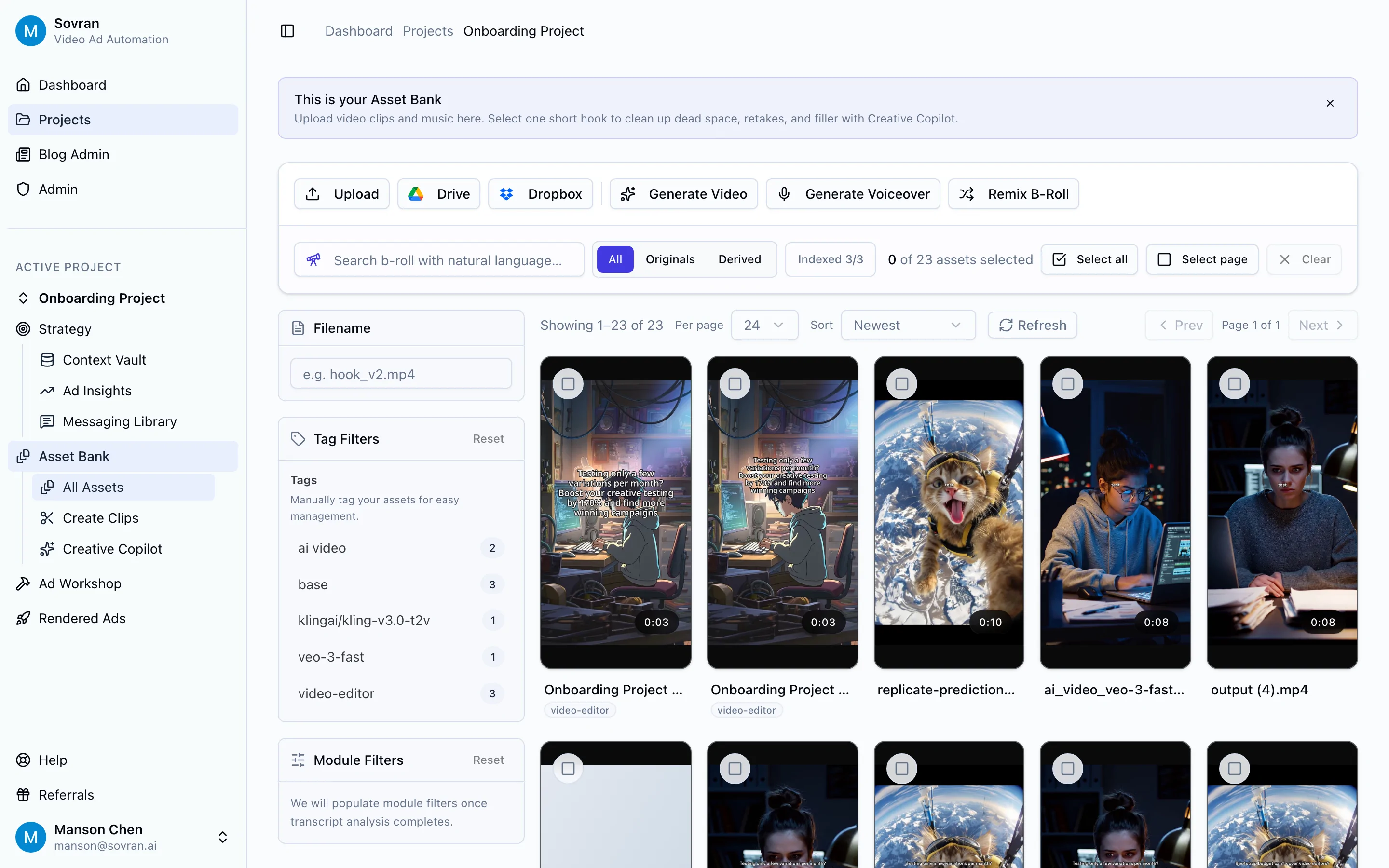
In Sovran, the Asset Bank gives performance teams a searchable place to store and reuse the raw material for different Facebook ad types. That matters because format testing gets much faster when the team can find a proven hook, demo, product shot, or CTA without digging through old exports.
Turn Source Videos Into Hook, Body, And CTA Modules
Video is usually the richest source asset because it can feed multiple Facebook ad types. A single founder demo or UGC clip might contain three hooks, one strong body section, two proof moments, and a CTA.
Instead of exporting one finished ad and stopping there, split the video into reusable modules:
| Module | Can Become |
|---|---|
| Hook | Reels opening, Feed video opening, carousel first card, image ad headline |
| Body | Product demo, explainer clip, Instant Experience section, retargeting proof |
| CTA | End card, lead ad prompt, carousel final card, offer graphic |
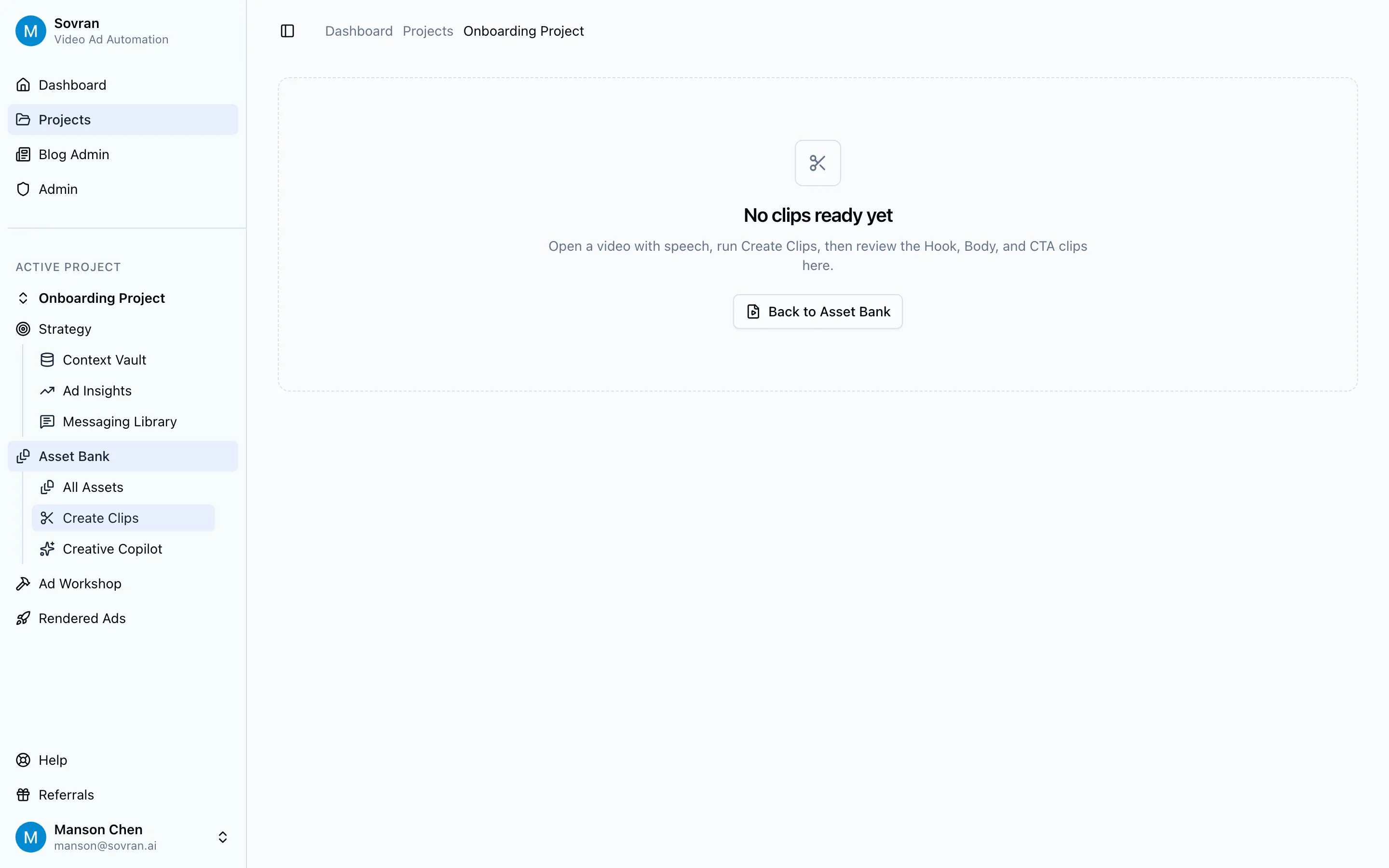
Sovran's Create Clips workflow is built for this exact step: review source videos, pull out hook/body/CTA sections, then recombine them into new ad variants. That helps teams test different types of FB ads without editing every format from scratch.
Performance Context For 2026
Facebook remains too large to treat as an afterthought. LocaliQ's 2026 Facebook marketing guide cites more than 3 billion monthly active users and 2.1 billion daily active users globally. Coursera's 2026 strategy guide cites Meta advertising revenue above $138 billion for January 1 through September 30, 2025.
That scale is why format choice still matters. A small improvement in hook rate, click-through rate, or lead quality can compound quickly once a campaign has enough spend behind it. Use category-specific Meta Ads CPM benchmarks as directional context when deciding how much creative testing a campaign can support.
BigCommerce's 2026 Facebook advertising guide summarizes 2025 cross-industry benchmarks at a 7.72% conversion rate, $1.92 average CPC, and $27.66 average cost per lead. Treat those as directional benchmarks, not targets. Your own economics, product price, category, and creative quality matter more than any average.
The useful takeaway is simpler: Facebook ad types should be tested as creative systems, not as isolated assets. Use image ads to test clarity. Use video and Reels to test hooks. Use carousels to test comparisons. Use lead ads to test form friction. Use dynamic ads to test product relevance. When personalization becomes the main bottleneck, compare purpose-built dynamic creative optimization tools.
Sovran Proof For Creative Testing Workflows
The format list is only helpful if the team can actually produce enough variants to learn from it.
Dan Brosseau, Head of User Acquisition at Rewardify, said Sovran helped the team increase creative testing on its largest UA channel by 170% month-over-month by exploring new combinations of hooks and body videos. Jonathan Lee, CEO of Fuelin, said Sovran helped the team increase creative output and cut CAC by 40%.
Those proof points map directly to Facebook ad type testing. If a team can break ads into reusable hooks, bodies, CTAs, product shots, and proof moments, it can test formats faster:
- Take a winning video hook and turn it into a Reels ad.
- Turn the same hook into a carousel first card.
- Pull the proof section into a retargeting video.
- Convert a customer result into an image ad.
- Use the CTA as the final card of a carousel.
That is the difference between making more ads and building a creative testing system.
Facebook Ad Type Selection Checklist
Use this checklist before assigning production work.
- What is the campaign objective?
- Sales, leads, app installs, traffic, engagement, or awareness?
- What does the viewer need to believe?
- The product works, the offer is credible, the price is fair, or the result is possible?
- What is the shortest format that can create that belief?
- Image, video, carousel, lead form, collection, or Instant Experience?
- What proof already exists?
- Demo, testimonial, review, founder clip, product image, benchmark, or customer story?
- What can be reused?
- Hooks, bodies, CTAs, captions, images, offer cards, catalog assets?
- What will you learn from this test?
- Format fit, hook strength, offer clarity, lead quality, or retargeting relevance?
Do not choose the format because it is trendy. Choose the type of Facebook ad that gives the viewer the clearest path from attention to belief to action.
Common Mistakes When Testing Facebook Ad Types
Testing Too Many Variables At Once
If the video, copy, audience, offer, landing page, and format all change at once, you will not know why the ad worked or failed. Keep the message stable when testing a new ad type.
Treating Reels Like Cropped Feed Ads
Reels needs a native vertical concept, not just a resized horizontal video. Check pacing, captions, safe zones, and first-frame clarity.
Using Carousel Cards As A Gallery
Each carousel card should move the argument forward. Random product images rarely outperform a clear sequence.
Sending Lead Ad Responses Into A Slow Follow-Up Process
Lead ads reduce friction, but that can also reduce intent. Follow up quickly and use qualifying questions when quality matters.
Letting Catalog Creative Go Stale
Dynamic ads are only as good as the product feed and creative inputs behind them. Refresh product images, names, pricing, and exclusions regularly.
Final Recommendation
If you are choosing between different types of Facebook advertising, start with the buyer's job:
- Need instant clarity? Test image ads.
- Need proof or explanation? Test video ads.
- Need comparison? Test carousel ads.
- Need mobile shopping? Test collection ads.
- Need leads without landing-page friction? Test lead ads.
- Need catalog retargeting? Test dynamic ads.
- Need short-form discovery? Test Reels ads.
Then build the creative system behind those choices. Organize reusable assets, split videos into hook/body/CTA modules, and test format changes with enough control that the results teach you something.
The best Facebook ad type is not universal. It is the format that gives your specific offer the clearest, fastest path to belief. If you need a starting structure before producing new assets, adapt one of these free ad templates.
Start testing more Facebook ad types with Sovran
Sovran helps performance teams turn approved footage, product shots, testimonials, hooks, bodies, and CTAs into more controlled Facebook ad tests.
Start with SovranFAQ
What are the main types of Facebook ads?
The main types of Facebook ads include image ads, video ads, carousel ads, collection ads, slideshow ads, Stories ads, lead ads, dynamic ads, Instant Experience ads, and Reels ads. Most performance teams should choose the format based on the job: explain, compare, collect leads, retarget, or test short-form creative.
Which Facebook ad type works best for ecommerce?
For ecommerce, start with video ads, carousel ads, collection ads, and dynamic ads. Video is strong for product demos and problem-solution hooks, carousel works for comparisons and product ranges, collection helps mobile shoppers browse, and dynamic ads are useful for retargeting product-catalog audiences.
Are Facebook video ads better than image ads?
Not always. Video ads are better when the product needs a demo, explanation, testimonial, or strong hook. Image ads can still win when the offer is simple, the visual is clear, or the team needs fast creative volume. Test both before deciding which type deserves more budget.
What is the difference between Facebook ad types, placements, and objectives?
Facebook ad types are creative formats such as video, image, carousel, and lead ads. Placements are where the ad appears, such as Feed, Stories, Reels, or Marketplace. Objectives tell Meta what to optimize for, such as sales, leads, traffic, engagement, or app promotion.
How should I test different types of Facebook ads?
Test one variable at a time. Start with a proven offer, then test different ad types by changing format while keeping the message similar. For video, split creative into hook, body, and CTA modules so you can test new openings, proofs, and endings without rebuilding every ad from scratch.
Frequently asked questions

Manson Chen
Founder, Sovran
Related Articles
Master AI Video Ad Production Workflow
Imagine whipping up a video ad in minutes, without sacrificing quality. That’s the promise of AI video ads—they draft scripts, select visuals, handle...
- AI
- Video Ads
- 1 more
10 High-Impact Marketing Video Examples for Your 2026 Strategy
In performance marketing, scrolling is the enemy. On platforms like Meta and TikTok, you have less than three seconds to stop a potential customer from swiping...
- Marketing
- Video Ads
- 1 more
A Guide to Facebook Automated Ads That Drive Real Results
So, what exactly are Facebook's Automated Ads? Think of them as Meta's AI-powered system designed to take the guesswork out of running campaigns. It automates...
- Facebook Ads
- Automation
- 1 more