Your Guide to the Video Production Cost Calculator
Use our video production cost calculator guide to accurately budget for video ads on Meta and TikTok. Learn how AI tools can dramatically reduce your expenses.
Jump to a section
- Stop Guessing and Start Forecasting Your Video Budget
- The 7 Key Factors That Drive Production Costs
- Getting a Real-World Grip on Video Ad Costs for Meta and TikTok
- How AI Is Changing the Production Cost Equation
- Practical Ways to Reduce Your Video Ad Spend Today
- Common Questions About Video Production Costs
A video production cost calculator isn't just a spreadsheet; it's a strategic tool. It helps you dissect a complex project into simple, understandable line items. This way, you can actually forecast your expenses and know exactly where every dollar is going, moving beyond a single, intimidating number to a clear, itemized breakdown of costs from start to finish.
Stop Guessing and Start Forecasting Your Video Budget
Let’s be honest, staring at a video production quote can feel like looking into a black box. You get a final price, but how they got there is a total mystery. This leaves marketers feeling a bit powerless, making it tough to optimize spending or even justify the budget in the first place.
This is where a cost calculator changes the game. It demystifies the entire process by treating your video campaign not as one giant expense, but as a series of distinct, manageable parts.
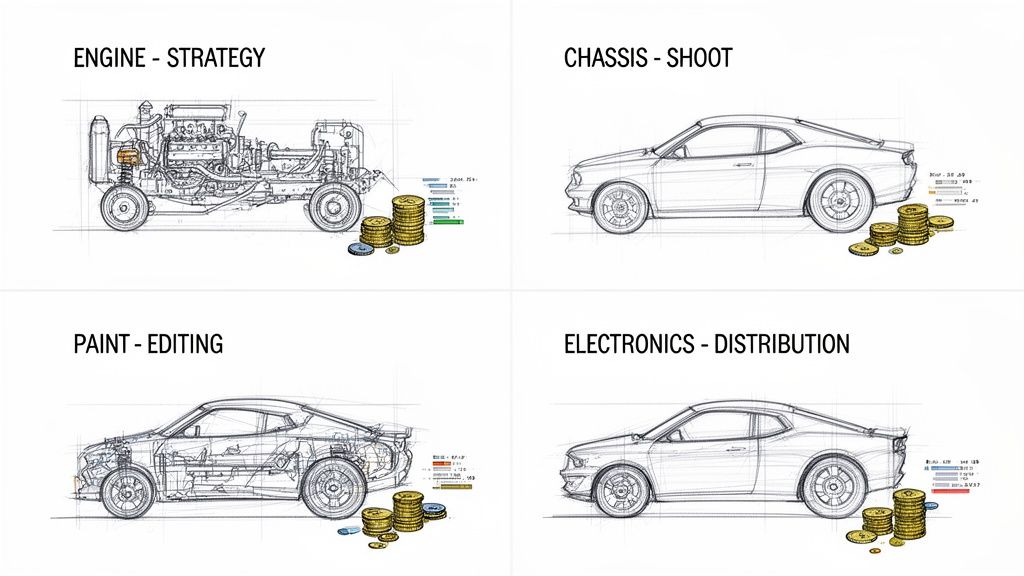
The Custom Car Analogy for Video Production
Think about it like building a custom car. You wouldn't just accept a lump sum without knowing the cost of the engine, the chassis, or the paint job. You’d want a detailed breakdown to make sure you’re getting real value at every step.
Video production is no different. Each phase is a critical component of the final product:
The Engine (Strategy & Pre-Production): This is the heart of your project. It’s all the foundational work—scriptwriting, storyboarding, concept development—that powers the entire campaign.
The Chassis (The Shoot): This is the physical structure. It covers all the on-set costs like the crew, talent, locations, and equipment rentals.
The Paint Job (Editing & Post-Production): This is where the look and feel come to life. Think editing, color grading, sound design, and any motion graphics.
The Electronics (Distribution & Licensing): These are the final touches that make it all work. This bucket includes costs for music licenses, stock footage, and getting the files formatted for different platforms.
Seeing your project this way empowers you to understand exactly where the budget is going. You can pinpoint which parts are driving up the cost and make smart decisions about where to invest more or scale back. Suddenly, unpredictable expenses become a predictable forecast. If you want to get really granular, a good buyers guide to choosing an animation studio can break down how these costs apply to animated projects specifically.
By breaking down video costs into manageable parts, marketers can move from being passive budget recipients to active financial strategists, optimizing every dollar for maximum ROI.
How Technology Is Rewriting the Rules
This kind of framework is more critical than ever, especially as new tech disrupts the old way of doing things.
AI-driven platforms like Sovran are completely changing the production model, making high-volume video creation possible without the massive price tag. By automating repetitive tasks and allowing for modular creative assembly, these tools offer a totally new way to manage and slash costs. We’ll dive deeper into that later, but the takeaway is clear: understanding the underlying cost structure is essential for anyone looking to create smart, scalable video ads today.
The 7 Key Factors That Drive Production Costs
Ever look at two video ads that seem similar and wonder why one costs $500 while the other hits $50,000? That price tag isn't just a random number. It’s the sum of all the resources, time, and talent needed to turn a creative idea into a tangible asset.
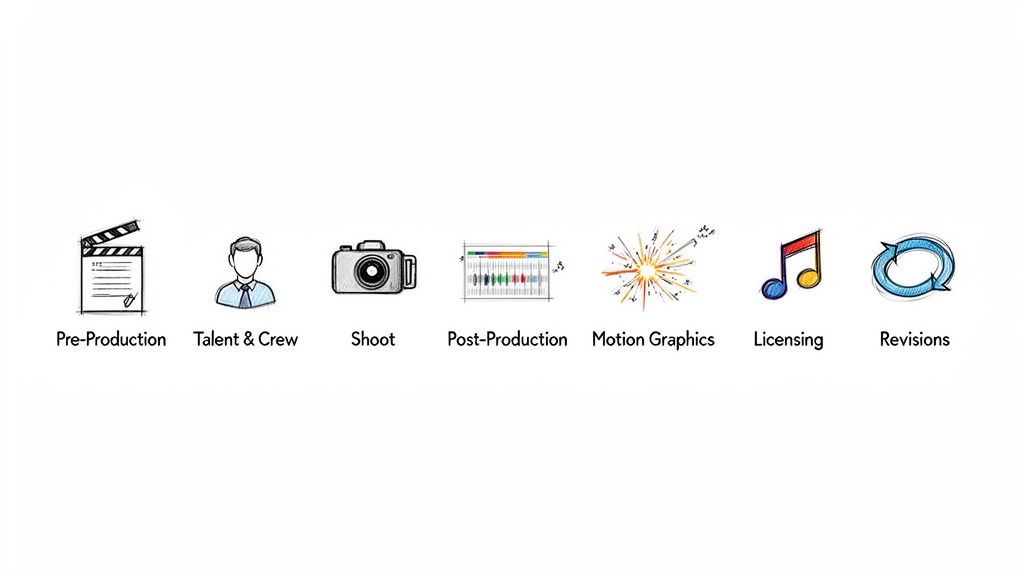
Think of it like building a house. The final price depends on the blueprint, the materials, and the finishes. A video's budget works the same way, built up through distinct production phases. Getting a handle on these seven core drivers is the first step to properly using a video production cost calculator—and getting a grip on your ad spend.
1. Pre-Production: The Strategic Blueprint
Pre-production is your video’s architectural plan. This is where you map out every single detail before the camera even starts rolling, and honestly, it’s the most important phase for keeping your budget in check. Cutting corners here is a classic rookie mistake that almost always leads to expensive reshoots down the road.
This stage covers everything from brainstorming and concepting to scripting, storyboarding, and mapping out a detailed shot list. A solid pre-production plan gets everyone on the same page, from the director to the editor, saving a ton of time and money later.
2. Talent and Crew: The Human Element
At the end of the day, the quality of your video comes down to the people making it. This bucket includes everyone you see on screen and all the folks working behind the scenes.
Talent: These are your actors or on-screen personalities. The cost here can swing wildly, from $50 per hour for non-union talent all the way to $1,000+ per day for seasoned SAG-AFTRA actors. User-generated content (UGC) creators are a great, budget-friendly option that adds a layer of authenticity.
Crew: This is your director, cinematographers, lighting techs, sound engineers, and production assistants. The bigger and more complex the project, the bigger the crew. A simple talking-head video might only need two people, but a commercial with multiple locations could require a dozen specialists.
3. The Shoot: Capturing the Footage
This is the part everyone imagines when they think about making a video. It's where all that planning pays off, but it's also where costs can spiral if you're not careful. Every single hour on set has a price tag.
Key costs during the shoot phase include:
Location: Filming in a controlled studio environment is one thing. Securing permits for a public space or renting a custom-built set is a whole different ballgame.
Equipment: The gear you use—cameras, lenses, lighting, audio equipment—all adds up. High-end cinema cameras are worlds away from standard DSLRs in both quality and cost.
Time: The number of shoot days is a massive budget driver. A project that needs multiple days or locations means you're multiplying the daily costs for crew, talent, and gear rentals.
4. Post-Production: Where the Magic Happens
Post-production is where all the raw footage gets pieced together into a polished, coherent story. The editor assembles the narrative, adds sound, corrects the color, and weaves in any visual effects. This is a highly skilled job that takes a lot of time.
Post-production can easily eat up 25-50% of a video's total budget. The editor's hourly rate, the complexity of the cut, and the number of effects all play a role.
Editing rates can start around $30 per hour for simple assembly and climb past $150 per hour for an expert working on advanced motion graphics and color grading. Knowing how to make a commercial that actually performs involves planning your post-production carefully to make sure the final video hits your campaign goals.
5. Motion Graphics and Animation
This could be a small element in a live-action video or it could be the entire project. Motion graphics covers everything from simple animated text and logos to full-blown animated explainer videos. The primary cost driver here is complexity.
Throwing some simple text on the screen is cheap. But a custom 2D or 3D animated sequence? That requires specialized artists and a significant time investment, pushing costs way up. A basic animated video might start at $1,200, but high-end, frame-by-frame animation can easily top $30,000.
6. Licensing: Rights and Royalties
You can't just grab any song or image off the internet and stick it in your ad. Licensing is how you legally secure the rights to use assets created by other people, and it’s absolutely critical for avoiding legal headaches.
Common licensing costs you'll run into:
Music: A track from a well-known artist can cost thousands. On the other hand, a royalty-free song from a stock library might only set you back $50-$100.
Stock Footage: High-quality stock clips can make your video look more expensive than it is, saving you the cost of a custom shoot. Prices depend on resolution and usage rights.
Talent Usage: Actor contracts will specify where and for how long you can use their likeness (e.g., social media only, for six months). Exceeding those terms means paying more.
7. Revisions and Distribution
Finally, your budget needs to have room for feedback and final delivery. Most production quotes will include a certain number of revision rounds—usually one or two. Every round of changes beyond that adds more time and money, making it one of the biggest "hidden" costs in production.
Distribution is all about formatting the final video for different platforms like TikTok, YouTube, or Meta. Each one has its own specs (like vertical vs. horizontal), and creating all those different versions takes extra editing time.
Getting a Real-World Grip on Video Ad Costs for Meta and TikTok
Alright, we’ve broken down all the individual pieces that drive up video costs. Now it's time to talk real numbers. To get any real value out of a video production cost calculator, you need a solid starting point—some realistic benchmarks. What should a 15-second TikTok ad actually run you? And how does that stack up against a 30-second spot for Meta?
This is where we’ll build a practical framework for your budget. We're going to break down estimated costs across different production tiers, giving you a clear spectrum to match your creative vision with your financial reality.
Production Tiers Explained
Not all videos are created equal, and frankly, they shouldn't be. The right level of production polish depends entirely on your goals, the platform you're on, and what your audience expects to see.
Low-Tier: This is the realm of scrappy, authentic content. Think in-house teams shooting on iPhones or collaborating with user-generated content (UGC) creators. It’s fast, affordable, and often kills it on platforms like TikTok where raw authenticity is king.
Mid-Tier: Here, you’re leveling up the production quality. This usually means hiring a professional freelancer or a small, specialized agency. You’re getting better gear, more experienced editing, and a more polished final product without the massive overhead of a big production house.
High-Tier: This is the full-service, white-glove experience. A high-tier production brings in a dedicated production company with a larger crew, cinema-grade equipment, and heavy-duty post-production work. This is for the high-stakes brand campaigns where a premium, cinematic feel is a must.
Estimated Production Costs by Ad Format and Tier
The table below gives you some ballpark ranges for common social media ad formats. Keep in mind, these are illustrative figures. The final cost can easily shift based on the complexity of your idea, talent fees, and even your location.
Ad Format | Low-Tier (e.g., In-House/UGC) | Mid-Tier (e.g., Freelancer/Small Agency) | High-Tier (e.g., Production House) |
|---|---|---|---|
15s Vertical Spot (TikTok/Reels) | $150 – $750 | $1,000 – $3,500 | $5,000 – $15,000+ |
30s Horizontal Ad (Meta/YouTube) | $300 – $1,000 | $2,000 – $7,000 | $10,000 – $25,000+ |
UGC-Style Video (Multiple Creators) | $500 – $2,000 | $2,500 – $6,000 | $7,000 – $18,000+ |
Simple Animated Explainer | $400 – $1,200 | $1,500 – $5,000 | $6,000 – $20,000+ |
As you can see, the ranges are massive. This is exactly why a one-size-fits-all budget just doesn't fly in video production. The very same 15-second concept could cost you $500 or $15,000, depending entirely on how you decide to execute it.
The goal isn't always to find the cheapest option. It's to find the most cost-effective tier that aligns with your brand's standards and the specific performance goals of your campaign.
So, Why is Traditional Video Production So Expensive?
Those numbers in the high-tier column can definitely cause some sticker shock. A traditional marketing video can easily command prices from $2,500 to $50,000+ per minute when you factor in story development, scriptwriting, actors, voice-over talent, location fees, all the gear, and extensive post-production. It's no wonder that 20% of marketers say video is just 'too expensive,' and 49% are seeing those costs climb year over year.
The traditional model is built on a high-effort, one-and-done creation process. Every single new video demands a full production cycle—from scripting to shooting to editing. This becomes a huge bottleneck for performance marketers who need a steady stream of new creatives to fight ad fatigue and test different angles.
For anyone running dozens of campaigns, this is where the old model completely breaks down. You simply can't afford to spend $10,000 on every single ad variation you need to test. This is why understanding different production tiers—and embracing new tech—is so vital for scaling your efforts profitably. To get the most out of your budget, it's also critical to nail down a solid TikTok ad creative testing strategy.
How AI Is Changing the Production Cost Equation
High production costs have always been a major roadblock for scaling video ads. Let's be honest, the old-school model is a grind—it’s slow, expensive, and painfully linear. You pour a ton of resources into turning one idea into one video. For performance marketers trying to keep up with ad fatigue and run meaningful A/B tests, that pace just doesn't cut it.
But what if you could finally break out of that one-to-one production cycle? This is where AI-powered platforms are completely flipping the script on the old cost model, turning what was once a frustrating bottleneck into a serious growth engine.
Instead of slogging through an expensive process for every single ad, AI brings a modular, asset-based workflow to the table. This shift fundamentally changes how you think about and use your creative library.
The LEGO Brick Approach to Video Ads
Think of all your existing video assets—every hook, product shot, customer review, and call-to-action—as individual LEGO bricks. On their own, they're just simple pieces. But with the right system, you can snap them together into a nearly infinite number of unique combinations.
That’s exactly how AI-driven production works. An AI platform can scan your entire library of video clips, automatically tag them as reusable "blocks," and then reassemble them into hundreds of ad variations in minutes. A killer hook can be paired with multiple problem statements, and each of those can be tested with different CTAs.
This modular system gives you creative velocity you just can't get otherwise. Suddenly, you're not just making one ad at a time; you're generating an entire campaign's worth of creatives from the assets you already have.
The chart below shows just how massive the cost differences are between production tiers, which makes high-volume, traditional ad creation a non-starter for most.
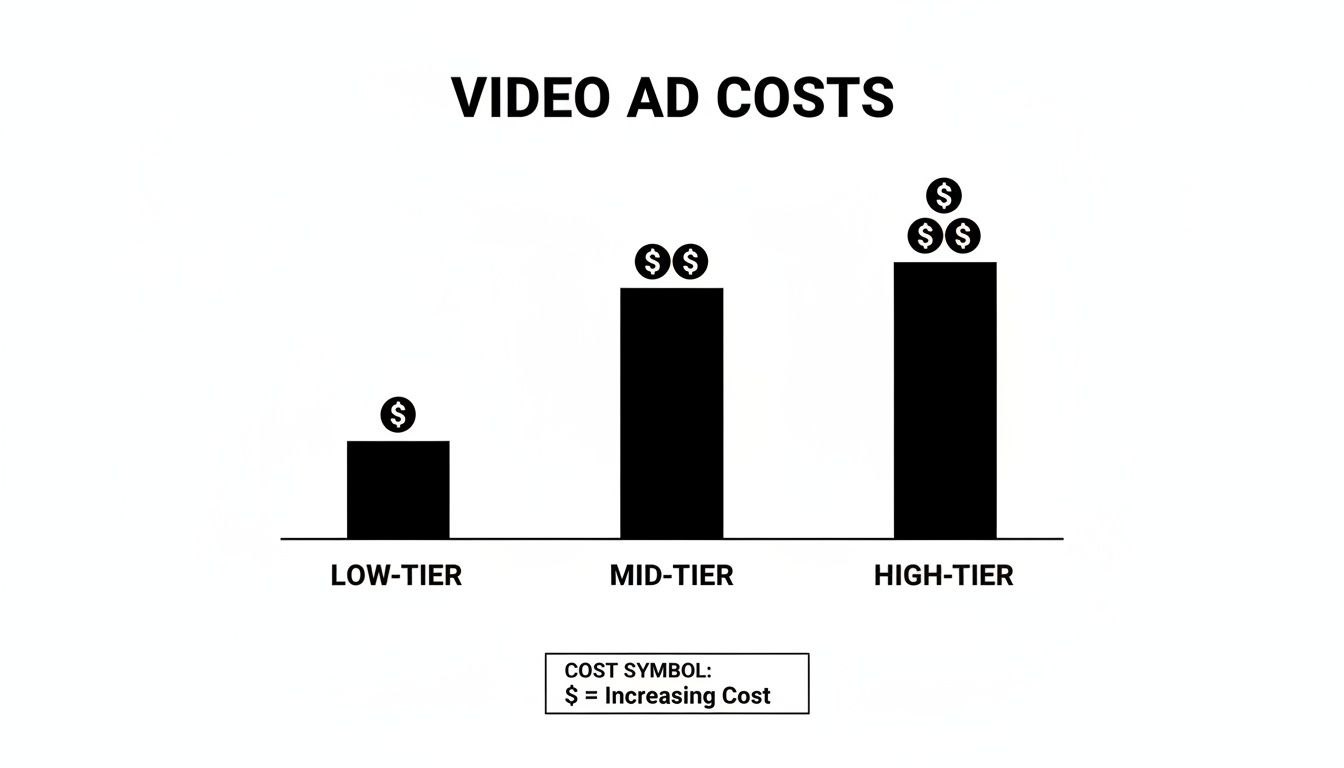
This really drives home how quickly budgets can balloon, making an AI-driven approach pretty much essential for anyone serious about scalable ad testing.
From Cost Center to Growth Driver
Moving from a linear to a modular process does more than just cut costs; it totally transforms your creative strategy. High-volume testing is no longer a luxury saved for brands with massive budgets.
Combat Creative Fatigue: As soon as an ad starts to burn out, you can instantly spin up dozens of new variations to keep performance strong.
Accelerate A/B Testing: Instead of testing one new hook a week, you can test ten. This lets you find winning creative combinations 10x faster.
Scale Output, Not Budget: You can massively crank up your creative output without having to hire more people or throw more money at production.
By using AI to repurpose and remix existing assets, video production stops being a major cost center and becomes a strategic driver of growth and campaign performance.
The New Cost Equation in Action
The financial impact here is huge. For ad-focused teams, tutorial videos might run anywhere from $300 to $5,000 per minute, but performance marketing ads can demand a staggering $2,500 to $50,000+ per minute. With stats showing that 85% of video marketers plan to maintain or increase their spending, the need for efficiency is crystal clear. Our guide on the benefits of an AI creative automation platform dives deeper into this shift.
Growth marketers on Meta and TikTok are constantly battling creative fatigue without the right tools to remix their assets. Sovran’s AI platform changes this whole game by tagging clips into reusable blocks for frameworks like Problem-Agitate-Solution or UGC mashups, then batch-rendering tons of variants in seconds.
This technology completely alters the inputs of your video production cost calculator. The cost is no longer tied to creating single, net-new videos. Instead, your investment shifts toward building a solid library of high-quality "LEGO bricks" that can be endlessly reconfigured for a fraction of the cost and time. To explore the bigger picture, check out these insights on how AI applications in digital marketing are reshaping workflows across the industry. This is how modern teams scale.
Practical Ways to Reduce Your Video Ad Spend Today
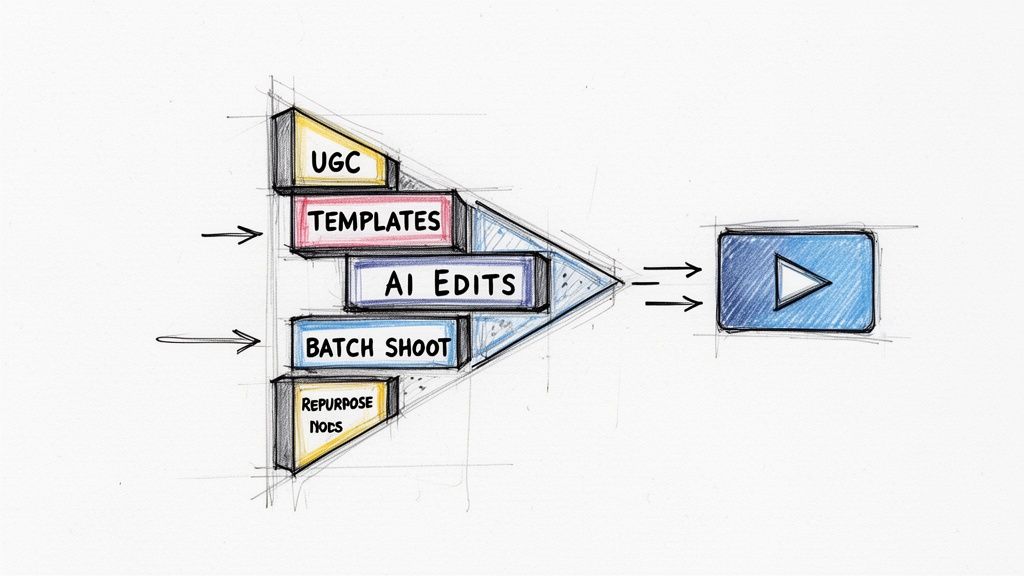
Knowing what drives your costs is one half of the battle. Actually doing something about it is the other. A huge ad budget doesn't guarantee great performance, especially on platforms like TikTok and Meta where authentic, relatable content often crushes overly polished ads.
This section is your checklist for getting smarter with your spend, right now. These aren't just high-level ideas; they're tangible steps to make every dollar work harder. By shifting to a more agile, strategic approach, you can get more ads in front of your audience without blowing up your budget.
Build a Modular Creative Library
Stop thinking about video ads as single, finished products. Start thinking of them as a collection of reusable parts you can snap together like LEGOs. This means building a library of individual creative "blocks" to mix and match for endless ad variations.
Why it works: This simple shift dramatically cuts down on the need for new shoots. A single killer hook can be paired with five different product demos and three calls-to-action, instantly giving you 15 unique ads from a handful of assets.
How to do it: Organize your footage into folders by their job: Hooks, Problem intros, Demos, Testimonials, CTAs. Using an AI platform like Sovran can automatically tag these clips, making it dead simple to assemble and render new combinations in minutes.
Embrace User-Generated Content
User-generated content (UGC) is a performance marketer's secret weapon. It's authentic, it builds trust, and it's a fraction of the cost of producing ads with professional actors and a full crew.
When you use UGC, you're tapping into a style of creative that feels native to social feeds. That authenticity often leads to higher engagement and lower CPMs. It's the ultimate win-win for your budget and your performance metrics.
Getting started is easy. Reach out to customers who already love your product or partner with micro-influencers who fit your brand's vibe. Give them a clear brief and some key talking points, but let them create the content in their own style. This freedom is what keeps the final video feeling genuine and relatable.
Prioritize Simple, Performance-Driven Concepts
A glossy, cinematic ad isn't always the winner. In fact, many of the top-performing ads on social media are simple, direct, and focused on one clear message. Overly complex concepts can distract from your core value prop and inflate costs for no good reason.
Before you plan a big shoot, ask yourself: can we say this more simply? A straightforward product demo or a raw testimonial video will often outperform an expensive, artistic brand piece. Focus your resources on ideas that are proven to convert, not just the ones that look impressive.
Automate Repetitive Tasks with AI
Post-production is full of tedious, time-sucking tasks that can balloon your budget. Things like adding subtitles, resizing for different aspect ratios, and creating text overlays are necessary but repetitive. This is exactly where AI tools can save you a ton of time and money.
Subtitling: Manually transcribing and timing subtitles is a grind. AI can do it almost instantly with over 95% accuracy.
Creating Variations: Instead of paying an editor to manually create 10 versions of an ad with different text, an AI can generate them all at once.
Aspect Ratios: Automatically reformatting a horizontal video for vertical platforms like TikTok and Reels saves hours of manual reframing.
Plan Your Shoots for Maximum Efficiency
If you do need to film new live-action content, a little bit of planning goes a very long way. The single most effective way to cut on-set costs is to batch your production.
Shooting multiple videos in a single session is way more economical than scheduling separate shoots. This approach lets you get the most out of your investment in the crew, location, and equipment for the day. Create a detailed shot list for every single video you plan to capture to make sure you get all the assets you need without wasting a minute of expensive set time. This simple discipline can slash your per-video cost dramatically.
Common Questions About Video Production Costs
Even with a solid plan and a cost calculator, you’re bound to have questions. Budgeting for video can feel like trying to hit a moving target, especially with all the hidden costs and variables that can pop up. This section cuts through the noise and gives you straight answers to the questions we hear most from marketers.
Think of this as the conversation you have after the initial plan is drafted. We’re digging into the details that can make or break your budget, so you can lock in your ad spend with total confidence.
How Can I Accurately Estimate Post-Production Costs?
Trying to nail down post-production costs is tough because it's so much more than just stitching clips together. This is where the magic happens—where your story gets its final sheen—and it typically eats up 25-50% of your entire video budget. That’s a huge slice of the pie, so getting it right is non-negotiable.
So, what drives the price tag here? It really boils down to three things:
Editor's Hourly Rate: This is all over the map. You could pay $50 an hour for a junior editor or over $200 per hour for a seasoned pro with serious skills.
Complexity: A simple talking-head video with a few text pop-ups is one thing. A slick ad with custom motion graphics, professional sound design, and expert color grading is a completely different beast, and the cost reflects that.
Revision Cycles: This is the silent budget killer. If you haven't agreed on the number of feedback rounds upfront, your costs can spiral out of control.
To get a realistic number, you need a crystal-clear scope of work before anyone hits "render." For a standard 30-second social media ad, it's smart to set aside anywhere from $1,000 to $4,000 for post-production alone. Of course, AI platforms are changing the game here, automating edits, subtitles, and overlays to slash this cost dramatically.
Is It Cheaper to Hire a Freelancer or an Agency?
Ah, the classic "it depends" question. But the answer has massive implications for your budget. For a single, straightforward project, a freelancer is almost always the cheaper option. You're paying for their expertise, not their agency's fancy office space or project management overhead.
But when you're running bigger campaigns with lots of moving parts and multiple videos, an agency starts to look a lot more cost-effective. You get an entire integrated team that handles everything, which can be far more efficient at scale. There's a third option now, too: for high-volume ad creation, an AI platform often makes the most sense. It lets your in-house team produce agency-quality work using your existing assets, dodging those hefty recurring fees altogether.
What Is the Biggest Hidden Cost in Video Production?
Hands down, the single biggest hidden cost is revision cycles. Most quotes will include one or maybe two rounds of feedback. Every single change you ask for after that is usually billed as extra, and those costs add up fast—especially if a "small tweak" requires a significant re-edit or new graphics.
Unplanned revisions are budget killers. A simple "can you just tweak this one thing?" can snowball into hours of extra work, pushing your project well over its initial estimate.
Another sneaky cost is asset licensing. You find the perfect song or a great piece of stock footage, only to realize you never budgeted for it. This either leads to last-minute spending or, worse, legal headaches down the road. The fix? Lock down a detailed creative brief in pre-production and get the number of included revision rounds in writing.
How Does Video Length Impact the Final Cost?
It’s a common misconception: a 60-second video must cost double what a 30-second video does, right? Not exactly. The relationship isn't linear at all. Many of your biggest expenses—strategy, gear rental, location fees, crew—are fixed day rates. You're paying for the shoot day, whether you end up with 30 seconds of footage or three minutes.
The costs that do scale with length are things like editing time, music licensing, and sometimes talent fees (though actors are often paid by the day, not the second). As a general rule, a 60-second video might only cost 30-50% more than a 30-second video from the same exact shoot. And let's be honest, for performance ads on platforms like Meta and TikTok, those shorter 15-30 second clips almost always deliver a better ROI anyway.
Ready to stop guessing and start scaling your video ads efficiently? Sovran's AI platform automates the entire creative process, from generating new concepts to rendering hundreds of variations in minutes. Combat creative fatigue and find your winning ads 10x faster. Start your 7-day free trial today.

Manson Chen
Founder, Sovran
Related Articles

Your Ultimate Guide to UGC Style Video Ads
Master UGC style video ads for Meta and TikTok. This guide reveals proven frameworks, scripts, and scaling tactics to boost your ROAS in 2026.
10 Actionable Ad Creative Ideas That Convert in 2026
Discover 10 actionable ad creative ideas for Meta & TikTok. Get hooks, scripts, and testing frameworks to boost your ROAS and combat creative fatigue.
Promotional Videos for Companies A 2026 Growth Playbook
Learn how to use promotional videos for companies to drive growth. This guide covers production frameworks, AI tools, and platform-specific strategies for 2026.