A Guide to High-Performing Video Ads for Mobile Apps
Create winning video ads for mobile apps. Our guide covers creative frameworks, production, testing, and scaling on Meta & TikTok for maximum ROI.

Jump to a section
If you're in user acquisition, you already know that video ads are the single biggest lever you can pull to turn passive scrollers into active users. This format is a potent mix of sight, sound, and motion that lets you tell your app's story in just a few seconds. Honestly, running winning video campaigns is no longer optional—it's the core engine driving real growth on platforms like TikTok and Meta.
Why Video Ads Are Essential for App Growth
Let’s get past the obvious stuff. Video isn’t just popular; it’s the heart and soul of modern mobile app marketing. User acquisition (UA) managers are pouring huge chunks of their budgets into video for one simple reason: it flat-out works. This isn't some passing trend. It's a fundamental shift in how people discover and download new apps, driven entirely by the endless scroll on social feeds.
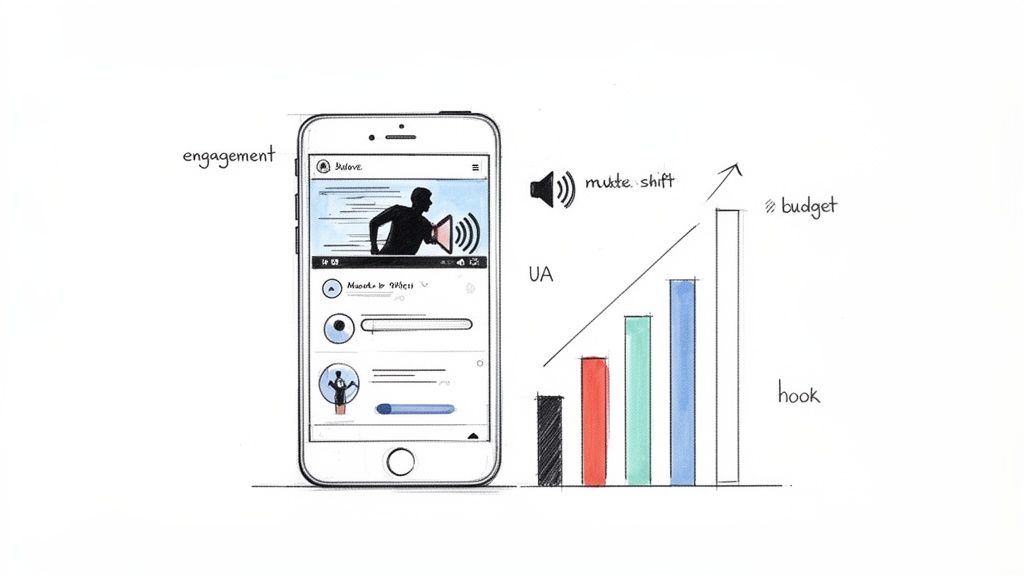
To win here, you have to get inside the mind of a mobile user. They're scrolling fast, probably with the sound off, and their attention span is brutally short. This environment sets the rules for your creative. A killer hook in the first three seconds isn't a "nice-to-have," it's a must. And clear, bold subtitles are non-negotiable, since an estimated 85% of mobile videos are watched on silent.
The Data-Backed Shift to Video
The money tells the real story. Projections show that in 2025, advertisers in the United States will drop a staggering $85 billion on mobile video ads. That's an 18% jump from 2024. This isn't just random spending; it reflects the reality that mobile video is the dominant force in digital advertising today.
This explosion is happening because that's where your users are. A whopping 69% of digital video viewers would rather watch on their smartphones than any other device. This behavior makes short, punchy video ads the perfect way to drive app installs during those quick scrolling sessions. For any team serious about scaling their app, mastering video ads is the only way forward.
Meeting the Demands of Modern Platforms
Platforms like TikTok and Meta have completely rewired user expectations. People expect dynamic, authentic, and genuinely engaging video. Your old static images and boring banner ads just get scrolled past. To even have a chance, your ads need to look and feel like they belong on the platform.
This means you need to be thinking about a few key things:
Vertical-First Format: Your ads absolutely must be designed for a full-screen mobile view. No exceptions.
Authenticity: User-generated content (UGC) and lo-fi styles consistently outperform polished, corporate-looking videos.
Rapid Iteration: Creative fatigue is a killer. You need a constant flow of fresh ad variations to keep performance from tanking.
The real challenge for UA managers has shifted. It’s no longer about if you should use video, but how on earth you can produce enough high-quality video variants to keep up with the platforms and your audience.
Ultimately, great video ads drive clicks and installs—the lifeblood of user acquisition. To make the most of this, you have to increase social media engagement, because compelling ads are what spark the interactions that fuel growth. For teams looking to streamline this whole creative grind, you might want to see our guide on how Sovran supports mobile app campaigns.
Building Your Creative With Modular Frameworks
Forget trying to reinvent the wheel every time you need a new video ad. The real secret to scaling video ad creative isn't about landing one viral masterpiece—it's about building a system.
The best performance teams I know treat their creative assets like LEGO bricks. They have a collection of interchangeable hooks, body segments, and calls-to-action that can be snapped together in endless combinations. This modular approach is the key to rapid, data-driven iteration. Instead of starting from scratch, you can just swap out a hook or a CTA to test what truly resonates with your audience. It's a faster, smarter way to fight creative fatigue and find winning formulas without burning out your team.
The Classic Hook-Body-CTA Model
At its core, nearly every successful ad you see on Meta or TikTok is built on one simple structure: the Hook-Body-CTA framework. It’s the absolute backbone of performance creative.
The Hook: You have 1-3 seconds to stop the scroll. That’s it. Your hook has to grab attention instantly and spark just enough curiosity to keep them watching.
The Body: This is where you deliver the goods. Show off gameplay, highlight a killer feature, or present the exact problem your app solves.
The CTA: Tell them exactly what to do next. Be direct and clear. “Download Now,” “Play for Free,” and “Get Your Plan” leave no room for confusion.
The magic happens when you start playing with the variables. A gaming app might test a "fail" hook (a player messing up spectacularly) against a "win" hook (a player hitting a new high score). A fintech app could test a benefit-driven hook ("Stop paying overdraft fees") against a pain-point hook ("Tired of confusing budgets?").
And a quick technical tip: make sure you’re using the correct vertical video dimensions for these mobile-first platforms. A perfectly framed video ensures your hook and CTA are fully visible and hit with maximum impact.
Advanced Frameworks for Deeper Connection
While the Hook-Body-CTA model is your foundation, layering in proven psychological frameworks can turn a good ad into a great one. My personal favorite is the Problem-Agitate-Solution (PAS) model.
This framework is incredibly powerful because it connects directly with your user’s emotions.
Problem: Start by calling out a specific problem your target user has. For a language-learning app, it might be the sheer frustration of not being able to communicate while traveling.
Agitate: Now, pour a little salt in the wound. Don't just state the problem—make them feel it. Show the awkwardness of trying to mime for directions or the missed opportunity to connect with a local.
Solution: With the pain fresh in their mind, introduce your app as the clear, simple answer. Show how easy it is to learn a few key phrases and navigate a new culture with confidence.
By structuring your ad this way, you create a story. You're positioning your app not just as a tool, but as the resolution to a real-world headache.
The goal isn't just to show what your app does; it's to show how your app makes the user's life better. The PAS framework connects your features to their feelings.
Effective Creative Frameworks for Mobile App Video Ads
To help you get started, here’s a quick breakdown of some of the most effective frameworks we see working right now. Think of these as blueprints you can adapt to your own app.
Framework | Core Components | Best For (App Category) | Example Concept |
|---|---|---|---|
Hook-Body-CTA | 1. Attention-grabbing start | Universal (Gaming, Utility, SaaS) | A puzzle game ad showing a tricky level (Hook), quick cuts of satisfying solutions (Body), and "Download Now to Play!" (CTA). |
Problem-Agitate-Solution (PAS) | 1. Identify a user pain point | Fintech, Health & Wellness, Productivity | An ad showing a messy spreadsheet (Problem), a person looking stressed (Agitate), then the app's clean dashboard (Solution). |
UGC Mashup | 1. Multiple creator clips | E-commerce, Lifestyle, Social Apps | A fast-paced montage of different users unboxing and loving a product, ending with a "See What the Hype is About" CTA. |
Before & After | 1. Show the "old way" | Photo Editing, Fitness, Home Design | A side-by-side of a dull photo (Before) instantly transformed into a vibrant image using the app's filter (After). |
Each of these frameworks gives you a reliable starting point, so you’re never staring at a blank screen wondering what to create next.
Harnessing the Power of UGC Mashups
If you want to scream authenticity, nothing beats user-generated content (UGC). A UGC mashup is simply an ad made by stitching together clips from multiple creators. It’s one of the best ways to build immediate social proof and show that real people genuinely love your app.
Sourcing and editing these clips into a coherent story is a skill. You can find creators on influencer platforms, by running contests, or by simply reaching out to users who are already tagging you in their posts.
The key is to combine their clips into a fast-paced, engaging narrative. You could mix together several glowing video reviews, showcase different ways people use your app, or create a powerful "before and after" sequence. This style feels completely native to social feeds and builds trust in a way that a polished, corporate ad never could.
To get a better feel for structuring these ads, check out this video ad template as a guide. By treating these frameworks as reusable blueprints, you can build a true creative engine that consistently churns out high-performing video ads.
How to Scale Production Without Burning Out Your Team
Let's be real. The biggest bottleneck for any growth team isn't strategy—it's the relentless, soul-crushing need for fresh creative. Ad fatigue is the silent killer of campaign performance. To stay ahead, you need a constant stream of new video ads for mobile apps, but that demand can quickly incinerate even the most dedicated creative team.
The answer isn't just to work harder. It's about building a smarter, more efficient production engine. By embracing automation and AI-powered tools, you can finally move away from tedious, manual tasks and get back to what actually matters: high-level creative strategy and digging into the data. The goal is a system that lets you produce more, test faster, and learn quicker.
Building Your Centralized Asset Library
Picture this: a single, searchable library for every creative asset you own. No more frantic Slack messages asking where that one perfect gameplay clip from three months ago is hiding. No more navigating a maze of confusing folder structures. This is the foundation of a scalable workflow.
Modern platforms can automatically pull in and tag all your assets—gameplay footage, UGC testimonials, B-roll, voiceovers, you name it. This makes everything instantly discoverable with a simple search. For example, you could type in "high-intensity boss fight clips under 5 seconds" and get exactly what you need in a flash.
This system effectively turns your raw footage into a collection of reusable building blocks, ready to be mixed and matched into countless ad variations.
This flowchart breaks down the core idea: treating the Hook, Body, and CTA as separate, interchangeable parts.
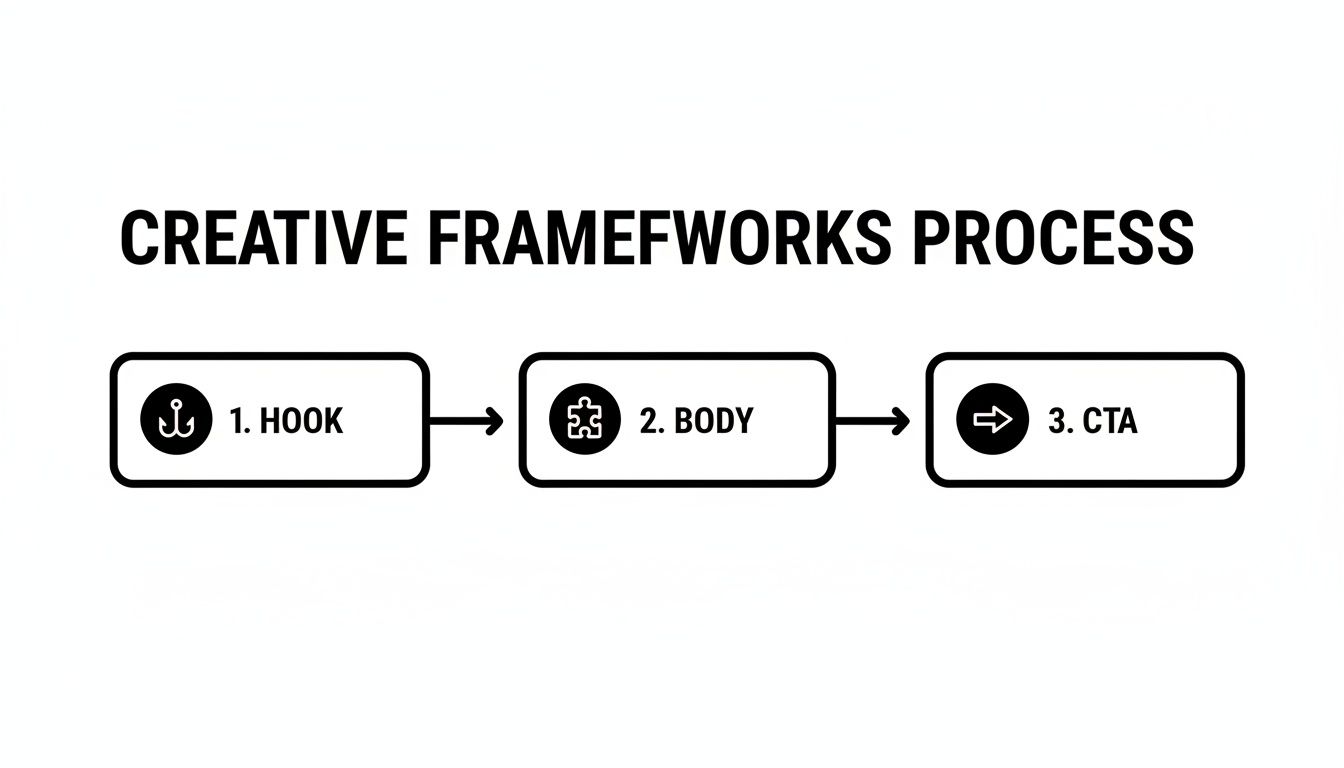
Thinking about your ads in this modular way is the secret to unlocking rapid, scalable production.
Automating Variant Generation at Scale
Once your assets are organized, the real fun begins. Instead of manually editing every single ad variation in a tool like CapCut, you can automate the creation of hundreds of them. This is where those modular frameworks we talked about become incredibly powerful.
You can set up rules to automatically combine different elements:
Swap Hooks: Test five different hooks against your top-performing body and CTA.
Remix Body Content: Pair your best hook with ten different gameplay clips or feature showcases.
Iterate on CTAs: Use the same video but test five different text overlays for the call-to-action.
This process, known as bulk rendering, can pump out a massive volume of unique ads in minutes, not days. It's an absolute game-changer for testing velocity, letting you quickly find out which combinations actually connect with your audience. If you want to go deeper on organizing projects like this, our guide on video production project management has some great insights.
The objective is to shift from manual editing to automated assembly. Your team's time is better spent analyzing performance data and brainstorming new creative angles, not endlessly tweaking timelines and text overlays.
Using Generative AI to Fill Creative Gaps
So, what happens when you run out of live-action footage or need a specific visual you just don't have? This is where generative AI becomes your new best friend. Tools that are integrated with models like Sora or Veo can create high-quality, unique B-roll and even entire hooks from a simple text prompt.
For instance, if you're promoting a travel planning app but don't have footage of a specific destination, you could generate a clip of a "couple joyfully exploring a bustling market in Tokyo." This gives you an almost infinite well of visual assets to pull from, making sure your ads always feel fresh and relevant.
By combining a tagged asset library, automated variant generation, and a dash of generative AI, you create a production engine truly built for the demands of modern user acquisition. This is how you free your team from the creative grind and empower them to make the data-driven decisions that actually scale results.
A Testing Methodology That Actually Works
So you've cranked out a hundred ad variations. That's the easy part. The real work is figuring out which ones are actually driving results—and more importantly, why. This is where a disciplined testing methodology comes in. It’s what separates the teams that guess from the teams that grow.
Without a solid system, you're just throwing spaghetti at the wall. You get a random performance spike and have no clue how to replicate it. Let's build a process that turns your ad spend into an engine for learning.
Nail Your Naming Conventions First
Before you even think about launching a campaign, get your naming conventions sorted. I know, it sounds boring, but this is the absolute foundation of clean analysis. Messy naming makes it a nightmare to compare apples to apples when you're swimming in data later.
The goal is simple: read an ad name and instantly know what it is.
Here’s a structure that works well:
[Date]_[Platform]_[CreativeConcept]_[HookVariant]_[CTAVariant]
For example: 20241028_Meta_UGC-Review_Hook03_CTADownloadNow
Just by glancing at this, you know the launch date, platform, core idea (UGC review), which hook you’re testing, and the specific CTA. When you pull your reports, this simple habit makes sorting and pivoting data a breeze.
Isolate One Variable at a Time
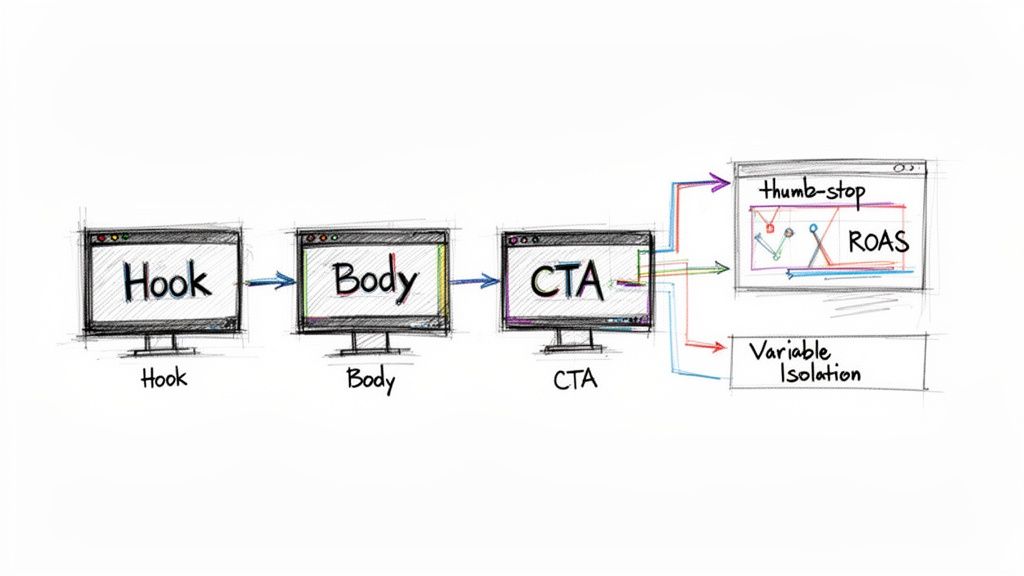
This is the golden rule of testing: change only one thing at a time.
If you launch an ad with a new hook, new body, and a new CTA, you’ve learned nothing. Was it the hook that tanked performance? Or the CTA that doubled your ROAS? You’ll never know.
Always start by isolating the most impactful element: the hook. The first 3 seconds of your video will make or break your ad, so this is where you’ll find your biggest wins.
A proper hook test should look like this:
Ad 1: Hook A + Body X + CTA Z
Ad 2: Hook B + Body X + CTA Z
Ad 3: Hook C + Body X + CTA Z
See how the body and CTA are kept the same? This is a controlled experiment. Any difference in performance can be directly attributed to the hook. Once you find a winner, it becomes your new "control," and you can start testing body variations or CTAs against it.
Your testing methodology shouldn't be random. It's a systematic process of elimination designed to pinpoint the specific creative ingredients that drive results for your mobile app.
Track the Right Metrics for the Right Job
Different metrics tell different parts of the story. Watching the right KPIs at each stage of the funnel helps you diagnose exactly where an ad is failing or succeeding.
Top of Funnel (Did they stop scrolling?): Look at initial engagement. A high Thumb-Stop Ratio (3-second views / impressions) is your first signal that the hook is grabbing attention. From there, a solid Video Completion Rate (VCR) tells you the body is keeping them engaged.
Mid-Funnel (Did they care enough to click?): Now we're looking at intent. A healthy Click-Through Rate (CTR) means your message is compelling. A low Cost Per Click (CPC) means you're getting that traffic efficiently.
Bottom of Funnel (Did it make money?): This is what it's all about. You need to be tracking your Install Rate (installs / clicks), Cost Per Install (CPI), and of course, your Return on Ad Spend (ROAS). These are the metrics that tell you if you're acquiring the right users profitably.
Know When to Kill an Ad and When to Scale It
Making the call to kill an underperformer or pour gas on a winner requires a mix of data and discipline. Don’t get jumpy and make decisions after just a few hours. Your ads need enough budget and time to reach statistical significance.
As a rule of thumb, let a test run for at least 3-5 days or until it has enough data to be meaningful. That said, if a variant is getting absolutely crushed on top-of-funnel metrics like thumb-stop and CTR after a day or two, it’s usually safe to cut it loose and reallocate that budget.
On the flip side, when an ad is clearly beating your target CPI and ROAS goals, don't wait around. Scale the budget aggressively. This is the feedback loop that drives real growth, ensuring every dollar you spend makes your next move smarter.
Using Video for Powerful Remarketing Campaigns
Getting that first install is a huge win, but it's really just the beginning. The real magic happens when you bring users back into your app, turning them from one-time visitors into loyal fans. That's where video remarketing comes in—it’s your best bet for maximizing lifetime value (LTV).
Here’s a common mistake: just showing lapsed users the same old acquisition ad. It’s a recipe for wasted ad spend. Smart remarketing is all about a segmented, thoughtful strategy. You have to meet users where they are and show them a video that speaks directly to their experience with your app.
This isn't just a nice-to-have; it's becoming critical. Mobile app remarketing spend is projected to explode, hitting a massive $31.3 billion globally in 2025. That's a 37% jump year-over-year. This surge shows just how vital video is for re-engaging users and driving real, sustainable growth. You can dig into more stats on this trend in this comprehensive report from AppsFlyer.
Segmenting Your Audience for Maximum Impact
Your remarketing campaigns are only ever as good as your audience segments. Don't blast everyone with the same message. Instead, slice your user base into specific groups based on what they actually did (or didn't do) in your app. This way, you can create hyper-relevant video ads that feel more like a helpful nudge than a pushy ad.
Here are a few classic segments you can start with:
Onboarding Drop-offs: They installed the app but bailed before finishing the setup. They were interested enough to download but got stuck or lost focus.
One-Action Wonders: They tried a core feature once—maybe they edited one photo or beat one level—but never came back for more.
Dormant Users: These folks used to be active but haven't opened the app in the last 7, 14, or 30 days.
Cart Abandoners: The classic e-commerce problem, but for apps. They added an item to their cart or started an in-app purchase and then vanished.
When you build these distinct audiences in your ad platform, you can tailor your video content to hit the exact reason they left, which massively boosts your chances of winning them back.
Great remarketing isn't about shouting at users who left; it's about whispering a compelling reason to return. Your video ad should be the perfect nudge at the perfect time.
Crafting Video Concepts for Each Segment
Okay, you've got your segments. Now it's time to build video concepts that actually resonate with each group. The beauty of a modular creative system is you don't have to start from scratch every time. You can just remix your existing assets—gameplay clips, feature demos, user-generated content—into fresh, targeted ads.
Let's get practical. Here are some video ideas for each remarketing segment:
For Onboarding Drop-offs: Hit them with a quick, 15-second "quick start" tutorial. Show them just how easy it is to get to that "aha!" moment they missed out on. The whole video should focus on the single most exciting outcome of completing the setup.
For One-Time Users: Your goal here is to reveal a "hidden gem" feature they probably never found. If they used your photo editor for a basic filter, your video should show off the mind-blowing background removal tool. Give them a reason to explore.
For Dormant Users: Announce something new and exciting. A video revealing a new game mode, fresh design templates, or an exclusive event creates a powerful sense of FOMO (fear of missing out).
For Cart Abandoners: This one is simple but effective. Remind them of the value they left behind. A short video highlighting the item or subscription they were considering, maybe sweetened with a limited-time offer, often does the trick.
This targeted approach turns your remarketing from a simple reminder into a value-driven conversation. It paves the way for a sustainable growth cycle where the install is just the first step toward long-term revenue.
Got Questions About Mobile App Video Ads? We've Got Answers.
Even with a killer strategy in place, a few nagging questions can pop up and grind your whole operation to a halt. When you're in the trenches running video ads for mobile apps, you’ll find that most UA managers and growth marketers run into the same practical hurdles.
Let's clear the air and tackle some of the most common questions head-on. This isn't about high-level theory; it's about giving you straightforward, actionable answers for your campaigns on Meta and TikTok.
How Long Should My Video Ads Be?
The honest answer? It depends. But when in doubt, go shorter.
For your top-of-funnel ads trying to grab attention on fast-scroll feeds like TikTok and Meta Reels, you should be aiming for 15-30 seconds. The mission here is simple: stop the scroll and get your core message across in a flash.
But the "perfect" length really shifts depending on what you're trying to achieve and where the ad is running.
Awareness & Installs (Top of Funnel): Keep it punchy. Think 15 seconds or less. If you can't land your hook and show your app's value in that time, you've probably already been swiped past.
Remarketing & Re-engagement: You've earned a little more time here, maybe up to 30 seconds. This audience already knows you, so you can use the extra seconds to highlight a cool new feature or walk them through something useful.
Rewarded Video (In-App): These can stretch to 30 seconds or more. Users have literally opted in to watch in exchange for a reward, so they're a captive audience.
The golden rule I always follow is this: make your video exactly as long as it needs to be to tell the story, but not one second longer. If you can make your point in 12 seconds instead of 15, do it. Every single second is valuable real estate.
How Much Should I Budget for Creative Testing?
Budgeting for creative tests can feel like you're throwing darts in the dark, but a little structure goes a long way. A solid, battle-tested starting point is the 10-20% rule.
This just means you set aside 10% to 20% of your total campaign budget just for testing new creative.
This isn't "wasted" money; it's one of the smartest investments you can make. It's the fuel that powers your learning engine, helping you find the winning hooks, concepts, and CTAs that will make the other 80-90% of your budget work so much harder.
If you're just starting out and that feels too abstract, you can budget on a per-test basis. For a simple hook test with three ad variations, you'll want to give each ad enough budget to hit at least 10,000 impressions or let it run for 3-5 days. This gives you just enough data to make a call without burning through cash.
What Is Creative Fatigue and How Do I Fight It?
We've all seen it. You've got a winning ad, and then, seemingly overnight, performance falls off a cliff. Your CTR tanks, and your CPI shoots through the roof.
That’s creative fatigue. It happens when your audience has seen your ad so many times they just tune it out. On platforms like Meta and TikTok, this can happen in a matter of days.
Fighting it isn't about panicking when the numbers dip; it's about having a system.
Keep an Eye on Frequency: This is your early warning system. Once you see the ad frequency creeping up—a good rule of thumb is a frequency of 3-5 within a 7-day window—it’s time to get something new in rotation.
Think in Modules: This is your secret weapon. Instead of starting from scratch every time, just swap out the first 3 seconds (the hook) or the middle part of the video. To the algorithm and the user, it feels like a brand-new ad, but it only took you minutes to create.
Build a "Ready" Queue: Never wait for performance to tank before you act. The best media buyers always have their next batch of creative variants tested and waiting in the wings. You should always be one step ahead of fatigue.
This cycle of constant, low-effort iteration is the entire game. The goal is to build a creative production engine that moves faster than your audience gets bored.
Ready to stop the manual grind and start scaling your creative output? Sovran automates the entire video ad production process, helping you generate, test, and launch winning campaigns up to 10x faster. Book a demo and see the difference for yourself.

Manson Chen
Founder, Sovran
Related Articles
How to Turn Link Into Video: Ads That Convert in 2026
Learn how to turn link into video for Meta & TikTok ads. Leverage AI to scale creation, boost ROI, and succeed in 2026.
- ai-video-generation
- link-to-video-ads
- 6 more
8 High-Converting Static Ads Examples for 2026
Discover 8 high-performing static ads examples from top apps. Learn to create text-overlays, testimonials, and lifestyle ads that convert.
- static-ads
- performance-marketing
- 5 more
A Performance Marketer's Guide to Video to Flipbook Conversion
Learn to convert video to flipbook formats that boost engagement. This guide covers actionable methods for ads, content, and scaling creative with AI in 2026.
- video-repurposing
- performance-marketing
- 4 more